Circle Calculator
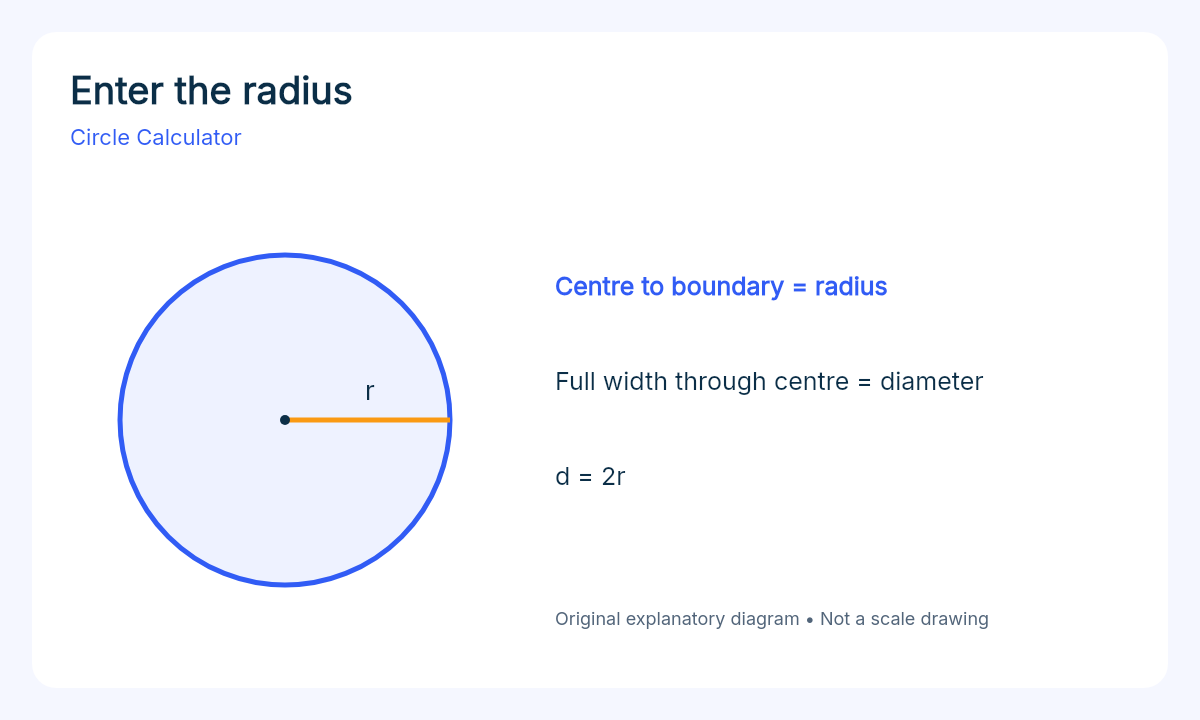
This circle calculator finds area, circumference and diameter from a radius. Enter the distance from the centre to the boundary, using one length unit. A circle with a radius of 3 centimetres has an area of about 28.27433388 square centimetres, a circumference of about 18.84955592 centimetres and a diameter of 6 centimetres.
Loading calculator. JavaScript is required.
Your result
The circle calculator describes a complete, flat circle from its radius. The tool does not find a circular arc, a sector or the area of a ring with a hole. If you measured the full distance across the circle through its centre, divide that diameter by two before entering the radius.
On this page
- How to use the circle calculator
- Area, circumference and diameter formulas
- Three worked examples
- Check size changes and measurement choices
- Precision, supported inputs and practical limits
- Circle Calculator: Checking surface and boundary measurements
- Questions about circle calculator
- Sources and method notes
How to use the circle calculator
Find the centre of the circle and measure to its edge. Enter the radius as an ungrouped decimal number. For example, a radius of two and a half metres is entered as 2.5. A width taken across a circular object may be a diameter; using it as a radius would describe a different circle with twice the intended diameter.
Choose a unit label that agrees with the measurement. This selection only labels your result and does not rescale the input. A radius measured in inches produces circumference and diameter in inches, while area is in square inches. For another length unit, convert the measurement first. The number display selection affects grouping and decimal formatting in the answer.
Area, circumference and diameter formulas
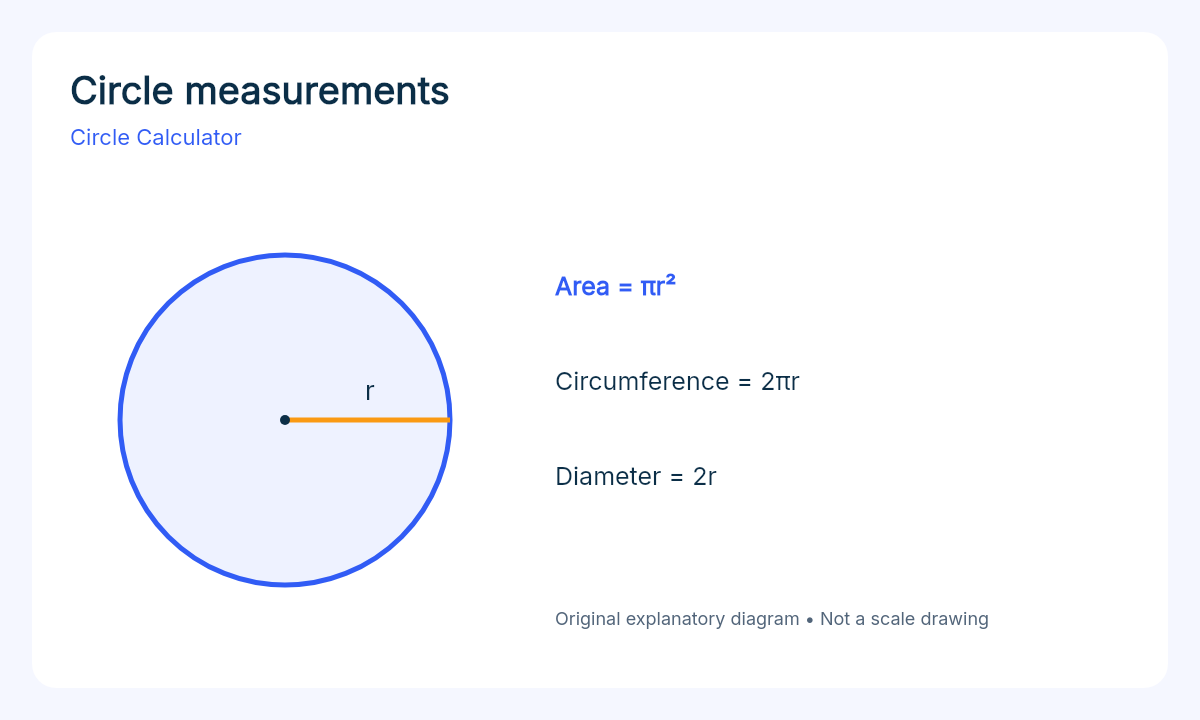
Area = π × r², where r is radius. Circumference = 2 × π × r, and diameter = 2 × r. The circle calculator uses the browser's Math.PI value rather than replacing π with 3.14. In an exact classroom answer, leaving π in the expression may be preferable to writing a rounded decimal.
Area measures the surface enclosed by the boundary. Circumference measures the distance around that boundary. Diameter is a straight distance through the centre between two opposite boundary points. These quantities answer different questions. Covering a circular surface starts from area, while estimating a continuous edge starts from circumference. Neither formula includes material overlap, cutting waste or installation allowances.
Three worked examples
Example one uses radius 3 centimetres. Area is 9π, approximately 28.27433388 square centimetres. Circumference is 6π, approximately 18.84955592 centimetres. Diameter is 6 centimetres. Dividing circumference by diameter gives π before display rounding, which provides an independent check on the two length results.
Example two begins with a diameter of 10 metres. Divide by two to enter radius 5 metres. Area is 25π, approximately 78.53981634 square metres. Circumference is 10π, approximately 31.41592654 metres. The output diameter of 10 metres helps confirm that the original measurement was interpreted correctly rather than entered directly as radius.
Example three uses radius 0.5 inches. Area is π / 4, approximately 0.78539816 square inches. Circumference is π, approximately 3.14159265 inches. Diameter is 1 inch. A decimal radius works with the same formulas as a whole-number radius. Keep the unit consistent rather than treating a smaller numerical value as a different measurement system.

Check size changes and measurement choices
Doubling radius doubles diameter and circumference, but it multiplies area by four. This is because radius appears twice as a factor in the area formula. A circular sheet with radius 6 units therefore covers four times the area of one with radius 3 units. Comparing only the radius difference can understate how much the surface size changes.
The circumference should be a little more than three times the diameter. Area divided by radius squared should equal π. These checks can catch a mistaken radius, a unit mismatch or confusion between a straight width and the curved boundary. If the measured outline is noticeably oval, a single radius cannot describe it accurately; use a model appropriate to an ellipse instead. A printed plan may be resized, so its drawn radius is not necessarily the real radius. Apply the plan's scale before entering a measurement for an actual object.
Precision, supported inputs and practical limits
Radius must fall between 0.000000001 and 1,000,000,000. Blank, zero, negative, non-finite and out-of-range values are rejected. Ordinary results show up to eight decimal places. Very small and very large quantities use scientific notation with up to six decimal places in the mantissa. Browser number precision is finite, so more displayed digits do not make an approximate measurement exact.
Small radius errors matter more to area than to circumference. For small changes, a one percent change in radius produces roughly a two percent change in area. Measure to a precision suitable for the task and round the completed result accordingly. Rounding the radius early can have a larger effect than rounding only the final area.
Changing an input hides the previous answer until the next calculation. Reset restores the sample radius. Copy uses the displayed values when clipboard access is permitted, while CSV downloads the represented numerical values with their units. The arithmetic runs in your browser without sending the radius to a calculation service. This geometric result does not determine product coverage, usable capacity, strength or a safe installation method. Account for those separately when applying the numbers to a physical project.
Circle Calculator: Checking surface and boundary measurements
The circle calculator describes area and circumference in different dimensions. With radius 2 units, both numerical values happen to be 4π. Area is still in square units, while circumference is a length. Write the unit with each copied result so that a numerical coincidence is not mistaken for an interchangeable measurement.
For a scaling check in the circle calculator, halve a radius of 5 to 2.5 units. Diameter falls from 10 to 5, and circumference halves. Area becomes one quarter of its previous value because both radius factors halve. This gives a check on whether a size adjustment was applied to a length or to a surface quantity.
Questions about circle calculator
Can I enter a diameter?
This version takes a radius. Divide a measured diameter by two before entering it. The result includes diameter as a useful check.
Is circumference the same as perimeter?
For a circle, circumference is the name for its perimeter or complete boundary length.
Does this find the area inside a circular ring?
No. A ring requires both an outer and an inner radius. This tool reports one complete circle.
Does changing the unit label convert the radius?
No. Convert the measurement first. The selected label describes the current input and result units.
Why does doubling radius make area four times as large?
Area contains radius squared. Multiplying both radius factors by two multiplies their product by four.
Can the circle calculator start from a circumference?
This version takes radius only. If circumference is known, the mathematical relationship radius = circumference / (2π) can be used separately to obtain the radius. Check the circumference unit before entering that derived value. Typing a circumference directly into the radius field would describe a different, much larger circle.
Can the circle calculator accept a fraction such as 1/2?
Enter the corresponding decimal, such as 0.5, rather than an arithmetic expression. The radius field is a numerical input and does not parse a slash as division. The same rule applies to mixed numbers and measurements written with words. Convert them to one positive numerical radius in a common unit first.
Why might the circle calculator show scientific notation?
A very small or very large result needs more space than an ordinary decimal display. Scientific notation expresses the number as a mantissa multiplied by a power of ten. It does not change the unit or make a small positive area equal to zero. The supported radius range and finite browser precision still apply.
Does choosing another number display convert my measurement?
No. Number display changes decimal and grouping characters in the result, while the unit selection only changes its label. Neither rescales the radius. Inputs still use an ungrouped decimal number with a point. Keep formatting, units and mathematical conversion as separate choices when copying a result into a spreadsheet or another tool.
Can I use this for a circle drawn at a reduced scale?
Apply the drawing's scale to obtain the intended radius before using the result for the full-size object. Lengths scale by the linear scale factor, while areas scale by its square. A scan or printout may also have been resized, so its apparent radius alone does not establish the real measurement.
Does the CSV include every radius I have tried?
No. It exports the current area, circumference and diameter with their unit labels. It is not a history of earlier inputs or calculations. Keep the radius and any measurement notes separately when someone needs to reproduce the result. The exported represented values can include more digits than the formatted display.
Sources and method notes
Method and source notes checked on 26 November 2026. The diagrams are original explanatory drawings. Read the privacy policy for other site services.