Date difference calculator
Try Date Difference Calculator
Loading calculator. If this message stays visible, enable JavaScript and reload.
Your result
The date difference calculator counts the elapsed calendar days between a start date and an end date. Choose both dates and select Calculate / Run. From 1 November 2026 to 14 November 2026, the result is 13 days. If you want to count every calendar date including both the 1st and the 14th, that inclusive count is 14 instead.

The form returns the size of the gap as a nonnegative number. If End date is earlier than Start date, it still reports the gap and adds a direction warning. Weekends and holidays remain part of the count. Read the examples below to choose the counting convention that matches your task.
On this page
- What does the date difference calculator count?
- How do you choose and verify the two input dates?
- Date Difference Calculator: elapsed and inclusive counts
- How are leap years, months and year boundaries handled?
- What do worked date-difference examples look like?
- How does this differ from workdays, weekdays and clock durations?
- How should you interpret reversed dates and uncertain records?
- How can you review and retain a date calculation?
- Frequently asked questions
- Sources
How to use the Date Difference Calculator
What does the date difference calculator count?
The date difference calculator counts how many calendar-day steps separate the selected dates. Adjacent dates are one day apart. The same date entered twice has a gap of zero. For a forward interval, the result excludes the starting date and counts the elapsed days up to the ending date.
For example, from Monday's date to Tuesday's date, one calendar day has elapsed. Listing both Monday and Tuesday would produce two named dates, which is a different operation. A date interval and a list of dates can therefore have different counts without either calculation being wrong.
The output is a day count, not a years-months-days breakdown. It does not report the weekday of an endpoint, a number of working days or the time left until an event down to the second. Those questions need different information or different conventions.
This makes the form useful for a quick check on the gap between two calendar entries, a span in a personal record or a planning interval defined in calendar days. Record what the count means when you share it. "13 elapsed days between 1 and 14 November" is clearer than an unexplained number that someone might read as a count including both endpoints.
How do you choose and verify the two input dates?
Enter the earlier event in Start date and the later event in End date when the order matters. Both fields require a complete valid calendar date. Use the date picker to select the day, month and four-digit year, then check them before calculating.
- Identify the two events or calendar entries being compared.
- Confirm the calendar system and the full date for each.
- Choose Start date and End date in the form.
- Select Calculate / Run.
- Read the result and any direction message.
Devices can display date controls differently. An ambiguous written date such as 04/05/2026 can mean 4 May or 5 April in different conventions. Check the source record rather than guessing. If the record is unclear, the calculator cannot recover which date was intended.
Do not assume prefilled dates match the current day or the period you need. The result is based on the selected values. A correctly calculated gap between the wrong dates is still the wrong answer for your task.
The form validates whether dates exist. A date such as 31 April or 29 February in a common year is not accepted as an alternative way of writing the following month. Correct the date instead of trying to interpret an error as a zero-day gap.
Date Difference Calculator: elapsed and inclusive counts
Elapsed-day counting measures the steps between dates. Inclusive counting counts every date in a consecutive calendar-date list, including the first and last. For a valid range in chronological order, the inclusive date count is the elapsed gap plus one.
From 1 November to 14 November, the gap is 13 days. The list 1, 2, 3 and so on through 14 contains 14 dates. On a one-date range, the contrast is even clearer: the elapsed gap is zero, while the inclusive list contains one date.
There is no include-both-endpoints switch in this form. If an inclusive list is what you need, add one to the returned gap after confirming the endpoints. Keep that adjustment in your notes. Do not add one automatically to every date calculation; an elapsed duration, a booking span and an inclusive attendance list may use different definitions.
Consider arriving on 10 June and leaving on 13 June. The dates are three days apart, and the consecutive dates touched are the 10th, 11th, 12th and 13th. Which number is relevant depends on whether you are counting elapsed dates, nights between check-in and checkout, or dates on which an activity occurred. This calculator only supplies the date gap. It does not apply a booking provider's billing rules or count partial days from arrival and departure times.
How are leap years, months and year boundaries handled?
The calculation follows the calendar rather than assuming every month has thirty days or every year has 365. A leap day inside the interval contributes an extra calendar day.
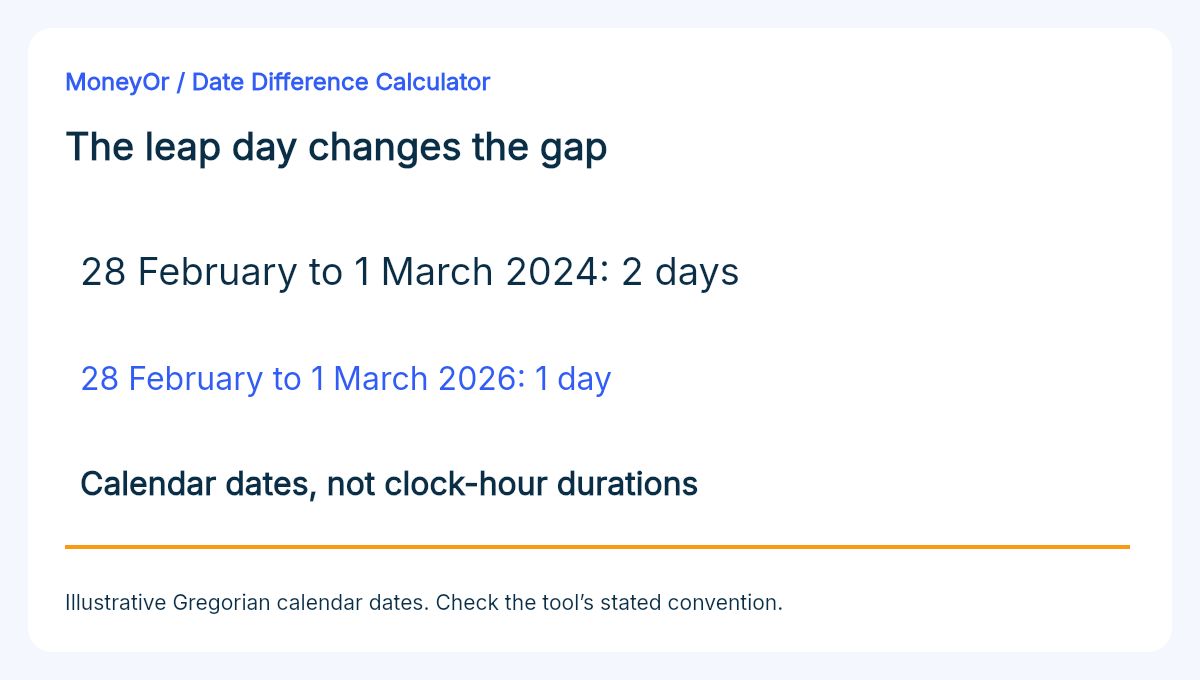
From 28 February 2024 to 1 March 2024, the result is two days because February 29 lies between them. From 28 February 2026 to 1 March 2026, it is one day. The U.S. Naval Observatory's Leap Years reference explains the Gregorian leap-year rule, including the century-year exception.
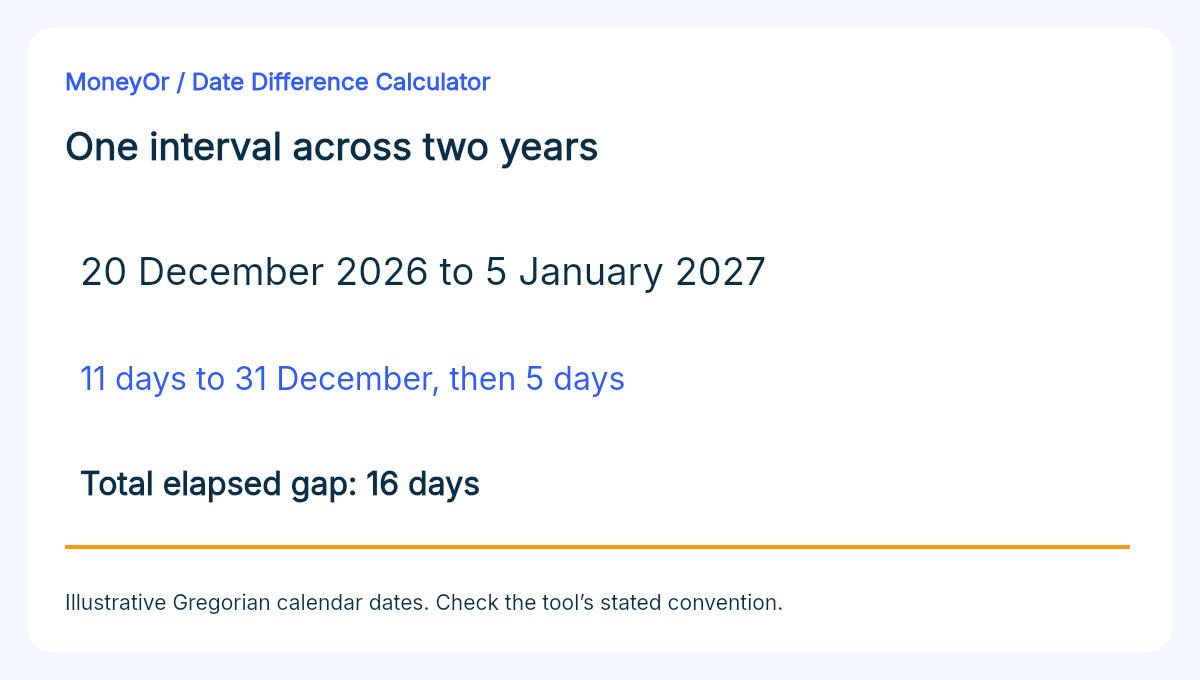
Crossing a year boundary does not require a separate mode. From 20 December 2026 to 5 January 2027, the gap is 16 days. The days remaining in December and the days reached in January are part of one continuous calendar interval.
The leap year calculator can help check a particular year, but you do not need to subtract leap days manually here. Doing so would remove days that belong in the elapsed count.
A month-based description can be less definite than a day count. From 31 January to 30 March 2026 there are 58 elapsed days. Turning that into months and remaining days requires a month-end convention. Use the age calculator when a calendar years-months-days description is needed, and read its stated convention rather than dividing 58 by an assumed thirty-day month.
What do worked date-difference examples look like?
The following examples can be checked by counting across a calendar or by subtracting valid date values. The final row also shows that reversing the fields changes the direction message, not the magnitude of the gap.
| Start date | End date | Elapsed gap | Interpretation |
|---|---|---|---|
| 1 November 2026 | 14 November 2026 | 13 days | Ordinary forward interval |
| 14 November 2026 | 14 November 2026 | 0 days | Same selected date |
| 28 February 2024 | 1 March 2024 | 2 days | Includes a leap day |
| 28 February 2026 | 1 March 2026 | 1 day | Common year |
| 20 December 2026 | 5 January 2027 | 16 days | Crosses a year boundary |
| 14 November 2026 | 1 November 2026 | 13 days | End date is earlier |
For the year-boundary example, 20 December to 1 January contributes 12 days, then 1 January to 5 January contributes four. The sum is 16. Breaking an interval at a known boundary is a useful independent check.
Make sure a written explanation agrees with its dates. "From the 1st through the 14th" often suggests an inclusive list, while "elapsed between the 1st and the 14th" suggests a gap. Use the exact dates and a clear label when an informal phrase might be read in two ways.
When checking several periods, keep separate rows for each pair. Overlapping intervals cannot always be added to count unique dates. A date present in both periods would be counted twice by a simple sum.
How does this differ from workdays, weekdays and clock durations?
A calendar-day count includes Saturdays, Sundays and holidays. The tool has no country selector, holiday list or weekend pattern setting. A seven-day interval is seven calendar days even if some of those dates are nonworking days.
Use the business days calculator for its stated working-day method, and check that method against the calendar relevant to your task. A working-day count for a particular organisation may also need local holidays and exceptional closures that a general tool does not know.
The day of week calculator identifies the weekday of one date. The week number calculator assigns a week label under its defined rule. Neither weekday names nor differences between week numbers are substitutes for the continuous day gap.
Exact clock durations need times and, for real instants, the relevant time-zone offsets. This form uses date-only values normalised to a common day basis. It does not count a local daylight-saving day as a special 23-hour or 25-hour input because there are no local clock readings in the form.
The time duration calculator handles a different clock-time question. If your event begins at 23:30 and ends the next morning, a date gap alone cannot tell you its duration in hours and minutes. Keep the time information with the event record.
How should you interpret reversed dates and uncertain records?
The calculator returns an absolute gap. For 14 November 2026 in Start date and 1 November 2026 in End date, the result is 13 days, accompanied by a message that the end is earlier. It does not return minus 13.
This is convenient when you only want the separation between two dates, but the positive number can conceal chronology if you ignore the message. When an order matters, put the dates in the intended fields and keep their labels with the result. A positive gap does not prove that an event happened after another event.
Check the source when a record gives only a month or year. Assuming the first day of a month produces a precise-looking gap based on an unverified date. If the real date is unknown, keep the uncertainty explicit and compare reasonable boundary dates only when that approach fits the task.
This tool also does not convert an older Julian or regional-calendar date into a Gregorian date. Establish the correct calendar and conversion before entering a historical record. It applies its calendar arithmetic to the values supplied, rather than reconstructing local historical calendar changes.
For formal deadlines, interest periods or other consequential rules, use the responsible organisation's current instructions about start dates, endpoints and nonworking days. This calculator does not determine those rules or provide personalised legal or financial advice. It supplies a calendar gap under the convention described on this page.
How can you review and retain a date calculation?
A useful review begins with the inputs and the counting convention. Confirm each date, decide whether you need an elapsed gap or an inclusive list, then check whether direction matters. For a short interval, count day steps on a calendar to verify the scale.
Copy result copies the main day-count text. Download CSV records the result and its supporting direction or convention detail. It does not create an official dated record or preserve every source document. Save the two original dates with your notes when the calculation must be reproducible.
Save as baseline holds one result in the page session. Change a date and run again to compare the displayed day counts. Because this output contains the word days, treat the baseline as a displayed comparison, not a statistical analysis or a full schedule comparison.
Reset fields clears the output and baseline. The tool is free to use without an account in a modern browser, and the date arithmetic takes place in your browser. For the broader site's delivery and data practices, read the privacy policy.
If you need to check an adjustment such as adding one for an inclusive date list, a short calculation in the basic calculator can help. Write down why the adjustment was made. An unexplained extra day is harder to audit than a clearly stated counting rule.
Frequently asked questions
Does the result update as the current day changes?
The result belongs to the two dates selected when you ran the calculation. It is not a live countdown. If your question uses the current date, select the new current date and calculate again when that reference changes. Keep the date used in any saved notes so an older result is not mistaken for a current count.
Can I find the future date after a given number of days?
This form compares two supplied dates; it does not have an add-days or subtract-days input. You need to establish the future date with an appropriate calendar or date-arithmetic tool, then use this page to check the gap. Entering a number of days into a date field will not perform that operation.
Does two weeks always mean fourteen calendar days?
A fixed duration of two seven-day weeks is fourteen calendar days. That is different from comparing week-number labels or counting two working weeks. For a specific dated period, choose its actual endpoints and use the convention required by your task instead of inferring the gap from a label alone.
Can I add two date-gap results to count unique dates?
Only if their boundaries and overlaps are handled correctly. Two intervals may overlap, causing shared days or dates to be counted twice. Inclusive ranges can also share a boundary date. Keep the original intervals visible and account for overlaps before summing results to describe one combined period.
Why might a spreadsheet give a different date gap?
Check whether both systems interpreted the input dates the same way, whether a time component is present, and whether an endpoint was included. A spreadsheet cell can contain a time even when only a date is displayed. Compare the actual underlying inputs and counting rules before concluding that one arithmetic result is wrong.
Can the calculator verify whether a document date is genuine?
No. It validates that the supplied values are possible calendar dates and calculates their separation. It does not authenticate documents, check an event against an official registry or identify who entered the dates. Confirm the original record through the appropriate source when authenticity matters.
Is a result of zero an error?
A zero-day gap is the correct result when both selected dates are the same. If you expected a nonzero interval, recheck the fields and whether the events occurred at different times on that date. The form cannot represent those times, so it cannot distinguish two same-date instants by hours or minutes.
Sources
- U.S. Naval Observatory: Leap Years. Method reference checked 26 November 2026.
- MDN Web Docs: Date.UTC(). Method reference checked 26 November 2026.