Debt-to-Income Calculator
Try Debt-to-Income Calculator
Loading calculator. If this message stays visible, enable JavaScript and reload.
Your result
The debt-to-income calculator divides Monthly debt payments by Gross monthly income and multiplies by 100. With ₹20,000 in monthly debt payments and ₹80,000 in gross monthly income, the result is 25%. The same arithmetic works with another currency if both figures use that currency and the same monthly basis.
Use recurring debt payments for the obligations you are including and income before tax and other deductions. The result describes the relationship between the two numbers you enter. It cannot determine which income or debts a lender will accept, how much money remains after living costs, or whether an application will qualify.
On this page
- Debt-to-Income Calculator monthly debt and gross-income scope
- Debt-to-Income Calculator matching monthly input totals
- Debt-to-Income Calculator monthly payment components
- Debt-to-Income Calculator gross-income denominator
- How do the worked examples show changes in DTI?
- What does a DTI percentage leave out?
- How can I compare an existing payment total with a proposed one?
- How do I verify the result before recording it?
- Frequently asked questions
- Sources and method notes
How to use the Debt-to-Income Calculator
Debt-to-Income Calculator monthly debt and gross-income scope
The debt-to-income calculator measures monthly debt payments as a percentage of gross monthly income. Debt-to-income ratio is often shortened to DTI. In the example, 25% means the included payments equal one quarter of the gross income for the same period. The inputs are payment and income totals, so the ratio has no currency symbol of its own.
The Consumer Financial Protection Bureau defines DTI using monthly debt payments and income before taxes and other deductions. It also explains that lenders and products can use different DTI limits. MoneyOr uses the same basic division for the totals you prepare. It has no field for a lender, a product, an eligibility rule or a credit score.
Think about the question you need the number to answer. An existing-payment estimate uses amounts currently due under the chosen definition. A scenario may include a proposed new payment or a change to an existing one. Label the calculation so a later reader can distinguish a current result from an estimate for different circumstances.
The Debt-to-Income Calculator is useful once you know which amounts belong in each total. It cannot examine statements, read deductions from a payslip or recognise a joint obligation. Keep the breakdown available if someone needs to check how the result was prepared.
Debt-to-Income Calculator matching monthly input totals
Choose the same month or documented monthly basis for both sides. Prepare the aggregate debt-payment number and the gross income amount separately. Enter the totals as numbers in the Debt-to-Income Calculator and run the calculation. Keep a consistent currency, without mixing different currencies or scales across the two fields.
- Identify the person or group covered by the estimate.
- Select the same monthly basis for both input totals.
- List the recurring payments included in your debt definition.
- Confirm the corresponding gross income before deductions.
- Enter both totals and record the returned percentage with its assumptions.
Use the Basic Calculator to add payment amounts if needed. If a source figure is annual and represents a regular yearly gross amount, dividing it by 12 gives a monthly arithmetic equivalent. Check the period and whether it is representative when income is seasonal or irregular. The DTI form does not ask whether an annual or weekly figure was pasted into the monthly field.
Reconcile the scope before combining amounts. If the numerator includes joint obligations and the denominator covers only one person's income, document why that is the intended basis. For a credit application, confirm the lender's treatment of joint debt and income before assuming your scenario can be compared with its method.
Debt-to-Income Calculator monthly payment components
Use the recurring monthly amounts due for the obligations within the chosen definition. An outstanding loan balance and a monthly instalment are different figures. If a statement lists both, identify the scheduled payment that applies to the period. Include each selected obligation once and keep its amount and source available in your notes.
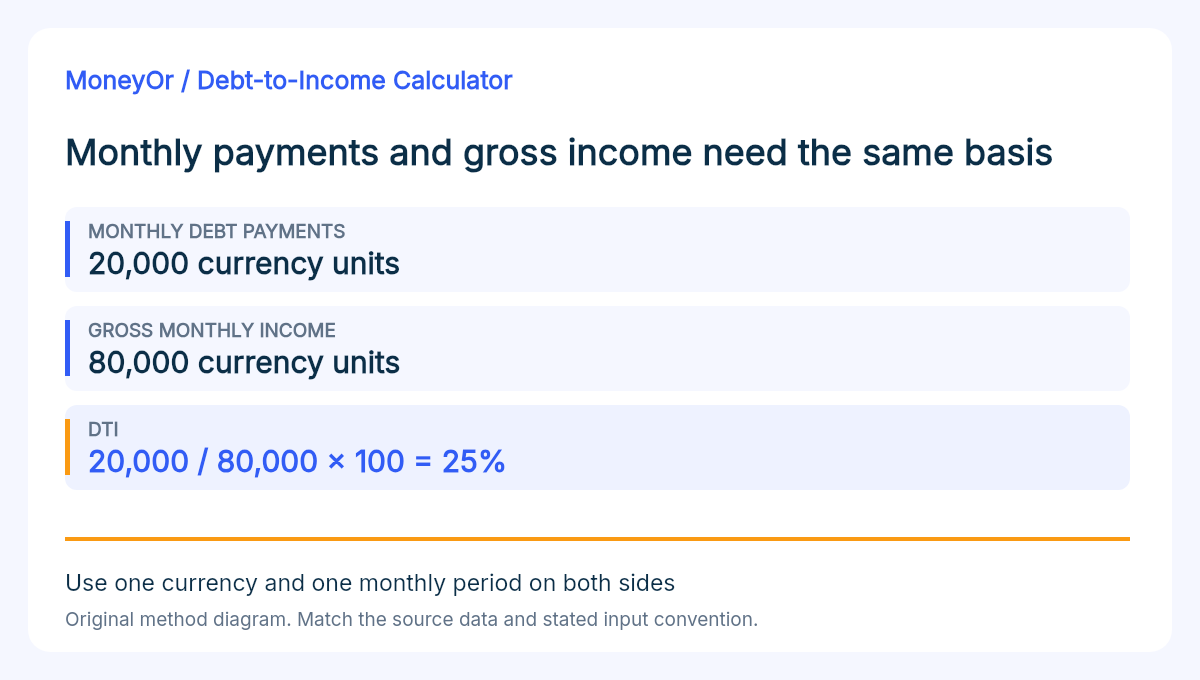
A repayment schedule can give one monthly payment amount while a bank statement shows an occasional extra payment or transfer. Decide whether you are measuring amounts due or actual cash that left the account during a particular month. For the usual debt-payment comparison, organise the amounts required under the chosen DTI definition. A separate record can show voluntary extras and cash timing.
Credit agreements, lender methods and applications can treat commitments differently. Check how they handle housing, revolving credit obligations and any other relevant commitments, instead of assuming one universal category list. The Debt-to-Income Calculator accepts only a combined amount and does not classify any line item.
If you encounter separate housing-only and total-debt ratios, identify which numerator is being requested. A housing-only calculation uses the housing payments included under that method. A broader calculation can include other debt obligations as well. If you produce both figures from your records, label them distinctly and check the selected scope before treating them as comparable.
When you need a household spending view, keep food, utilities, transport and other living costs in their appropriate expense categories. A full budget or net cash figure answers a broader question than the proportion of income tied to selected debt payments. The Cash Flow Calculator compares cash inflows and outflows on a separately assembled basis.
Debt-to-Income Calculator gross-income denominator
Use gross monthly income for the defined scope. In the CFPB's explanation, this is generally income before taxes and other deductions. Look at the correct pay amount and period in your source record. The sum deposited into a bank account can be lower or reflect a different window from the gross earnings amount.
For a regular salary with a known monthly gross, use the matching amount. Where pay dates or income are irregular, document the basis used in the example. It can be useful to retain separate results for an identified month and a representative scenario. Avoid describing a scenario using estimated income as a verified result for an application.
Keep one-off amounts clear in your working record. A bonus can change an average without showing what will usually be available in a month. Other income can also require a different treatment when a lender asks for documentation and applies specific eligibility rules. The Debt-to-Income Calculator treats the denominator as the number entered.
The denominator must be positive. When gross monthly income is missing or zero, the Debt-to-Income Calculator cannot produce a valid ratio from that input. An expected amount can be modelled separately when it is clearly labelled. The resulting percentage describes those assumptions and should not replace a confirmed income figure.
How do the worked examples show changes in DTI?
The numerator and denominator can move independently. Hold income steady to see the result of a changed payment amount. Hold the payment total steady to see the arithmetic effect of a different income assumption. The local engine was tested with these examples.
| Monthly debt payments | Gross monthly income | DTI | What the example illustrates |
|---|---|---|---|
| ₹20,000 | ₹80,000 | 25% | Initial comparison |
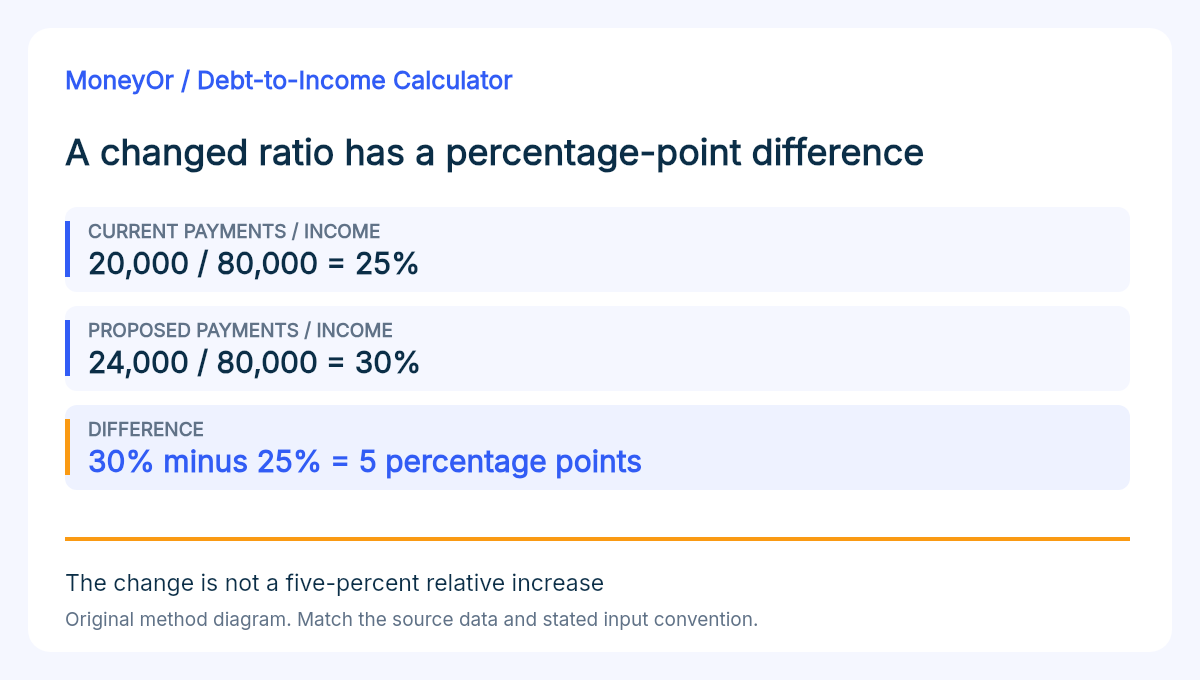
| ₹24,000 | ₹80,000 | 30% | Adding ₹4,000 of assumed payments |
| ₹20,000 | ₹1,00,000 | 20% | Same payments with a different income assumption |
| ₹0 | ₹80,000 | 0% | No included debt payments |
| ₹90,000 | ₹80,000 | 112.5% | Included payments exceed gross income |
Moving from 25% to 30% is a change of five percentage points. It arises here from a higher monthly payment total at the same income. At another income, the same additional payment amount could change the percentage by a different number of points. For a check of a given fraction of an amount, use the Percentage Calculator with the matching base.
There is no upper threshold applied to the displayed result. A result above 100% can occur if the entered payments exceed the entered gross income. Confirm that both input figures use the same period and units before relying on an unexpected number.
What does a DTI percentage leave out?
DTI compares selected debt payments and gross income. It does not show a person's disposable cash. From the same gross income, different people can have different payroll deductions and living costs. Two people may therefore have the same DTI and substantially different household budgets or cash balances.
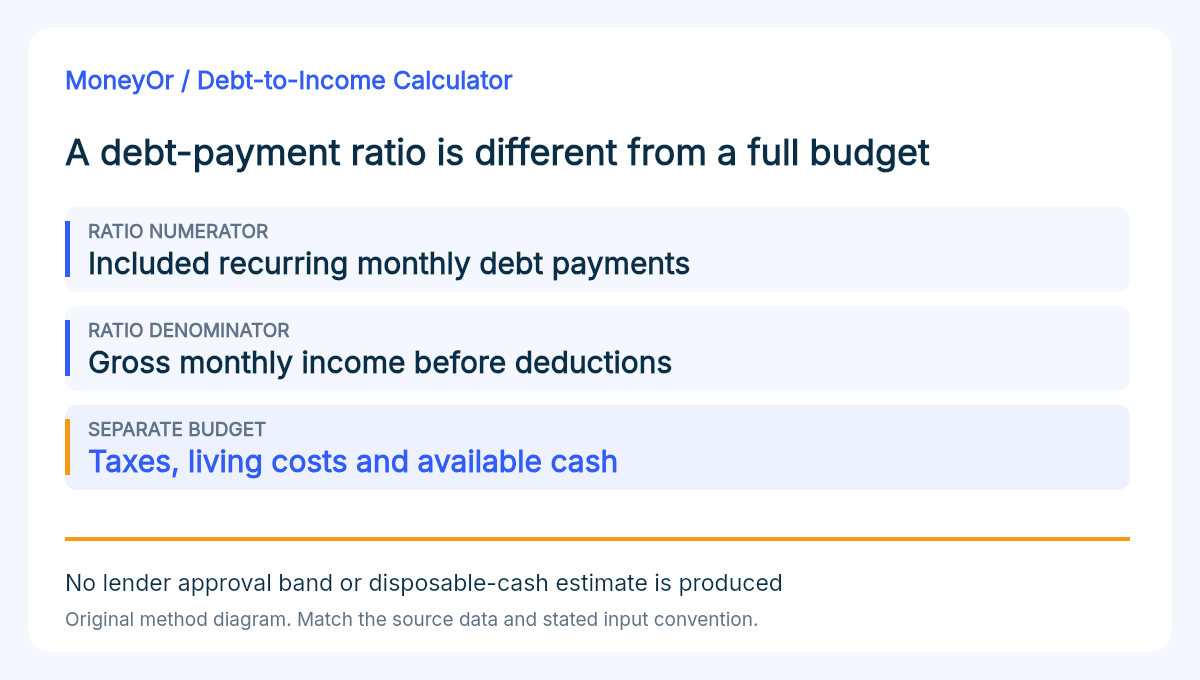
The ratio also does not describe the total outstanding principal, the interest rate or the dates debt payments end. A monthly payment can come from loans with different time frames. Its amount still contributes the same DTI weight if the other inputs match. Read a payment schedule separately if the time pattern or total cost matters.
This arithmetic differs from credit utilisation, which compares the amount used with an available credit limit. It also differs from the business Debt-to-Equity Calculator, which compares a debt balance with shareholder equity. Both use other denominators and answer different questions.
A lender or loan product can apply different rules, as the CFPB notes in its guidance reviewed in November 2026. MoneyOr has no approval or risk band. An identical percentage can be used in different contexts and does not establish whether a particular amount will qualify. Verify the actual requirements with the relevant official source or lender when an application is involved.
How can I compare an existing payment total with a proposed one?
Keep the current estimate and proposed scenario in separate rows. Use the same gross income amount and treatment of existing debts when the purpose is to isolate a payment change. Use each example's figures consistently. The initial case pairs ₹20,000 with ₹80,000. A scenario with ₹4,000 more in monthly payments uses ₹24,000 at the same income.
If a proposed payment would replace an existing one, identify which payment is expected to stop and when. A scenario when both remain due is different from the arrangement after a confirmed replacement. Label the periods and assumptions separately. A result for a later arrangement does not describe the earlier month before the change.
The EMI Calculator estimates an instalment from its own loan assumptions. Use such a figure only as a scenario input when the actual contract payment is unknown. Compare it with the applicable terms if you need to account for additional components. The DTI engine cannot tell whether an instalment is a quoted requirement or an estimated one.
When changes happen on both sides, compare each input with the current reference and then combine them in a clearly described scenario. This makes it easier to tell whether the ratio changed because of income, payments or both. An arithmetic comparison is useful without assuming any specific approval result.
How do I verify the result before recording it?
Check the original debt-payment and gross-income records for matching dates, scope and monthly units. Recalculate the fraction once and convert it to a percentage. If your working notes show a decimal fraction, keep a percent sign on the value you report. For the default figures, a fraction of one quarter corresponds to 25%.
Read the outcome beside the two totals. A zero means that the entered debt-payment total is zero and the income is positive. It cannot establish whether there are other expenses or whether a payment was omitted. If the result is higher than expected, check for a copied loan balance, a take-home income figure or a monthly and annual amount mixed together.
If another tool returns a different number, compare the individual categories and the period before comparing decimals. A tool with itemised categories may include obligations your own aggregate left out, or use an annual pay field and convert it internally. Once inputs and definitions match, the result of the formula can be checked independently.
For a comparison over several months, save the actual inputs with each result. An unchanged percentage can accompany changes in both income and payments if they moved by a similar proportion. The underlying figures can clarify what happened even when the ratio by itself looks almost unchanged. Keep the period labels and payment assumptions clear for anyone who later reviews the calculation.
The Debt-to-Income Calculator and supporting guidance were checked on 26 November 2026. This page provides informational arithmetic. Its percentages do not establish lender qualification or supply personalised financial advice.
Frequently asked questions
Can I enter an annual salary directly?
The Gross monthly income field expects a monthly value. Convert a regular annual amount to a relevant monthly basis beforehand, and record that basis when it is important to the estimate.
Does ₹20,000 of debt payment on ₹80,000 income mean 25%?
Yes. ₹20,000 divided by ₹80,000 and multiplied by 100 gives 25%. The same figures in a consistent different currency give the same percentage.
What if I have no included monthly debt payments?
Enter zero when it accurately reflects the chosen definition. With positive gross monthly income, the result is 0%. Do not use zero simply because a payment figure is missing.
Can I calculate DTI from take-home pay?
The standard input for the Debt-to-Income Calculator is gross monthly income. A calculation using take-home pay describes a different comparison and should be labelled with that denominator.
Can the result be more than 100%?
Yes. The Debt-to-Income Calculator reports the arithmetic result when payments exceed gross income. Check the input basis and completeness before using the figure.
Does the calculator set an acceptable DTI for a loan?
It calculates the ratio from two numbers and displays a percentage. Check the relevant product and lender for its actual requirements. Lenders may assess other details alongside any DTI measure.
Sources and method notes
- Consumer Financial Protection Bureau, What is a debt-to-income ratio?. Reference checked 26 November 2026.