Exponent calculator
Try Exponent Calculator
Loading calculator. If this message stays visible, enable JavaScript and reload.
Your result
The exponent calculator raises a numeric base to a numeric exponent. Enter the two values separately and select Calculate / Run. For example, a base of 6 with an exponent of 3 gives 216, because 6 × 6 × 6 equals 216. An exponent of -3 instead gives the reciprocal, 1/216.
The Exponent Calculator handles real-number results supported by the browser's power operation, including negative and decimal inputs where valid. It does not simplify symbolic expressions, accept a fraction string or return complex numbers. The explanations below show how signs, parentheses and decimal exponents affect the question being calculated, and where numeric precision or domain limits require care.
On this page
- Exponent Calculator operation and scope
- Exponent Calculator base and exponent inputs
- Exponent Calculator positive, zero and negative powers
- Exponent Calculator negative bases and parentheses
- How do decimal exponents relate to roots?
- How can a table of powers check common rules?
- What happens with zero, overflow and very small results?
- What should you record when using a power result elsewhere?
- Frequently asked questions
- Sources
How to use the Exponent Calculator
Exponent Calculator operation and scope
The exponent calculator raises the base to the specified exponent, usually written ab. The Base field supplies a and the Exponent field supplies b. A positive whole-number exponent describes repeated multiplication of the base by itself.
Exponentiation is not multiplication of the two field values. With 6 and 3, the result is 216 rather than 18. Nor does it describe multiplying a value by a percentage, adding a fixed amount each period or taking a factorial.
The Exponent Calculator evaluates forward from the two supplied numbers. It does not solve for an unknown base or an unknown exponent from a desired result. There is no equation editor or third field to fill automatically.
For a nonnegative real result, the output is displayed as a numeric value. A negative real result is also valid when the base and exponent support it. The Exponent Calculator rejects a nonfinite or invalid result instead of presenting it as an ordinary answer.
The meaning of the numbers comes from the problem you are solving. A raw power calculation does not automatically establish a financial forecast, a physical law or an appropriate growth assumption. Keep the original expression and any units available when recording what the result represents.
Exponent Calculator base and exponent inputs
- Enter a numeric Base.
- Enter a numeric Exponent.
- Check the signs and whether any fraction has been converted appropriately.
- Select Calculate / Run.
- Review the value and any displayed error before using the result.
Each field expects one number. Do not type a complete expression such as 6^3 into Base or 1/3 into Exponent. There is no expression parser in these fields. A decimal such as 0.5 is suitable for an exponent meaning one half.
The defaults are base 2 and exponent 8, producing 256. They are simply a starting example. A blank input is not treated as zero or one; enter the intended numeric value explicitly.
The sign in Base belongs to the base itself. Entering -5 with exponent 2 asks for (-5)². A leading negative sign outside a written power can mean something different, so translate the written expression carefully into the two fields.
Constants such as e and π are not special text commands. If a problem requires one of them, supply a suitable numeric approximation and recognise that the approximation affects the result. Likewise, a variable name cannot stand in for an unknown value on this numeric form.
Exponent Calculator positive, zero and negative powers
For a positive integer n, an is a multiplied by itself n times. With base 6 and exponent 3, there are three factors of 6. With exponent 1, the result is the base itself.
A nonzero base raised to zero equals one. For example, 6⁰ = 1. The zero exponent does not mean multiplying the base by zero. This is a different operation with a different result.
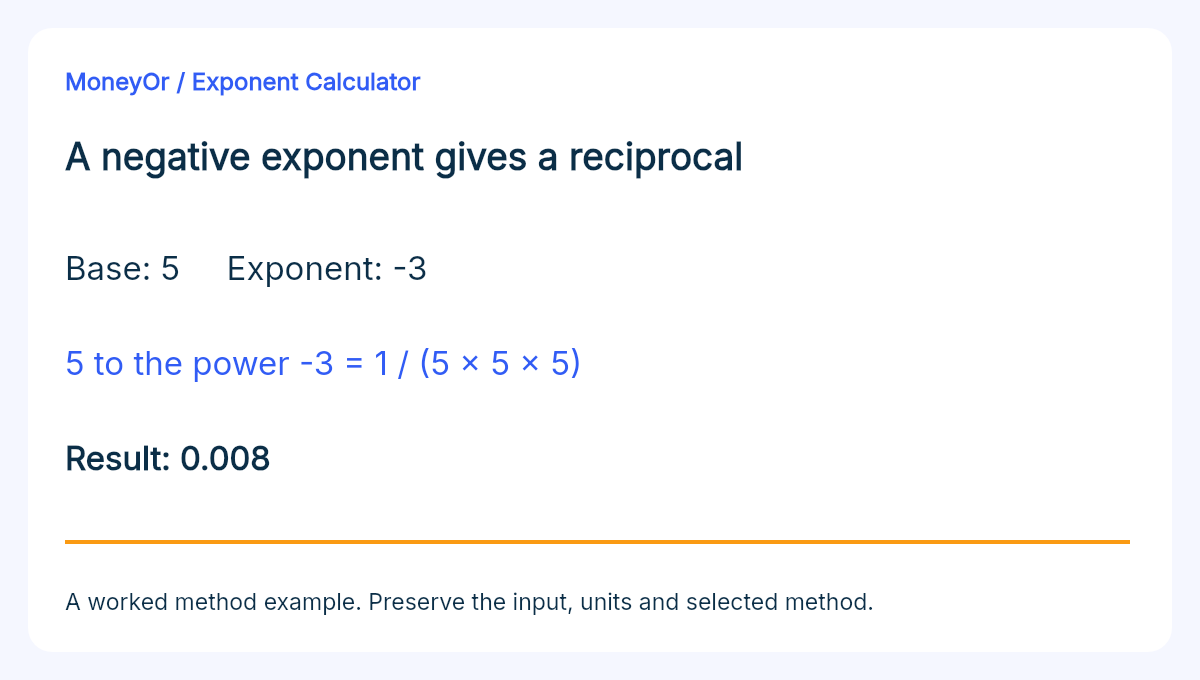
A negative exponent describes a reciprocal when the base is nonzero. Thus 5-3 = 1/5³ = 1/125 = 0.008. The negative exponent does not, by itself, make the answer negative.
A base between zero and one illustrates the distinction. With base 0.5 and exponent -2, the calculation is 1/(0.5²) = 4. Negative powers can therefore increase the magnitude of a positive fractional base.
OpenStax's multiplication-properties lesson, checked in 2026, explains exponent notation and product and power properties. Use the relevant conditions when applying a rule, rather than extending a simple positive-integer pattern to every possible real-number input without checking it.
Exponent Calculator negative bases and parentheses
A negative base is a complete signed number. For an integer exponent, an even number of negative factors gives a positive result, while an odd number gives a negative result. Entering base -5 and exponent 2 therefore gives 25; exponent 3 gives -125.
In written notation, (-5)² and -5² commonly have different meanings. The first squares the signed base and gives 25. The second applies a minus sign to 5² and gives -25. The Exponent Calculator's Base field follows the first interpretation when you type -5.

A negative exponent combines the reciprocal rule with the sign of the corresponding integer power. For example, (-2)-3 = 1/(-8) = -0.125. A negative exponent and a negative base do not simply cancel each other.
The parity rule applies to integer exponents. It is not a rule for interpreting every decimal exponent. A negative base with a noninteger exponent is not handled as a general real rational-power problem by the Exponent Calculator.
For a multistep expression, write down which minus signs belong inside the base and which belong outside the power. The basic calculator can check the surrounding additions and multiplications after the separate power is evaluated. Do not assume the exponent form parses an entire algebraic expression.
How do decimal exponents relate to roots?
For positive bases, an exponent of 0.5 gives the principal square root. With base 81, the result is 9 because 9² equals 81. An exponent of 0.2 represents one fifth, so 320.2 gives 2.
A decimal exponent can also combine a root and an integer power. Since 0.75 equals three quarters, 160.75 is 8: the fourth root of 16 is 2, and 2³ is 8. Keep the exponent's exact intended value distinct from a shortened decimal approximation.
One third cannot be written as a finite decimal exactly. Entering 0.333333 is therefore an approximation to a cube-root exponent. For a direct cube-root calculation, the cube root calculator is the clearer interface.
This distinction is especially important for negative inputs. The real cube root of -8 is -2, but the exponent implementation uses JavaScript Math.pow, which rejects a negative base with a noninteger exponent. A decimal approximation to one third does not make that unsupported path valid.

Use the square root calculator for its supported nonnegative input domain when you need a square root directly. Choosing a more specific tool reduces notation mistakes and makes the intended operation easier to describe.
How can a table of powers check common rules?
The following examples use separate numeric inputs. They illustrate how changing a sign or an exponent changes the operation, rather than suggesting that every power behaves like repeated addition.
| Base | Exponent | Result | Meaning |
|---|---|---|---|
| 2 | 8 | 256 | Eight factors of 2 |
| -5 | 2 | 25 | Square of the signed base |
| -5 | 3 | -125 | Odd integer power |
| 5 | -3 | 0.008 | Reciprocal of 125 |
| 0.5 | -2 | 4 | Reciprocal of one quarter |
| 16 | 0.75 | 8 | Fourth root, then cube |
For positive-base integer examples, multiplying powers with the same base adds exponents. Thus 3² × 3³ = 9 × 27 = 243, which equals 3⁵. Multiplying the exponents instead would answer a different question.
A power raised to another power multiplies the exponents under the applicable conditions. For instance, (3²)³ = 9³ = 729, matching 3⁶. But 3(2³) equals 3⁸ = 6,561. Parentheses determine which operation is performed first.
The Exponent Calculator has no nested-power expression field. Evaluate the required inner operation separately, retain enough precision and enter the resulting numeric inputs deliberately. A correct arithmetic result can still answer the wrong expression if the grouping was changed.
What happens with zero, overflow and very small results?
Zero raised to a positive exponent gives zero. Zero raised to a negative exponent is not a finite real result, so the Exponent Calculator reports an error. It cannot produce a usable reciprocal of zero.
For zero raised to zero, the JavaScript operation returns one, and this implementation displays that value. That software convention does not settle every mathematical context involving 0⁰. Follow the definition or limiting problem appropriate to your exercise rather than citing a calculator output as a universal proof.
Very large powers can exceed the browser's finite numeric range. For example, 2 raised to 1024 overflows this implementation's numeric output and is rejected. This is a representation limit, not evidence that the mathematical power does not exist.
Very small powers can round to zero in the display or underflow numerically. For example, 2-40 is positive but smaller than the displayed eight-decimal precision. A displayed zero in that case should not be described as the exact mathematical value.
MDN's Math.pow() documentation, checked in 2026, describes the numeric operation used here, including noninteger powers of negative bases. Keep the mathematical domain, numeric representation and display rounding separate when explaining a rejected or surprising result.
What should you record when using a power result elsewhere?
Record the base, exponent and original expression with the result. A number such as 256 does not explain whether it came from 2⁸, 4⁴ or another calculation. Context makes the result reproducible and helps reveal sign or grouping mistakes.
The formatter shows up to eight decimal places using ordinary JavaScript numeric precision. It does not produce an exact fraction, a symbolic radical or an arbitrary-length integer expansion. A decimal result can be useful without being exact to every displayed digit.
If your question asks for an unknown exponent rather than a forward power, the logarithm calculator addresses a related inverse operation within its stated domain. This form does not automatically turn a desired result into a logarithm problem.
After calculation, Copy result and Download CSV can transfer the current output. They do not create a full algebraic proof or preserve a permanent sequence of calculations. Reset fields restores the original inputs and clears the result and saved comparison baseline.
The numeric operation runs in the browser. Website delivery and analytics are separate matters covered by the MoneyOr privacy policy. Example numbers are enough to check exponent rules; confidential records are unnecessary. For a demanding numeric task, use the precision and verification method required by that task.
Frequently asked questions
Can I enter a fraction such as 3/4 directly?
No. The numeric field does not parse a slash expression. For three quarters, enter 0.75. If a fraction has no finite decimal representation, using a shortened decimal is an approximation and can affect the result.
Can the calculator simplify a symbolic expression with variables?
No. It requires numeric values for both fields. There is no symbolic algebra engine or variable solver. A rule involving letters must be applied separately, then the resulting numeric example can be checked here.
Does it calculate factorials?
No. A power repeats one base as a factor, while a factorial multiplies a sequence of positive integers. For example, 4³ is 64 and 4! is 24. They are different operations despite both involving multiplication.
Can I use the caret character inside a field?
No. The two-field layout already specifies the power operation. Enter the base in one field and exponent in the other. Text containing a caret is not treated as a numeric entry.
Does it offer complex-number output?
No. An input requiring an unsupported complex result is rejected. The form does not display imaginary components, select branches of a complex power or return multiple possible roots.
Is an account required to evaluate a power?
No tool registration or fee is required. Use a modern browser with JavaScript enabled. There is no need to create an algebra profile, upload a document or connect another account for the two-number calculation.
Can a rounded answer be used for several more operations?
It can be copied, but repeated rounding can accumulate error. Retain sufficient working precision where possible and round at the reporting stage. The eight-decimal display is not an exact intermediate value for every power.
Can the base and exponent be exchanged?
They perform different roles, so exchanging them generally changes the answer. For example, 2³ is 8 while 3² is 9. Some special pairs happen to give equal values, but that coincidence is not a general rule. Recheck which number is the repeated factor and which number describes the power before submitting.
Does squaring a sum mean squaring each term separately?
No. For example, (2 + 3)² is 25, while 2² + 3² is 13. A power does not generally distribute across addition in that way. The form accepts only a numeric base, so first decide whether the whole sum or an individual term is being raised to a power.
How should a calculated growth factor be read?
A numeric factor is not automatically a percentage. For example, 1.05³ is 1.157625, meaning the final amount is 1.157625 times the initial amount under that repeated-factor model. Subtracting one and multiplying by 100 gives a total change of 15.7625%. This arithmetic does not verify that a real process will keep the assumed factor. Record the factor separately from any later monetary amount.
Sources
- OpenStax: Elementary Algebra 2e: 6.2 Use Multiplication Properties of Exponents. Reference checked 26 November 2026.
- MDN Web Docs: Math.pow(). Reference checked 26 November 2026.