Number Sequence Generator
Try Number Sequence Generator
Loading calculator. If this message stays visible, enable JavaScript and reload.
Your result
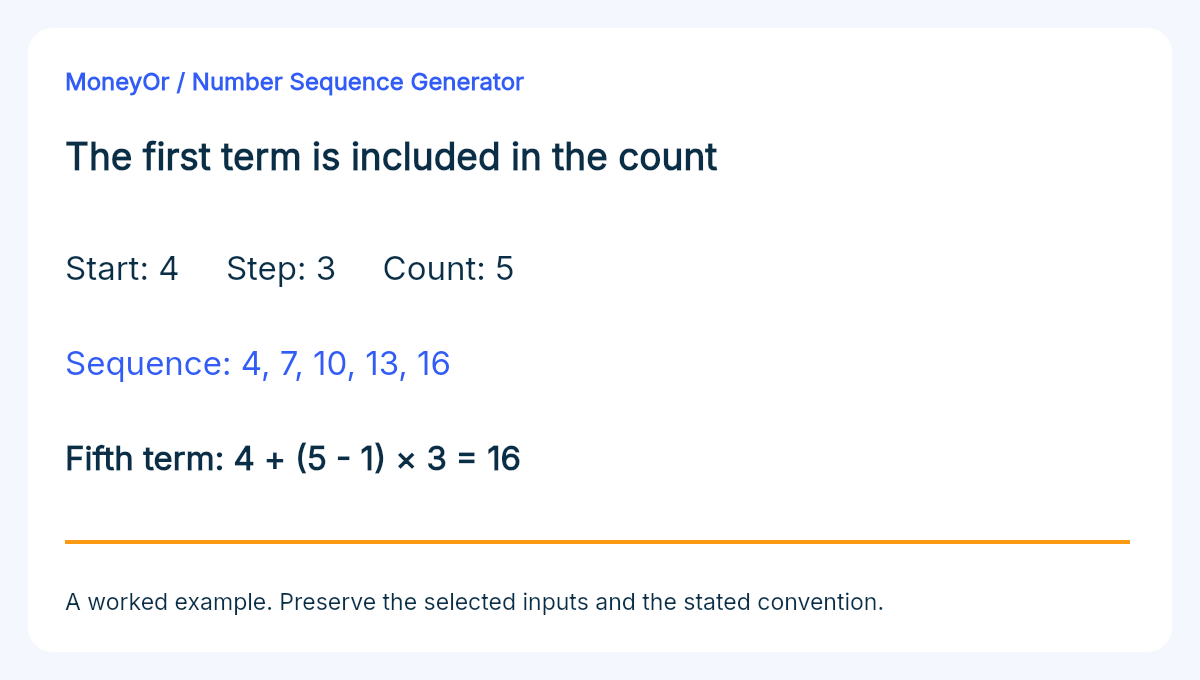
This number sequence generator builds an arithmetic list from three entries: a starting number, a step and a term count. Starting at 4, adding 3 and requesting five terms produces 4, 7, 10, 13, 16. The first value is included in the requested count. You can also use negative or decimal steps, or zero to repeat a value.
The Number Sequence Generator generates up to 200 terms. It does not infer a pattern from an existing list or choose random values. Decide the rule first, then check the first and last terms against your intended range before using the output.
On this page
- Number Sequence Generator arithmetic-list output
- Number Sequence Generator start, step and count inputs
- Number Sequence Generator term formula
- Number Sequence Generator positive, negative and zero-step examples
- How can you choose a count for evenly spaced settings?
- How do you check a sequence before using it elsewhere?
- What limits affect decimal and very large sequences?
- How should you copy, save and describe the result?
- Frequently asked questions
- Sources
How to use the Number Sequence Generator
Number Sequence Generator arithmetic-list output
A number sequence generator of this kind creates values separated by the same additive difference. The step is added once to move from the first term to the second, twice to reach the third from the first, and so on. Every adjacent pair should therefore have the same difference before display rounding.
A positive step produces an increasing list. A negative step produces a decreasing list. Zero produces a constant list containing the starting value as many times as requested. Starting below zero does not change the rule: the sequence can remain negative, cross zero or become positive.
The output is deterministic. Repeating the same three inputs gives the same list, which is useful for numbered intervals, evenly spaced settings and arithmetic exercises. It is unsuitable for a random draw because no term is chosen by chance. For that separate task, see the random number generator.
Geometric sequences multiply each term by a ratio; Fibonacci sequences add earlier terms. Those rules differ from the Number Sequence Generator's constant addition. A list beginning 2, 4, 8 cannot be continued correctly by choosing one fixed step, because its first differences are already unequal.
Use the generator when you know the progression rule. If you only have a few observed values, several rules may fit them. Producing one arithmetic continuation does not establish that it was the source's intended pattern, a measured trend or a prediction.
Number Sequence Generator start, step and count inputs
Enter the first wanted value in Starting number, the fixed difference in Step size and a whole number from 1 to 200 in Number of terms. Choose Calculate / Run and inspect the resulting comma-separated list. The count describes values, rather than the gaps between them.
For labels 100, 110, 120, 130, enter 100, 10 and 4. There are four labels but only three additions. Entering a count of three would stop at 120. This distinction matters whenever you know both endpoints and are working backwards to a count.
Use ordinary numeric entries in the individual fields. Do not paste the whole desired list into Starting number or write a rule such as n + 5 in Step size. The controls expect numbers, not a symbolic expression or a series of comma-separated inputs.
A count of one returns only the start. The step is still a required numeric setting, although it does not change that single output. This is a useful boundary check when you are confirming whether the first value is included.
After changing a setting, run the calculation again and check the new result. Do not assume a visible older list already reflects an edit. When sending a list to somebody else, include its start, step and count so they can reproduce the intended series.
Number Sequence Generator term formula
For a first value a, a step d and a term number n starting at one, the formula is a + (n − 1)d. The Number Sequence Generator indexes its array from zero, so it computes start + i × step for i from zero through count minus one. These are equivalent descriptions.
For start 7 and step 4, the sixth term is 7 + 5 × 4 = 27. The fifth multiplication counts the gaps preceding the sixth term. A frequent mistake is using 7 + 6 × 4, which reaches the seventh term instead.
To find a missing count when the end is known, rearrange the equation: count = (end − start) ÷ step + 1. This works for a nonzero step only when the resulting count is a positive whole number within the Number Sequence Generator's supported range.
Starting at 2, ending at 20 and stepping by 3 requires seven terms. The same start and step cannot land exactly on 21 after a whole number of additions. Decide whether to stop before that endpoint or change the rule; rounding the count hides the mismatch.
The OpenStax College Algebra 2e section on arithmetic sequences describes the common-difference method. The examples here use independent values. For a longer algebraic check, the basic calculator can evaluate the endpoint expression after you substitute the numbers.
Number Sequence Generator positive, negative and zero-step examples
The table shows several short lists, including cases that cross zero and use fractions. Each row states all three required settings. These examples help separate the size of a step from the number of terms, especially when a decreasing list still contains more than one value.
| Start | Step | Count | Generated values |
|---|---|---|---|
| 4 | 3 | 5 | 4, 7, 10, 13, 16 |
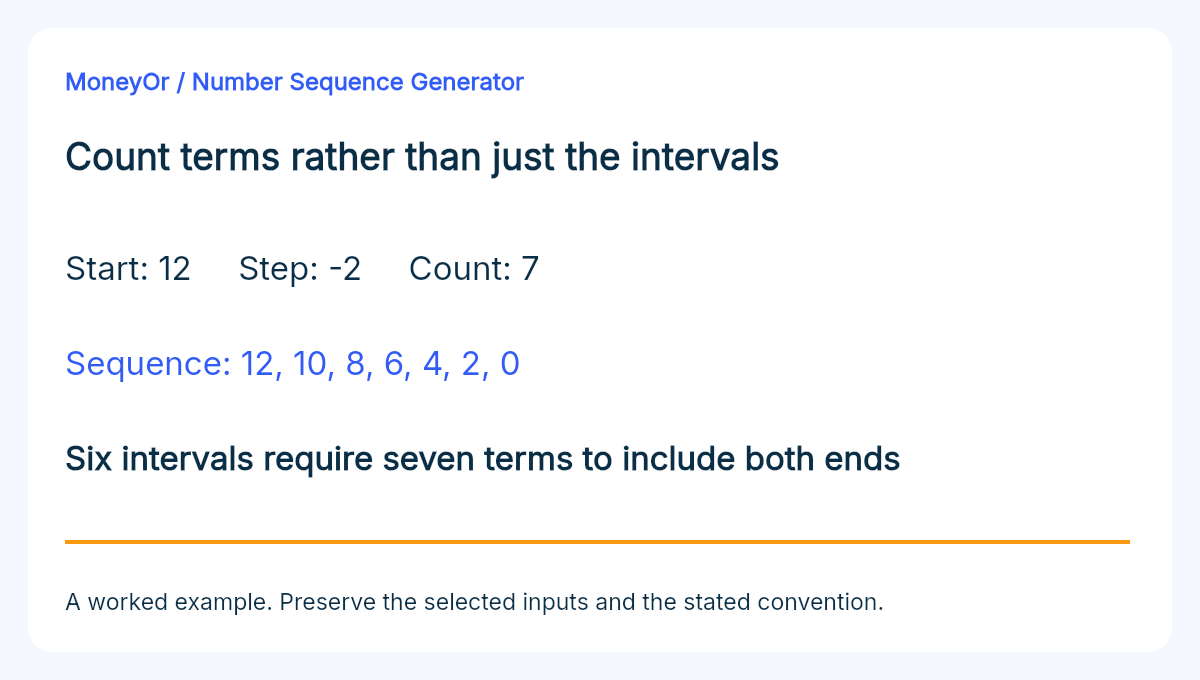
| 12 | −2 | 7 | 12, 10, 8, 6, 4, 2, 0 |
| −3 | 1.5 | 5 | −3, −1.5, 0, 1.5, 3 |
| 0.25 | 0.25 | 4 | 0.25, 0.5, 0.75, 1 |
| 9 | 0 | 3 | 9, 9, 9 |
For the first row, the fifth term is 4 + 4 × 3 = 16. Subtracting successive entries gives 3 each time. The average of the endpoints is 10, and it also equals the average of the complete arithmetic list.
The decreasing row ends at zero because six steps of minus two subtract twelve from the start. It needs seven terms to include both twelve and zero. Selecting a count of six would stop at two, despite using the same step.
For the fractional row, use a decimal point in the controls. A quarter-step list is numerically different from a list of text labels padded with zeros. The output does not preserve a fixed number of decimal places or automatically format every term to two digits.
How can you choose a count for evenly spaced settings?
Count the intervals first, then add one when both endpoints are included. Suppose you need settings from 15 through 45 in increments of 5. The endpoint difference is 30, which contains six intervals of 5, so seven values are needed.

If instead the brief says six equally spaced values including 15 and 45, there are five gaps. The required step is 30 ÷ 5 = 6. Entering start 15, step 6 and count 6 gives 15, 21, 27, 33, 39, 45.
For experimental settings or chart ticks, retain the unit separately. The Number Sequence Generator produces numbers, without attaching centimetres, seconds or another measurement to each term. A list of five positions is not automatically a measurement plan with suitable instrument resolution or practical tolerances.
When a sequence represents repeated time intervals, the starting number might be an offset rather than a clock time. Generate numeric offsets here and interpret them in the appropriate unit. For elapsed clock times across midnight, use the time duration calculator instead of treating clock notation as an ordinary decimal.
Plan large lists in advance. The count limit is 200, so a request for more values needs another method or carefully documented segments. If splitting a list, compute the next segment's first value from the original rule and avoid duplicating the previous endpoint.
How do you check a sequence before using it elsewhere?
Check its length, first value, final value and at least two adjacent differences. These checks catch different mistakes: the wrong count can leave the early pattern unchanged, while the wrong sign can produce the right number of terms moving in the wrong direction.
For start 15, step 6 and count 6, the final value should be 45. The total is 6 × (15 + 45) ÷ 2 = 180. The total is a separate arithmetic check; the Number Sequence Generator's output is the list itself, rather than a dedicated sum report.
You can paste a suitable small list into the average calculator to check its centre. For an arithmetic progression, the mean equals the midpoint of the endpoints. Keep a separate count check, because an incorrect but still evenly spaced list also has that midpoint property.
For an integer-only task, confirm that every generated entry meets that requirement. A decimal start or decimal step may produce fractions even when the endpoint is a whole number. The generator does not know whether a label system, spreadsheet column or assignment permits fractional entries.
Keep formatting separate from mathematical validity. Your Number display selection can place grouping or decimal commas inside numbers, while commas also separate generated terms. If transferring a list to another program, inspect its parsing rules. Do not assume that splitting every comma will recover one entry per generated value.
What limits affect decimal and very large sequences?
The engine uses JavaScript numbers and displays up to eight decimal places. A tiny step may be rounded away in the visible output, making adjacent entries appear equal even though the internal computations differed. Choose a more suitable scale when the distinction matters.
Large magnitudes create another limitation. JavaScript's ordinary number type cannot represent every consecutive integer beyond its safe-integer range. A large starting value plus a small increment may therefore lose detail. The Number Sequence Generator is not an arbitrary-precision identifier generator or a replacement for exact integer software.
MDN documents these number-representation limits in its Number reference. They explain why a displayed list should not be treated as proof of exact decimal arithmetic. Preserve original settings, avoid unnecessary conversions and check critical sequences with an exact method suited to the required precision.
The count must be a safe whole number between 1 and 200. Zero, negative counts and fractional counts are rejected. Starting number and Step size must be finite numbers; leaving either blank or entering nonnumeric text produces an error.
Even finite inputs can yield an unsupported result if start + i × step overflows. Correct the requested range instead of treating a missing result as a short list. For a boundary or data-format task, review every value that will actually be consumed by the destination system.
How should you copy, save and describe the result?
Use Copy result to transfer the output, then inspect the pasted version. A receiving application may interpret commas as column separators, decimal punctuation or ordinary text. For a long list, check the last entry after pasting, not just the first line visible in the destination.
Download CSV stores a result record. It is not a promise that each term becomes its own spreadsheet row. Review the file's structure before importing it into a workflow that expects one number per record. A preview of a few terms may conceal delimiter problems farther along.
Save as baseline retains one output during the current page session. A sequence is a list, so any convenience comparison should not replace checking its individual entries. Do not infer that a numeric difference between whole lists was calculated in the same sense as a subtraction between two scalar measurements.
Reset fields clears the output and saved baseline. The generator's arithmetic is performed in the browser. For broader website data handling, consult the MoneyOr privacy policy. You do not need to include private account numbers or confidential records to test an arithmetic pattern.
Describe a shared result with its rule: first value, additive step, number of terms and any applied rounding or formatting. That record is more useful than an unexplained string of numbers, and it lets another person reproduce the list without guessing its intended endpoint.
Frequently asked questions
Can I request an ending number directly?
The form has a count field rather than an ending-number field. For a nonzero step, calculate (end minus start) divided by step, then add one. Use that count only if it is a whole number between 1 and 200.
Can a sequence contain the same number more than once?
A zero step repeats the starting value. With a nonzero step, the mathematical terms differ, although very small differences may disappear after display rounding or because of numeric precision limits. Repeated visible entries do not automatically mean random duplicates.
Will entering 001 preserve leading zeros?
No. The input is interpreted numerically, so 001 represents one. The generator has no padding setting. Apply a separate text-formatting method if your destination needs labels such as 001, 002 and 003, and keep the numeric sequence for checking.
Can this find the missing term in an arbitrary pattern?
It does not inspect a pattern or solve for a missing value. If you establish a constant difference independently, you can generate the corresponding list. An arbitrary sequence may require a geometric, recursive or other rule that this form does not support.
Can I generate prime numbers by choosing a step?
A constant step does not generally produce only primes. For example, a list of odd numbers still includes composite numbers. Check a particular integer with the prime number checker when primality is the question.
Does a negative starting value require a negative step?
No. Start and step have separate roles. A negative start with a positive step moves upward; with a negative step it moves downward. Choose the step sign from the direction you want, then check whether the final term falls in the intended range.
Sources
- OpenStax: College Algebra 2e: 9.2 Arithmetic Sequences. Retrieved 2026-11-16.
- MDN Web Docs: Number. Retrieved 2026-11-16.