Proportion Calculator
Try Proportion Calculator
Loading calculator. If this message stays visible, enable JavaScript and reload.
Your result
This proportion calculator finds x in the fixed arrangement a:b = c:x. Enter the first ratio's numerator a, its denominator b and the second ratio's numerator c. The result is x = b × c ÷ a. For example, 5:7 = 20:x gives x = 28.
Use finite nonzero values for all three inputs. Keep corresponding quantities in matching positions and establish that a constant ratio fits the problem before calculating. The Proportion Calculator does not choose where an unknown belongs, infer units or decide whether a real process is proportional. The guide below explains the setup, independent answer checks, signed inputs and the limits of using simple scaling for real quantities.
On this page
- Proportion Calculator unknown and field roles
- Proportion Calculator consistent input placement
- Proportion Calculator cross-multiplication formula
- Proportion Calculator scale and sign examples
- Why are zero, blank and nonfinite terms rejected?
- When is direct proportional scaling a suitable assumption?
- How do you check an answer and handle rounding?
- How can you save a reproducible proportion calculation?
- Frequently asked questions
- Sources
Worked example
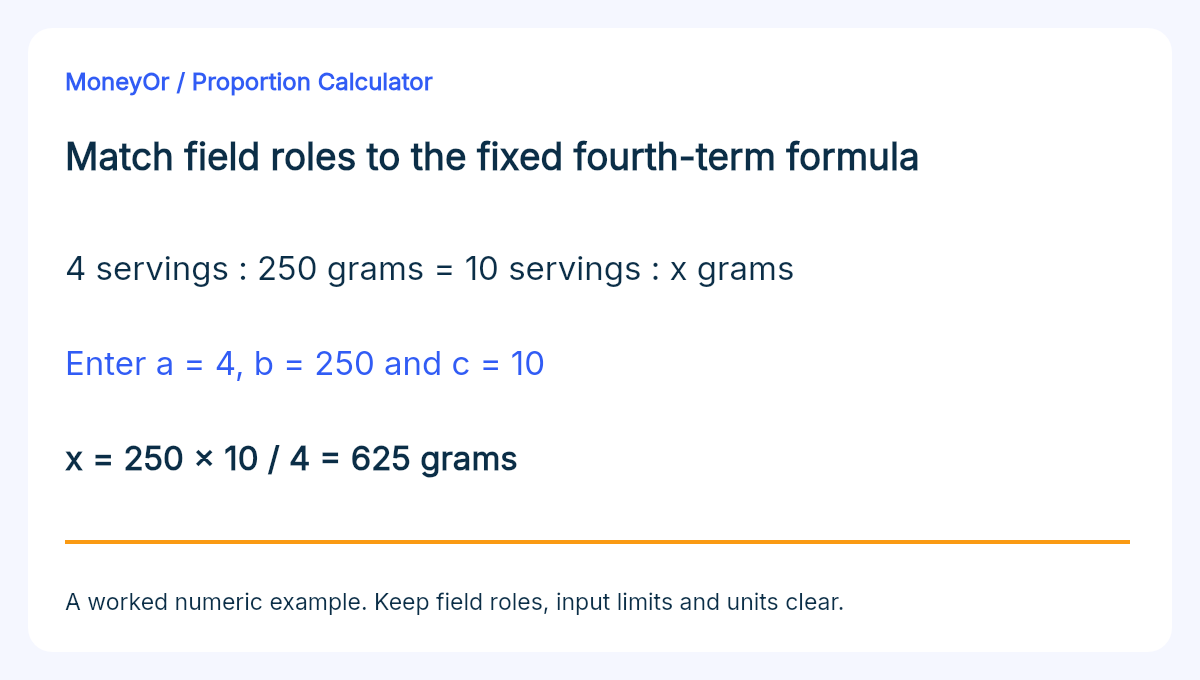
A recipe uses 250 g of flour for 4 servings. To make 10 servings under a direct-scaling assumption, set up 4:250 = 10:x, keeping servings before grams in both pairs. Cross-multiplying gives 4 × x = 250 × 10 = 2500, so x = 625 g. Enter a = 4, b = 250 and c = 10 in the calculator; its fixed fourth-term formula returns 625.
How to use this proportion calculator
Enter the two known numbers of the first ratio and the known number of the second ratio, then press Calculate / Run. The calculator finds the missing fourth value using x = b × c ÷ a. Check the answer by comparing the cross-products a × x and b × c: they should match.
Related tools
Understanding Proportion Calculator results
Proportion Calculator unknown and field roles
The proportion calculator solves for the lower-right term in a:b = c:x, equivalently a/b = c/x. The three fields supply a, b and c. The missing fourth value is the output rather than another field that you leave blank.
The labels identify the first ratio numerator, first ratio denominator and second ratio numerator. There is no selectable unknown position. If your written problem has an unknown somewhere else, first rearrange the comparison into this supported arrangement while keeping the same mathematical relationship.
For 5:7 = 20:x, the first pair is 5 and 7. The second pair begins with 20 and ends with the unknown. The output 28 completes the relationship because 5/7 and 20/28 are equal.
A ratio simplification is a different question. The ratio calculator reduces a two-positive-integer pair to simplest form. This page instead uses a supplied relationship to find a new quantity. It accepts signed and decimal numeric terms within its nonzero finite domain.
The Proportion Calculator returns the number for x. It does not attach a physical unit automatically or show every algebraic step. Write the quantity labels before entering numbers so that the result can be associated with the intended second denominator.
For example, a written problem 5/7 = y/28 has its unknown in a different position. Taking the reciprocal of both nonzero ratios gives 7/5 = 28/y. You can then enter 7, 5 and 28 into the Proportion Calculator to obtain y = 20. Verify that 5/7 equals 20/28 afterwards. Rearrangement must preserve both ratios consistently; swapping only one pair would change the equation. Keep both the original and rearranged equations in your working notes.
Proportion Calculator consistent input placement
Put like quantities in corresponding positions across the equality. If a means item count, c must be the corresponding item count in the second case. If b means total mass, x will be the corresponding total mass.
Suppose five identical components have a combined mass of seven grams. Under a constant mass-per-component assumption, twenty such components have an unknown combined mass. Enter a = 5, b = 7 and c = 20. The output 28 has units of grams.
Write the arrangement as components:grams = components:grams before replacing the labels with numbers. If you accidentally place a mass where the corresponding item count belongs, the arithmetic may return a valid number for the wrong comparison.
Standardise corresponding units first. If the first denominator is in grams and the desired output is kilograms, either convert the known mass before entry or convert the resulting grams afterwards. Do not silently change one corresponding unit without accounting for its scale.
The mass converter can assist with supported mass units. For length-based examples, use the length converter. Keep the source units in your written setup, because the calculator's numeric fields cannot detect a mismatch.
Proportion Calculator cross-multiplication formula
Start with a/b = c/x, with nonzero denominators. Multiplying both sides by b × x gives a × x = b × c. Dividing by the nonzero value a then gives x = b × c ÷ a.
For a = 5, b = 7 and c = 20, the right-hand cross product is 7 × 20 = 140. Dividing by 5 gives 28. Substitute that answer back: 5 × 28 and 7 × 20 are both 140.

OpenStax's Prealgebra 2e section Solve Proportions and Their Applications, checked in 2026, explains the proportion method and applications. The independently calculated examples on this page use the Proportion Calculator's fixed missing-value position rather than implying that it automatically rearranges every possible equation.
There is another useful interpretation when a and c represent corresponding quantities. Their scale factor is c/a. Multiplying b by that same factor gives x. In the component example, 20/5 = 4, so the second mass is four times seven grams.
The formula preserves the ratio only when its terms are meaningful in the original equation. Cross-products can appear to match even for some zero combinations whose fraction denominators are undefined. That is why the supported input rules must be checked before treating a numeric answer as a valid proportion.
Proportion Calculator scale and sign examples
The table gives numeric examples for the fixed arrangement. Each expected answer was computed independently with rational arithmetic and checked against the calculator for valid inputs.
| a | b | c | x | Calculation |
|---|---|---|---|---|
| 5 | 7 | 20 | 28 | 7 × 20 ÷ 5 |
| 8 | 12 | 20 | 30 | 12 × 20 ÷ 8 |
| 4 | 9 | 6 | 13.5 | 9 × 6 ÷ 4 |
| 0.5 | 1.25 | 2 | 5 | 1.25 × 2 ÷ 0.5 |
| −2 | 3 | 8 | −12 | 3 × 8 ÷ −2 |
| 2 | −3 | 8 | −12 | −3 × 8 ÷ 2 |
The decimal examples show that the answer need not be an integer. If x represents a divisible quantity such as a length, a decimal can be appropriate. If it represents an indivisible item count, an exact fractional answer may mean the requested scaling cannot be realised as whole items.
Signed values are accepted mathematically when all supplied terms are nonzero. Their physical meaning depends on the problem. A negative coordinate or signed change can be meaningful, while a negative count of ordinary components usually indicates a setup problem.
The Proportion Calculator does not decide that meaning. Preserve the original sign convention and confirm that the completed ratios describe your intended quantities. Deleting a minus sign to obtain a more familiar-looking result changes the equation rather than correcting it.
Why are zero, blank and nonfinite terms rejected?
The supported input domain requires a, b and c to be nonzero finite numbers. A missing field, nonnumeric text or an infinite value cannot supply an ordinary numeric proportion for this calculation.
If a is zero, the formula would divide by zero. If b is zero, the first fraction a/b is undefined. If c is zero while a and b are nonzero, the formula produces x = 0, which makes the second fraction c/x become 0/0. That is not a valid completed proportion.
Zero cases can require a different mathematical analysis, including whether an equation is impossible or has multiple solutions. The Proportion Calculator rejects them instead of returning a single number that hides an undefined ratio. Do not replace a meaningful zero with a small positive value just to make the form run.
Very large finite inputs can also lead to an intermediate result outside the browser's supported numeric range. An error in that situation is not evidence that the original quantity has become infinite in a physical sense. Review the scale and use a suitable numerical method if the application requires extremes.
After correcting an invalid field, run the calculation again. Any earlier visible output belongs to its earlier completed inputs. A blank is not a selectable unknown position in the Proportion Calculator; the unknown remains x and all three supplied fields must be completed.
When is direct proportional scaling a suitable assumption?
Use this method when the ratio between corresponding quantities is assumed constant over the comparison. The algebra does not prove that assumption. A physical process or a quoted price can include fixed amounts, changing rates or other effects that break simple scaling.
For the identical-component example, the model assumes the components have the same mass basis and no extra container mass is included in one case only. If the first reading includes packaging and the second question concerns contents alone, a constant ratio of counts to the recorded total may not fit.
A map-scale example needs consistent lengths. If two centimetres represent five kilometres under a fixed printed scale, six centimetres represent fifteen kilometres. That is a linear length comparison. It does not mean an area or volume should be multiplied by the same length factor.
For a shape enlarged in every linear dimension, area and volume follow their own geometric relationships. A length scale by itself is not a universal multiplier for every physical quantity. Establish what the ratio actually compares before entering dimensions from a drawing.
Inverse relationships also need a different setup. If a task assumes one quantity increases while another decreases to keep a product fixed, do not automatically use the direct arrangement as though it represented that model. Identify the equation first, then choose a method that solves the intended problem.
How do you check an answer and handle rounding?
Substitute the returned x into the original arrangement and compare cross-products a × x and b × c. For 4:9 = 6:13.5, both products equal 54. This confirms the numeric relationship without converting each ratio to a rounded decimal.
Check the expected direction as well. If c is twice a in a positive direct-scaling example, x should be twice b. If the output moves the wrong way for your intended model, inspect quantity placement and units before assuming the calculation is defective.
The displayed result follows your Number display selection and uses up to eight decimal places. A repeating rational answer is therefore rounded. For a = 3, b = 2 and c = 1, the exact result is 2/3 and the displayed decimal is 0.66666667.

Rechecking that rounded decimal can leave a small cross-product difference. Retain the exact fraction or original inputs if subsequent work requires greater precision. The basic calculator can assist with ordinary supporting arithmetic, but a rounded output is still an approximation to the original rational value.
If the result is later used to calculate a percentage or an allocation, establish the reference whole separately. The percentage calculator addresses its own percentage inputs. A relationship between two parts does not automatically define either one's share of their combined total.
How can you save a reproducible proportion calculation?
Write the original arrangement with its quantity labels, the three supplied values and the returned x. Include any unit conversion made before entry. That record lets someone check both the arithmetic and the setup rather than merely seeing a bare answer.
Copy result copies the numeric output. Download CSV saves the result and tool identifier, together with a baseline if present. The export does not automatically retain the three source fields or their units, so keep those separately for a calculation that needs review.
Save as baseline holds one output in the current page session. A numeric comparison can show the change between two results, but it does not verify that their setups describe comparable quantities. Keep the same unit and intended relationship when interpreting a difference.
Reset fields clears the output and baseline. The calculation happens in your browser, and an account is not required to use the form. Read the privacy policy for the broader site's delivery and data practices.
Before applying a result to a specification, confirm the source relationship, units and precision. For consequential technical or financial decisions, the governing instructions and verified measurements remain necessary. This calculator solves the stated arithmetic; it does not certify the model chosen for a real application.
Frequently asked questions
Can I enter a fraction such as 3/4 directly?
The numeric fields do not parse written fraction expressions. Use a suitable decimal when it represents the intended value accurately, or calculate the proportion independently with exact fractions when the required precision cannot be preserved through a finite decimal entry.
Does the form automatically find which value is missing?
No. It always finds x in the fourth position of a:b = c:x. All three visible fields are known inputs. Rewrite another arrangement consistently before using the form rather than leaving a random input blank.
Can the output be a negative value?
Yes, for valid nonzero signed inputs the algebra can produce a negative x. Whether that sign fits the application is a separate question. Retain the problem's sign convention and avoid presenting a negative physical count as an ordinary feasible quantity.
Does the page return an exact fraction?
The main output is a formatted number, with up to eight decimal places. It does not provide a separate exact-fraction display. Preserve the original inputs or an independent rational calculation when a rounded decimal is insufficient for later steps.
Can I use one calculation for three different materials?
This form contains two corresponding ratio pairs and one missing term. A three-component relationship needs a consistent common scale for every component. Solving unrelated pairs without preserving that scale can produce an inconsistent combined mixture or allocation.
Will matching cross-products verify the real-world assumption?
It checks the completed numeric relationship within its valid domain. It does not prove that measured quantities should have been modelled as directly proportional. Confirm the source specification, units and conditions separately before applying the answer.
Sources
- OpenStax: Prealgebra 2e: 6.5 Solve Proportions and Their Applications. Retrieved 2026-11-15.