Right Triangle Calculator
This right triangle calculator takes the two perpendicular legs and finds the hypotenuse, area, perimeter and both acute angles. Enter the sides that meet at the 90 degree corner. For legs of 3 and 4 units, the hypotenuse is 5 units, the area is 6 square units and the perimeter is 12 units.
Loading calculator. JavaScript is required.
Your result
Use the right triangle calculator for a known right triangle with both legs measured. It cannot determine whether a physical corner is exactly square. A sloping measurement is usually the hypotenuse, so entering it as a leg changes the problem. If you know three general side lengths instead, use a three-side method such as Heron's formula rather than assuming a right angle.
On this page
- How to use the right triangle calculator
- Pythagoras, area and angle formulas
- Three worked examples
- Read the angles without mixing their labels
- Rounding, supported inputs and saving results
- Right Triangle Calculator: Keep angle labels with their opposite legs
- Questions about right triangle calculator
- Sources and method notes
How to use the right triangle calculator
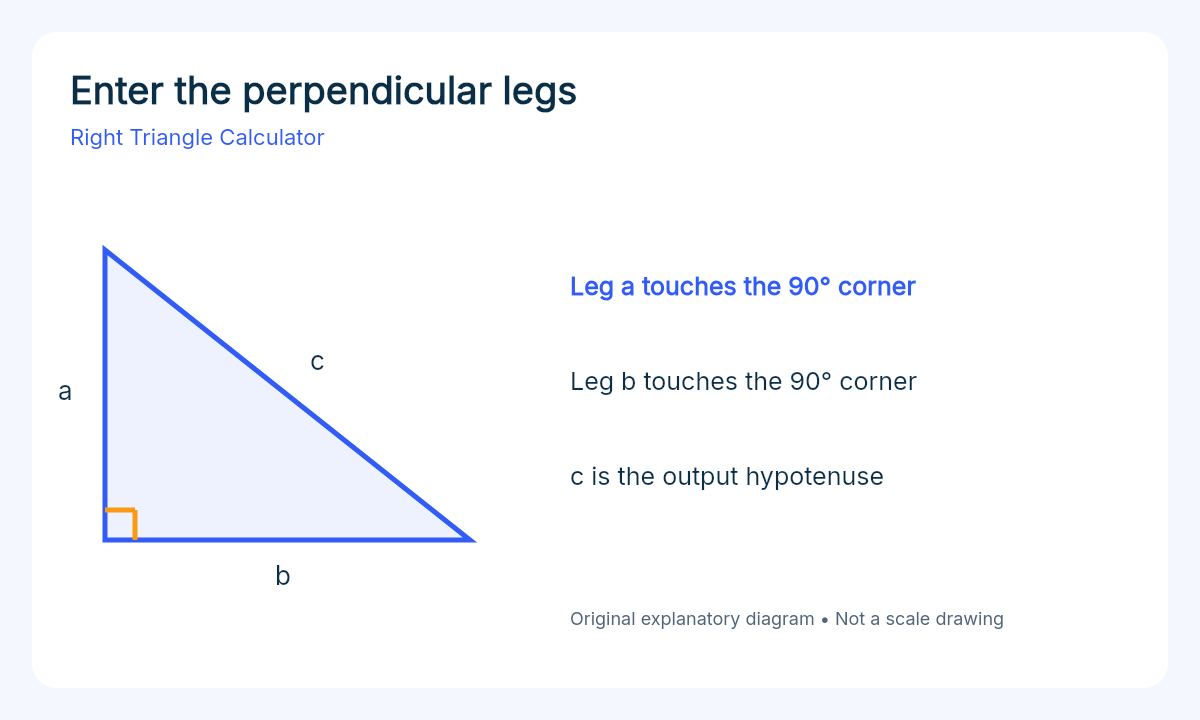
Locate the right angle first. Leg a and leg b touch that corner, while the hypotenuse lies opposite it. Enter the two leg lengths using a common unit and decimal points. You can swap the leg values without changing area, perimeter or hypotenuse. The angle labels will swap because each acute angle is tied to its opposite leg.
The unit selector labels your measurements; it does not change their values. If one leg is 2 metres and the other is 150 centimetres, convert the second to 1.5 metres before calculating. Number display changes grouping and decimal formatting in results. It does not change the input format, which always uses an ungrouped decimal number.
Pythagoras, area and angle formulas
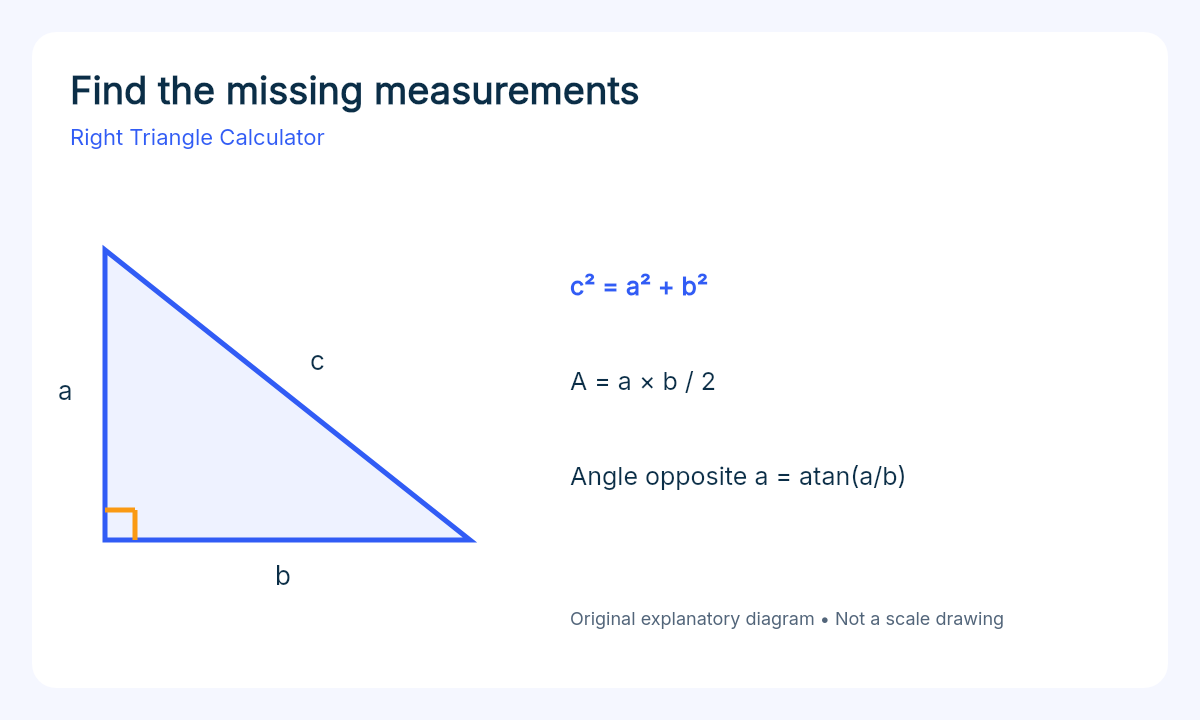
Pythagoras gives c = square root of a² + b², where c is the hypotenuse. The right triangle calculator uses the browser's hypot function for this calculation. Area = a × b / 2 because the perpendicular legs can serve as base and height. Perimeter = a + b + c. All these formulas assume a flat triangle with an exact right angle.
The angle opposite leg a is arctangent(a / b), expressed in degrees. The implementation uses atan2(a, b) for the same ratio relationship. The angle opposite leg b is 90 degrees minus the first angle. These two acute angles must total 90 degrees; the third angle is the right angle. Angles do not take the selected length unit.
Three worked examples
Example one uses a = 3 and b = 4 centimetres. The hypotenuse is square root of 9 + 16 = 5 centimetres. Area is 3 × 4 / 2 = 6 square centimetres, and perimeter is 12 centimetres. The angle opposite leg a is approximately 36.86989765 degrees. The other acute angle is approximately 53.13010235 degrees.
Example two uses equal legs of 5 metres. The hypotenuse is 5 × square root of 2, approximately 7.07106781 metres. Area is 12.5 square metres and perimeter is approximately 17.07106781 metres. Each acute angle is 45 degrees, which is a useful symmetry check for an isosceles right triangle.
Example three uses a = 8 and b = 15 inches. The hypotenuse is square root of 64 + 225 = 17 inches. Area is 60 square inches and perimeter is 40 inches. The angle opposite the 8 inch leg is approximately 28.07248694 degrees. The angle opposite the longer leg is approximately 61.92751306 degrees.

Read the angles without mixing their labels
The larger leg faces the larger acute angle. For the 3 and 4 example, the angle opposite 4 must therefore exceed the angle opposite 3. This is often a more helpful check than memorising a diagram's letter positions. Draw a small sketch and mark the opposite side before using an angle for a layout or a classroom answer.
Doubling both legs doubles the hypotenuse and perimeter, multiplies area by four, and leaves both acute angles unchanged. A hypotenuse must be longer than either leg individually and shorter than their sum. If a measured triangle violates those relationships, check the side selection and whether its corner is actually a right angle before relying on this model.
Rounding, supported inputs and saving results
Each leg must be positive and between 0.000000001 and 1,000,000,000. Blank fields, zero, negative values and values outside that range produce a message. Very unequal legs can lead to an angle so close to zero or 90 that rounding hides the difference. The mathematical triangle still has two positive acute angles; the display is limited by browser precision and its formatting.
Results normally show at most eight decimal places. Small or large quantities can use scientific notation, with up to six decimal places in the mantissa. Displayed values are rounded separately, so adding rounded lengths might differ slightly from the displayed perimeter. Keep the unrounded result during a multi-step exercise and round only the final answer to the accuracy you need.
Changing either input or a display selection hides the previous result until you calculate again. Reset restores the sample legs. Copy uses the clipboard when your browser permits it, and CSV downloads the numerical results and units. The arithmetic runs locally without a calculation API. It does not account for wall thickness, material stress, installation tolerances or measurement error. Use an appropriate professional method for decisions that depend on those factors.
Right Triangle Calculator: Keep angle labels with their opposite legs
The right triangle calculator names each acute angle by the leg opposite it. If leg a is 3 and leg b is 4, the smaller acute angle faces leg a. Rotating a sketch does not change that relationship. Before transferring an angle to a drawing, mark which entered leg it faces rather than relying on where the angle appears on the screen.
For a check with the right triangle calculator, swap the two legs. The hypotenuse, area and perimeter should remain unchanged, while the two angle values exchange labels. This is a symmetry of the mathematical model. It does not establish that a measured physical corner is exactly 90 degrees.
Questions about right triangle calculator
Can I enter one leg and the hypotenuse?
No. Both inputs in this version are perpendicular legs. Entering the hypotenuse as a leg solves a different triangle.
Why do the angle labels change when I swap the inputs?
Each angle is named for its opposite leg. Swapping a and b swaps those labels while the hypotenuse, area and perimeter remain unchanged.
Are the angles in radians?
No. Both acute angles are reported in degrees and add to 90 degrees before display rounding.
Can the hypotenuse be shorter than a leg?
No. For two positive perpendicular legs, the hypotenuse is longer than either leg.
Does this prove a measured corner is square?
No. The right angle is an assumption. You must establish it from the problem or a suitable measurement.
Can the right triangle calculator take one side and an angle?
No. Both input fields represent the perpendicular legs. A side and an angle can determine a right triangle when the side's role is clear, but that requires a different input method. Do not put a degree value into a leg field, because the calculator would interpret it as a length.
Does the right triangle calculator include the 90 degree angle in its output?
The right angle is an assumption of the model, so the result panel reports the two remaining acute angles. Those acute angles add to 90 degrees before display rounding. Together with the assumed right angle, the three interior angles total 180 degrees. Check that the two entered sides actually meet at the right-angle corner.
Why can the right triangle calculator show an angle very close to zero?
One leg may be extremely small compared with the other. The triangle is then very narrow, with one acute angle near zero and the other near 90 degrees. Finite arithmetic and display rounding can obscure a tiny difference. Such a result does not demonstrate that the smaller measurement is physically accurate to every entered digit.
What happens if I multiply both legs by the same factor?
The shape remains similar: the acute angles stay the same, while the hypotenuse and perimeter change by that factor. Area changes by the square of the factor. For example, scaling legs 3 and 4 to 6 and 8 changes the hypotenuse from 5 to 10 and area from 6 to 24 square units.
Do copied angles use the selected length unit?
No. Acute angles are always labelled in degrees. The length selection applies to the legs, hypotenuse and perimeter, while area receives the corresponding square unit. Copy and CSV keep those dimensional labels with the results. Retain them when using the output elsewhere, because a bare number does not identify what was measured.
Can I use the answer as an exact construction measurement?
The output is a mathematical result for entered dimensions and an assumed right angle. A physical layout also depends on measurement error, material thickness, tolerances and the method used to establish the corner. Keep the unrounded calculation for checking, then use the precision and professional process appropriate to the actual project.
Sources and method notes
Method and source notes checked on 26 November 2026. The diagrams are original explanatory drawings. Read the privacy policy for other site services.