Scientific Notation Calculator
This scientific notation calculator rewrites one entered decimal value as a coefficient multiplied by an integer power of ten. For 12300, the result is 1.23 × 10^4. It also returns the expanded decimal form, so you can compare the compact representation with the value you entered.
Loading calculator. JavaScript is required.
Your result
The scientific notation calculator processes the input as decimal text rather than first converting it to a floating-point number. Supported digits are preserved exactly during normalization. It converts representations of one value; it does not add measurements, evaluate expressions or determine how many significant figures a laboratory result should retain.
On this page
- How to use the scientific notation calculator
- Normalize the coefficient and exponent
- Three examples you can check by place value
- Exact conversion does not determine measurement precision
- Supported input size and exponent limits
- Check an answer before reusing it
- Questions about scientific notation calculator
- Sources and method notes
How to use the scientific notation calculator
Enter a decimal such as 12300, a small value such as 0.0042, or e-notation such as -6.25e-3. Use a decimal point and ordinary digits without grouping commas or units. Calculate to see the normalized coefficient, exponent, compact notation and expanded decimal. Leading or trailing whitespace is removed before the value is checked.
For e-notation, the part after e is an integer exponent, not another decimal number. The input 4.2e3 means 4.2 × 1000, so it represents 4200. The scientific notation calculator does not treat e as the mathematical constant, and it does not accept a multiplication symbol or a written power expression inside this field.
Normalize the coefficient and exponent
For a nonzero value, normalized decimal scientific notation has one nonzero digit before the decimal point. The magnitude of its coefficient is at least one and less than ten. Moving the decimal point left increases the exponent; moving it right decreases the exponent. The sign of the number stays with the coefficient.
The scientific notation calculator removes unnecessary leading zeros, locates the first nonzero digit and counts the places needed to put the decimal point after it. If an e-exponent was entered, that exponent is included in the count. Trailing zeros that are not needed to represent the numerical value are removed from the coefficient. Zero is returned by the explicit convention 0 × 10^0.
Three examples you can check by place value
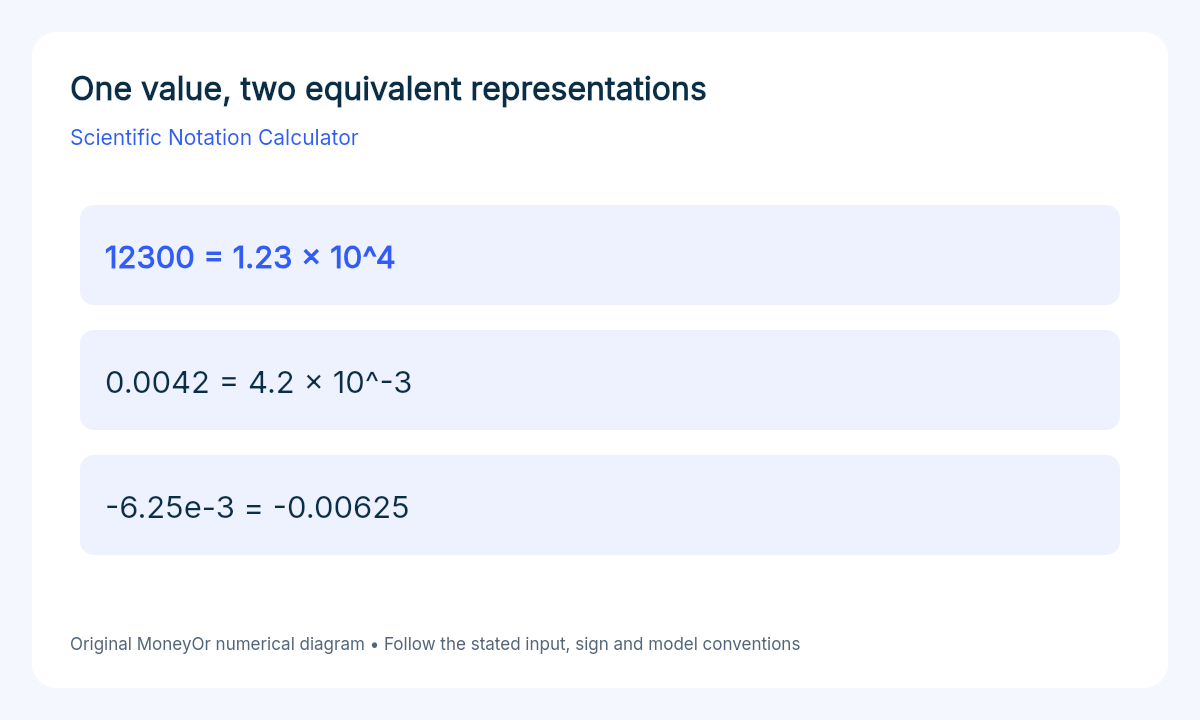
Example one is 12300. Placing the decimal after the first digit gives 1.23. Moving four places left requires a factor of ten to the fourth power, so the result is 1.23 × 10^4. Expanding that result moves the decimal four places right and gives the original 12300.
Example two is 0.0042. The coefficient is 4.2 and the exponent is negative three, because multiplying by one thousandth restores the original value. Example three is -6.25e-3, which is already normalized. Its expanded value is -0.00625. A negative exponent changes magnitude, while the negative coefficient makes the value negative; these are two different roles for a minus sign.
Exact conversion does not determine measurement precision
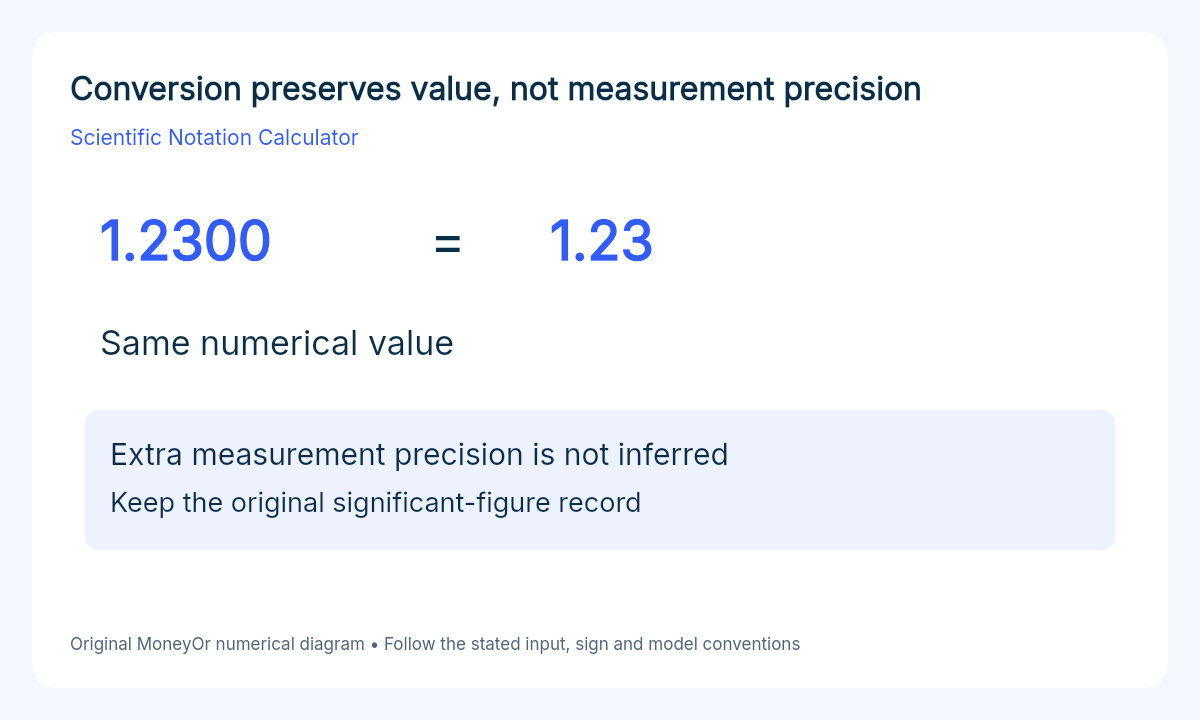
The scientific notation calculator preserves the numerical value represented by supported finite decimal input. For 1.2300, its canonical coefficient is 1.23. Those forms are numerically equal, but the extra zeros might have conveyed precision in a measurement. This converter does not preserve a separate record of significant figures or measurement uncertainty.
For that reason, distinguish exact text conversion from scientific reporting. If a measurement must be recorded to five significant figures, you may need to retain 1.2300 in your report even though the canonical numerical coefficient is shorter. The scientific notation calculator cannot infer whether a zero was a measured digit, a placeholder or a formatting choice in the original record.
Supported input size and exponent limits
The scientific notation calculator accepts at most five hundred input characters. After removing leading and unnecessary trailing zeros, a nonzero value may contain up to three hundred canonical significant digits. Both an entered exponent and the final normalized exponent must be between negative one thousand and positive one thousand. Unsupported values are rejected instead of silently rounded.
These are separate checks. A short input such as 10e1000 has an entered exponent within range but normalizes to 1 × 10^1001, which is outside the supported final range. A small supported value can expand to a long string of zeros. The expanded decimal is still a text representation, so it need not fit within the ordinary floating-point range of a browser number.
Check an answer before reusing it
To check compact notation, expand the coefficient by moving its decimal point according to the exponent. A positive exponent moves it right, and a negative exponent moves it left. Count places carefully when several zeros occur between the decimal point and the first nonzero digit. The scientific notation calculator includes the expanded form to make this comparison easier.
When pasting a result into another program, check which notation that program accepts. The written form 4.2 × 10^-3 is not the same input syntax as 4.2e-3, even though they describe the same value. A spreadsheet or programming language might also round a very long decimal automatically. Keep the exact text when preserving every entered digit matters.
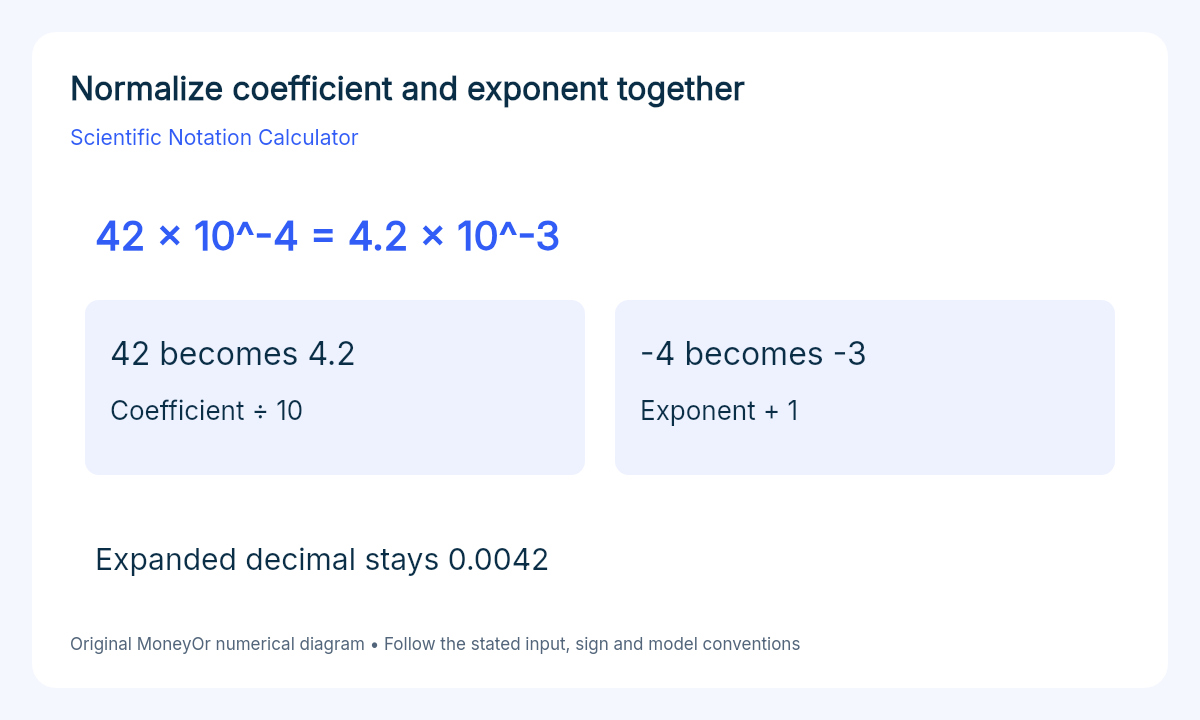
An independent place-value check is 42e-4: shifting the coefficient once gives 4.2e-3, and expanding either form gives 0.0042. The scientific notation calculator normalizes both to the same result because the coefficient and exponent change together without changing their product.
Questions about scientific notation calculator
What does a scientific notation calculator convert?
It converts a single supported finite decimal or e-notation value into normalized decimal scientific notation and expanded decimal text. A nonzero result has one nonzero digit before the coefficient decimal point. It does not evaluate a string containing several values, arithmetic operators, variables or units, and it does not calculate measurement uncertainty.
Why does 12300 become 1.23 × 10^4?
The decimal point moves four positions left to create a coefficient between one and ten. Multiplying that coefficient by ten to the fourth power restores the same value. The four-place shift determines the exponent. Writing 1.23 × 10^3 instead would represent 1230, which is ten times smaller than the original number.
Can the scientific notation calculator handle negative values?
Yes. The sign remains on the coefficient, while the exponent records place value. For -0.0042, the result is -4.2 × 10^-3. The negative coefficient makes the number negative. The negative exponent means multiplication by a small positive power-of-ten fraction; it does not by itself make a positive coefficient negative.
How do I type scientific notation into the field?
Use e or E followed by an integer exponent, such as 6.25e-3 or 6.25E-3. A leading plus or minus sign is allowed. Do not type a multiplication symbol, a superscript, a grouping comma or a unit suffix. The output uses a readable multiplication form, while the input follows this simpler decimal and e-notation grammar.
Does this round long decimal values?
Supported input digits are normalized as text, so they are not first rounded to the limited precision of an ordinary browser number. The tool still has explicit character, digit and exponent limits. It rejects values outside those limits. Another program receiving a copied expanded value may apply its own numeric conversion and precision rules.
Why are trailing zeros removed from the coefficient?
This converter returns a canonical numerical representation. The coefficient 1.2300 has the same numerical value as 1.23, so the extra zeros are removed. They might carry measurement precision in another context, but that information is not part of this value-only model. Retain your original measurement record when significant figures need to be documented.
What happens when the entered value is zero?
Zero has no first nonzero digit, so the usual nonzero normalization rule cannot determine a unique exponent. The scientific notation calculator returns coefficient zero, exponent zero and expanded decimal zero by convention. Inputs such as -0 or 0e10 represent the same numerical zero here; a signed-zero measurement notation is not retained.
What is the difference between scientific and engineering notation?
Normalized scientific notation allows any integer exponent and one nonzero digit before the coefficient decimal point. Engineering notation normally uses exponents that are multiples of three, so its coefficient range differs. This form produces scientific notation only. It does not claim to choose an engineering prefix or convert a physical quantity between unit systems.
Why can 10e1000 be rejected despite its entered exponent?
The entered exponent is one thousand, but normalizing the coefficient ten moves the decimal point once more. The final representation is 1 × 10^1001, whose normalized exponent exceeds the supported range. Both entered and normalized exponents are checked. A value must pass the digit and total-character bounds as well.
Can I convert a repeating decimal exactly?
Only the finite digits actually entered are represented. The input 0.333333 means that six-digit decimal, not an infinite repetition and not exactly one third. Repetition marks and fraction expressions are not parsed by this scientific notation calculator. Use an exact fraction representation when the intended quantity is rational and its full decimal expansion does not terminate.
Can I use the result directly in a spreadsheet?
Check the spreadsheet import format first. Many spreadsheets accept e-notation but do not accept the written multiplication form as a numeric literal. Very long expanded decimals may also be rounded when converted into numeric cells. Store the result as text if every digit must survive, and confirm the receiving application interpretation before relying on later calculations.
Sources and method notes
Method and source notes checked on 26 November 2026. The diagrams are original explanatory drawings. Read the privacy policy for other site services.