Trapezoid Area Calculator
This trapezoid area calculator finds the area from two parallel bases and their perpendicular separation. It also reports the midsegment, which is the average of the base lengths. With bases of 10 and 6 metres and height of 4 metres, the area is 32 square metres and the midsegment is 8 metres.
Loading calculator. JavaScript is required.
Your result
The trapezoid area calculator requires a pair of parallel sides. Some courses call this shape a trapezium, so check the geometry rather than relying only on its name. This version requires height; it does not derive height from four side lengths. A sloping edge is generally a different measurement from perpendicular height.
On this page
How to use the trapezoid area calculator
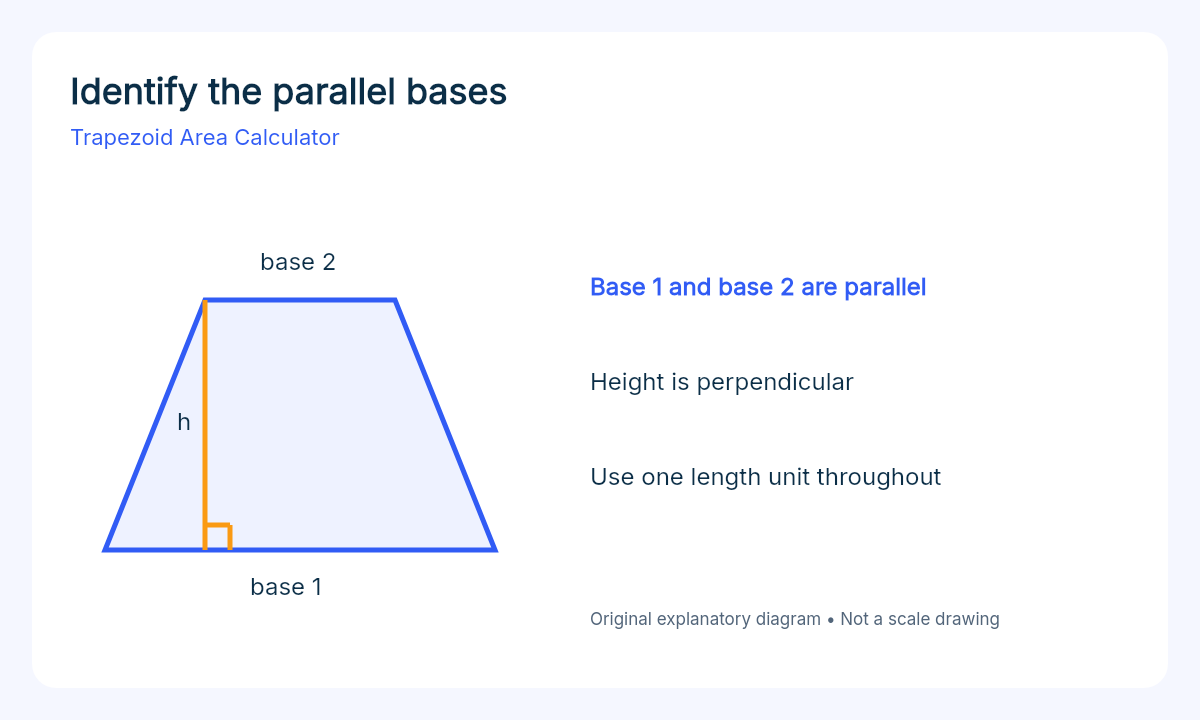
Identify the two sides that run parallel to each other and enter their lengths as the bases. Either base can be entered first. Measure the straight distance between their lines at a right angle. Enter this as height. The perpendicular measurement may be shown inside or outside the shape on a diagram; it represents the same separation of the parallel lines.
Use one length unit throughout. Convert mixed feet, inches, metres or centimetres before entering the numbers. The unit selector labels results but does not change any measurement. Enter ungrouped decimal numbers with a decimal point. A base of two and a half units is entered as 2.5, and the area will be in the corresponding square unit.
Average the bases and multiply by height
Area = (base 1 + base 2) × height / 2. Another way to write it is area = midsegment × height, where midsegment = (base 1 + base 2) / 2. This average length equals the segment joining the midpoints of the two non-parallel sides. The calculator reports it as a length, not an area.
The formula does not require equal sloping sides or a symmetric outline. Moving one base sideways while preserving parallelism and perpendicular height leaves the area unchanged. If both bases have the same length, the formula becomes base × height, the parallelogram result. The trapezoid area calculator accepts that limiting case and explains the assumption rather than rejecting a useful valid area calculation.

Three worked examples
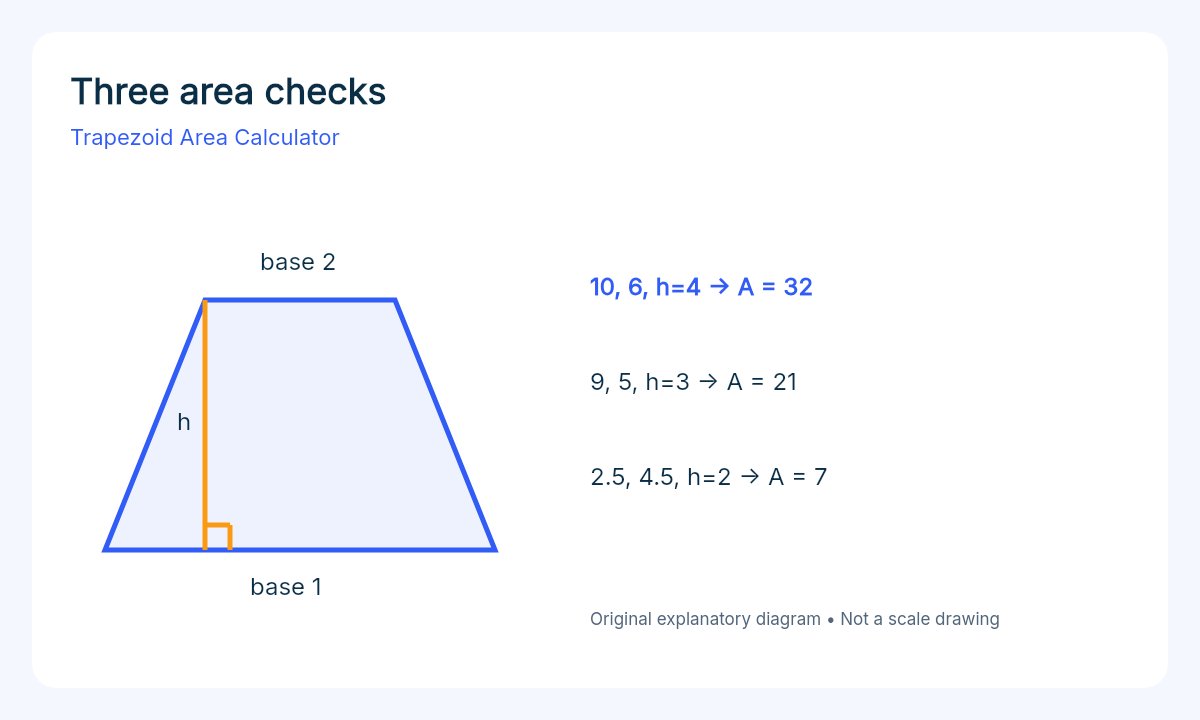
Example one uses bases 10 and 6 metres with height 4 metres. Average the bases: (10 + 6) / 2 = 8 metres. Multiply by height: 8 × 4 = 32 square metres. Swapping the bases produces the same result because their sum and average do not change.
Example two uses bases 9 and 5 centimetres with height 3 centimetres. The midsegment is (9 + 5) / 2 = 7 centimetres. Area is 7 × 3 = 21 square centimetres. There is no need to know the lengths of the sloping sides to find this area once the perpendicular height is known.
Example three uses bases 2.5 and 4.5 inches with height 2 inches. The average base length is 3.5 inches, so area is 7 square inches. Adding both bases and multiplying by height without dividing by two would instead produce 14, which is twice the correct area. The average-base method makes this common factor-of-two error easier to spot.
What the inputs cannot determine
The three entered measurements do not generally determine the perimeter. Different placements of the upper base can change the sloping edges while preserving both base lengths and height. This calculator therefore reports area and midsegment without inventing side lengths. If you need an edge measurement, obtain the two remaining side lengths or use an explicitly justified additional assumption.
If the measurements describe a cross-section rather than a surface, the result is that cross-section's area. It does not give a three-dimensional object's volume. A constant cross-section extruded over a known perpendicular length can be used in a separate volume calculation, but that requires another measurement and an appropriate prism assumption. Check which quantity your problem actually asks for.
For a quick area check, compare the answer with the rectangles formed by each base and the same height. The trapezoid's area must lie between those two rectangle areas when the bases differ. Doubling every entered length multiplies area by four and doubles midsegment. Doubling only the height doubles area but leaves midsegment unchanged.
Precision, limits and using your result
All three lengths must be between 0.000000001 and 1,000,000,000. Zero, negative, blank and non-finite inputs are rejected. A triangle with one base of zero is outside this version's supported inputs; use a triangle formula instead. Results normally show up to eight decimal places, with scientific notation for very small or very large values. Browser arithmetic has finite precision.
Copy uses displayed results when clipboard access is allowed. CSV downloads the represented numerical values with their unit labels. Editing a field clears the previous result until you calculate again, and Reset restores the sample dimensions. The calculation runs locally without sending your measurements to an external calculation API. For a physical surface, check whether the bases are actually parallel and the measured height is perpendicular. Allow separately for openings, waste, seams and project tolerances when applying a mathematical area.
Trapezoid Area Calculator: Area without a unique outline
Positive bases and perpendicular height determine area without fixing the upper base's horizontal position. In the trapezoid area calculator, bases 10 and 6 with height 4 produce 32 square units whether the upper base is centred or shifted sideways. The sloping edges can therefore change while the area stays the same.
Treat the trapezoid area calculator midsegment as an average base length, not an extra measurement to add into the formula. With bases 10 and 6, that average is 8 units. Multiplying it by height 4 gives 32 square units. Adding the midsegment to the bases before averaging would count the same dimensional information twice.
Questions about trapezoid area calculator
Is the sloping side the height?
Usually not. Height is the perpendicular distance between the parallel bases. A side can serve as height only when it meets those bases at right angles.
Does the order of the two bases matter?
No. The formula uses their sum, so swapping them leaves area and midsegment unchanged.
Can this calculate perimeter?
No. Two bases and height do not determine the two remaining side lengths without more information.
Can both bases be equal?
Yes. The area becomes base multiplied by height, the parallelogram case.
Can I enter a zero base for a triangle?
No. This version requires positive base lengths. Use a triangle calculation for that case.
Can the trapezoid area calculator use four side lengths instead of height?
No. This version needs the perpendicular height as a direct input. Four side lengths may support a separate geometric derivation in some cases, but that method is not implemented here. Do not substitute a sloping edge for height merely because its length is available; that usually changes the area.
Does the trapezoid area calculator assume equal sloping sides?
No. The area formula only requires two parallel bases and their perpendicular separation. An isosceles trapezoid is one possible outline, but the inputs do not impose that symmetry. Because the two remaining sides are not specified, their lengths and the complete perimeter are deliberately omitted from the output.
How can I check the trapezoid area calculator midsegment?
It should lie between the two base lengths and equal their arithmetic mean. With bases 5 and 9, it is 7 units. Multiplying that average by the perpendicular height should reproduce the reported area. The midsegment is a length, so it should not carry a squared unit or be added to an area.
Does rotating the drawing change which sides are the bases?
No. Parallelism determines the bases, regardless of whether they appear horizontal, vertical or tilted in the drawing. Height remains the perpendicular distance between their lines. A label placed on the longest-looking edge is not enough to identify height, and a rough sketch should not be treated as an exact scale measurement.
Can I type decimal commas after choosing a European number display?
No. The input convention remains an ungrouped number with a decimal point, such as 2.5. Choosing a number display changes how the result is formatted, not the input grammar or the unit system. Recheck numbers pasted from a spreadsheet, since a grouping separator or decimal comma can change or invalidate the entry.
Are the original bases and height included in the CSV?
The current export contains the result metrics, numerical values and units rather than a complete measurement record. Keep the two base lengths and height separately for reproducibility. If a result is being used for a physical outline, also note which edges were identified as parallel and how perpendicular height was established.
Sources and method notes
Method and source notes checked on 26 November 2026. The diagrams are original explanatory drawings. Read the privacy policy for other site services.