Triangle Calculator
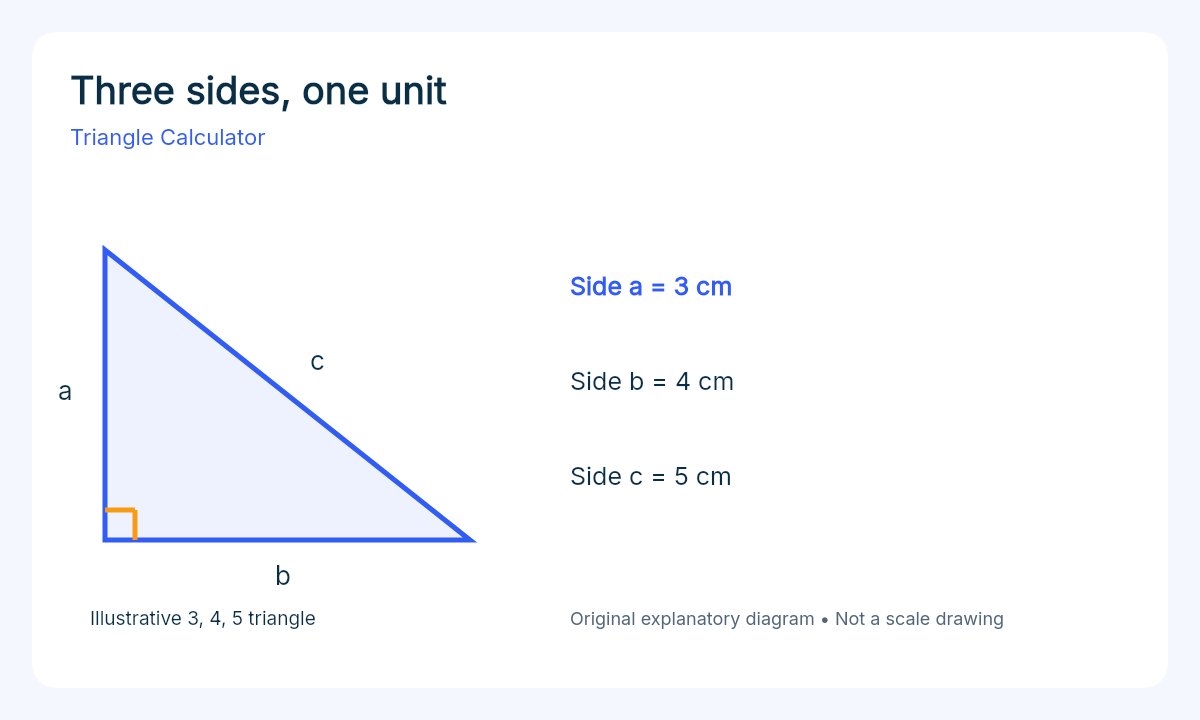
This triangle calculator finds area, perimeter and semi-perimeter from three side lengths. Enter all three lengths in the same unit, then select Calculate. The sides must form a real triangle: the sum of any two must be greater than the remaining side. A 3, 4, 5 triangle has an area of 6 square units and a perimeter of 12 units.
Loading calculator. JavaScript is required.
Your result
Use the triangle calculator when you know the outside edges but do not know a perpendicular height. The calculator does not accept angles, coordinates or a base and height pair. Results describe an ideal flat triangle, so measurements from a photograph or an uneven physical object may need a different method.
On this page
How to use the triangle calculator
Measure side a, side b and side c along the triangle's three straight edges. Their order does not change the area. Enter decimal values without grouping commas. For example, enter 1.25 rather than 1,25. Choose a unit label only after checking that every measurement uses that unit. A side measured in centimetres must not be mixed with another measured in metres.
Calculate displays three quantities. Area measures the surface inside the boundary. Perimeter is the complete distance around it. Semi-perimeter is half that boundary distance and is an intermediate value in Heron's formula. Changing an input clears the old result, which prevents a previous answer from appearing to describe your new measurements. Reset restores the sample side lengths.
The formula and the triangle inequality
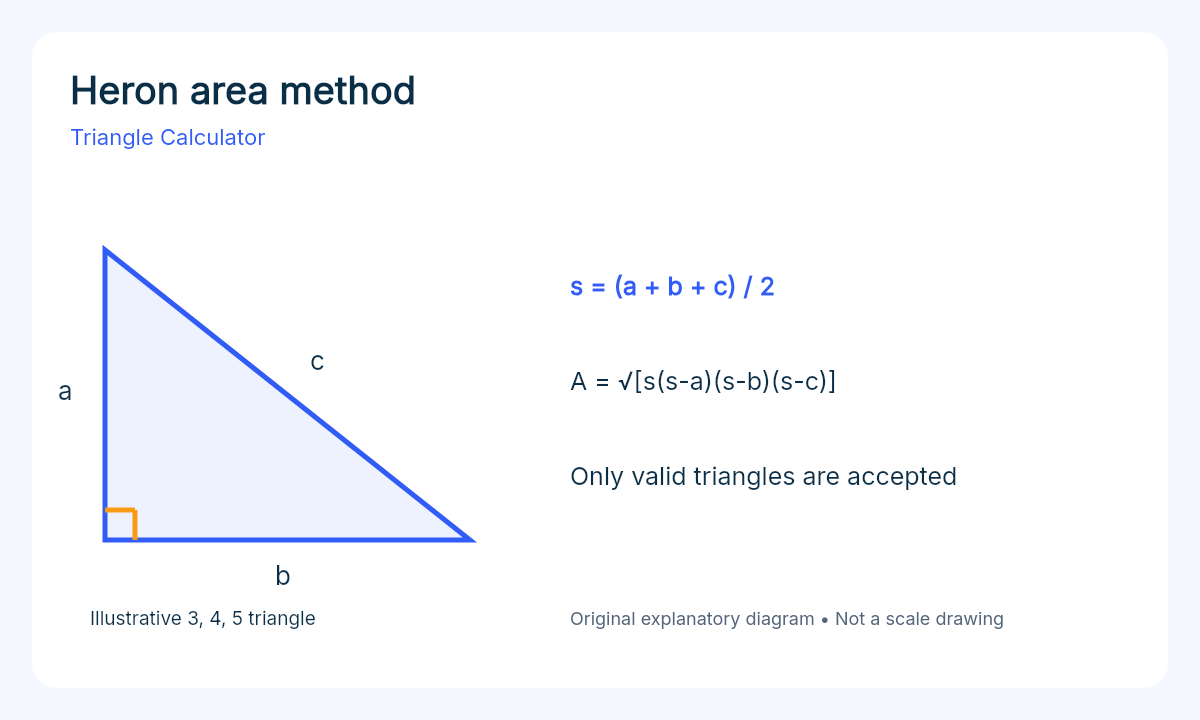
For sides a, b and c, first find the semi-perimeter s = (a + b + c) / 2. Heron's formula then gives area = square root of s(s - a)(s - b)(s - c). Perimeter is simply a + b + c. No right angle is required, and the formula works for acute, right and obtuse triangles when the sides are valid.
The triangle calculator sorts the sides and uses Kahan's rearrangement of Heron's formula to reduce rounding loss for long, narrow triangles. It still uses ordinary browser number precision. A zero or negative side is rejected. Sides 2, 3 and 5 are also rejected because they form a straight line rather than a triangle. Equality at the boundary is not sufficient.
Three worked examples
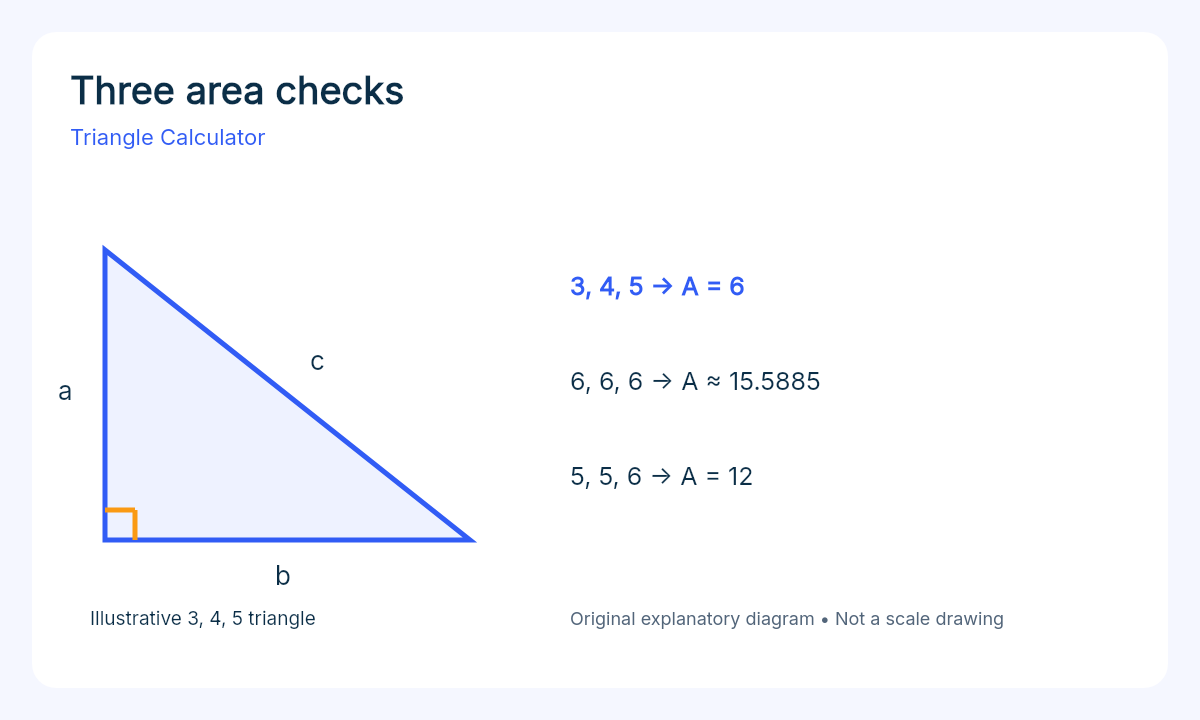
Example one uses sides 3, 4 and 5 centimetres. The semi-perimeter is 6 centimetres. Area = square root of 6 × 3 × 2 × 1 = 6 square centimetres. Perimeter is 12 centimetres. These lengths also happen to form a right triangle, but Heron's formula does not need that fact as an input.
Example two uses an equilateral triangle with three sides of 6 metres. The semi-perimeter is 9 metres, and the area is the square root of 9 × 3 × 3 × 3, approximately 15.58845727 square metres. The perimeter is 18 metres. All three equal lengths produce the equilateral label.
Example three uses sides 5, 5 and 6 inches. Semi-perimeter is 8 inches; area is the square root of 8 × 3 × 3 × 2 = 12 square inches. Perimeter is 16 inches. The two equal entered lengths produce an isosceles label. That label uses the entered values exactly rather than guessing whether rounded measurements are equal.
Check a result before using it
A triangle's area cannot be negative. A very small area may be reasonable when its sides almost form a straight line. Compare the longest side with the other two before treating a small result as an error. Small measurement changes close to this boundary can produce a large percentage change in area, even when the arithmetic is correct.
For a second check, double every side. Perimeter should double and area should become four times as large. Swapping the side order must leave both quantities unchanged. If you know the height independently, compare the result with base × perpendicular height / 2. An oblique side is not the perpendicular height, so using it in that check gives a different answer.
Units, precision and practical limits
The supported range is 0.000000001 to 1,000,000,000 for each length. These are numerical boundaries, not a statement about measurement accuracy. Ordinary results show up to eight decimal places. Very small or very large results use scientific notation. For example, 5E-10 means 0.0000000005. Keep extra digits during calculations, then round the final answer to suit your measurements.
Changing the unit label does not convert any input. If the sides are in feet, area is in square feet and perimeter is in feet. Use the length converter first when measurements differ, or the area converter for a finished area. Copy saves the displayed result to your clipboard when permitted. CSV downloads the represented numerical values with their units.
The calculation runs in your browser and does not send these measurements to a calculation service. This is a mathematical estimate, not a survey or a structural assessment. Allow separately for wastage, cutting patterns, joints and other project requirements; the geometric area alone cannot decide them. For land boundaries, use verified survey measurements and the required local method rather than inferring an exact area from an approximate sketch.
Triangle Calculator: Nearly flat triangles and measurement uncertainty
The triangle calculator treats each entered number as the stated side length, including all its decimal digits. It cannot infer that 4.9999999 was meant to be 5. In a very narrow triangle, uncertainty in a side measurement can be larger than the geometric height. Reporting many decimal places therefore does not establish an accurate physical area.
For an arithmetic stress example, enter sides 1000000000, 1000000000 and 0.000000001. These represented values are within the triangle calculator input limits. Kahan's rearrangement retains an area near 0.5 square units. The result checks numerical handling of a tiny side; it does not claim that an instrument could measure those contrasting lengths accurately.
Questions about triangle calculator
Can I calculate a triangle with only two sides?
Not with this three-side tool. Two side lengths alone do not determine a unique triangle. You also need another independent measurement, such as the included angle.
Why are sides 2, 3 and 5 rejected?
The first two sides add to exactly the third. They form a degenerate straight line, so the calculator rejects them rather than reporting a triangle with zero area.
Does the side order matter?
No. All six permutations of the same three valid lengths have the same area, perimeter and semi-perimeter.
Does this calculate angles?
No. This version reports area, perimeter, semi-perimeter and an exact entered-side classification. It does not report angles.
Does choosing metres convert centimetres?
No. The selection labels the result. Convert all side measurements into the same unit before entering them.
Can the triangle calculator use angles or coordinates?
This version accepts three side lengths only. Angles or coordinates must first be used in a suitable separate calculation to establish those lengths. Do not enter an angle as if it were a side: a value of 60 in a side field means a length of 60 chosen units, not 60 degrees.
Does the triangle calculator round inputs before finding area?
The arithmetic uses the browser's represented numerical values rather than the rounded result text. Rounding occurs when the output is formatted. If you deliberately round a measured side before entering it, the calculator receives that rounded measurement and cannot reconstruct any discarded digits. Keep a record of the measurement precision with your result.
Can the triangle calculator handle very thin triangles?
It uses Kahan's rearrangement to reduce cancellation in Heron's formula. This improves numerical handling of some narrow triangles, but finite browser precision and measurement uncertainty still apply. The example with two sides of 1000000000 and a third of 0.000000001 has an area near 0.5 square units for the represented inputs.
Is the isosceles label based on a measurement tolerance?
No. The side classification compares entered numerical values exactly. Sides 5, 5 and 6 receive an isosceles label; 5, 5.0001 and 6 receive a scalene label. If measurements were rounded or uncertain, assess that uncertainty separately instead of treating the exact-value label as proof of the physical triangle's classification.
What does the CSV export contain?
The file contains a metric name, its represented numerical value and a unit label for each result. It includes area, perimeter and semi-perimeter rather than a history of input changes. Keep the original side measurements separately when another person needs to reproduce the calculation. The CSV may retain more digits than the formatted display.
Why might clipboard copying fail while the result still appears?
Clipboard access depends on browser support and permission settings. A clipboard failure does not change the calculated area or perimeter. Select the displayed values and copy them manually, or use the CSV download if it is available. Keep the units with any copied number so its meaning remains clear outside this page.
Sources and method notes
Method and source notes checked on 26 November 2026. The diagrams are original explanatory drawings. Read the privacy policy for other site services.