Attendance percentage calculator
Try Attendance Percentage Calculator
Loading calculator. If this message stays visible, enable JavaScript and reload.
Your result
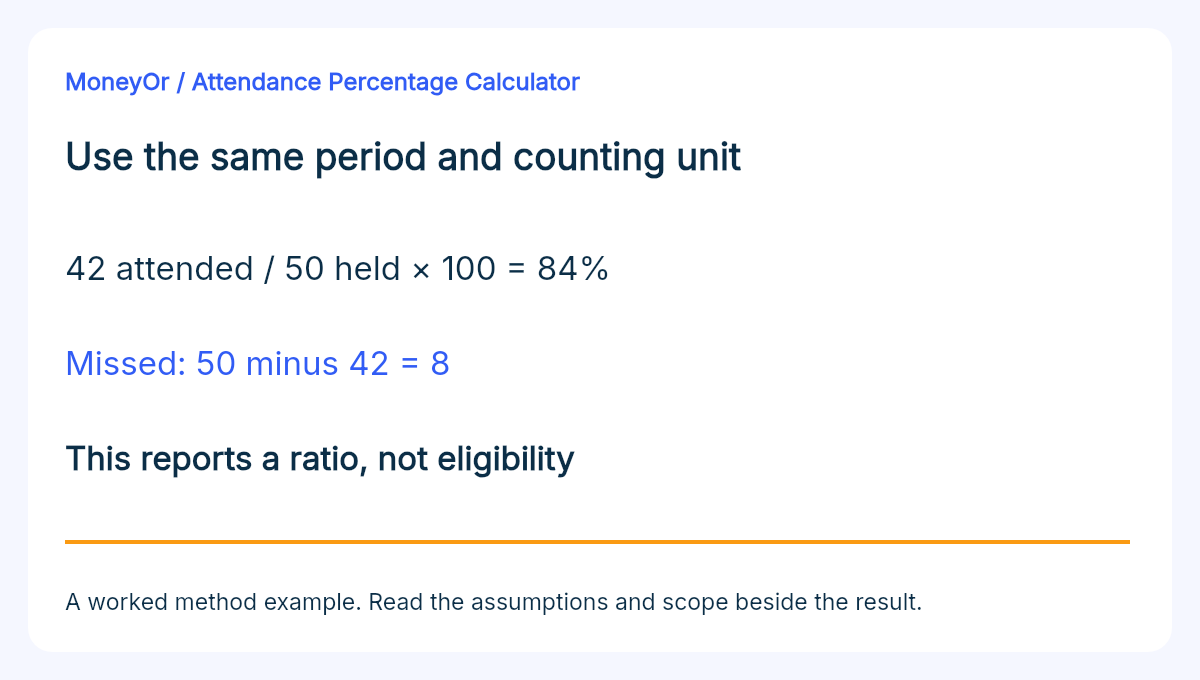
The attendance percentage calculator shows the share of held classes that you attended. Enter Classes attended and Total classes held, then choose Calculate / Run. If you attended 42 out of 50 classes, the result is 84% attendance, with 42 attended and 8 missed shown in the details.
Use counts for the same subject, period and kind of session. MoneyOr calculates a ratio; it does not retrieve your institution's register or decide whether you meet an official rule. The Attendance Percentage Calculator has no target-percentage, holiday or future-absence field. Check your institution's own policy before treating an arithmetic result as an eligibility decision.
On this page
- Attendance Percentage Calculator inputs and scope
- Attendance Percentage Calculator record checks
- Attendance Percentage Calculator formula and example
- Attendance Percentage Calculator combined-count examples
- How do future attended or missed classes change a scenario?
- What should I check before comparing with a minimum requirement?
- Which inputs are invalid, and what do the checks mean?
- How do result controls and browser processing work?
- Frequently asked questions
- Sources
How to use the Attendance Percentage Calculator
Attendance Percentage Calculator inputs and scope
The attendance percentage calculator measures attended classes as a percentage of all classes held in the period you specify through the two counts. Classes attended is the part, and Total classes held is the whole. The result tells you how much of that recorded total you attended, rather than how much of a future timetable you plan to attend.
The detail called Missed is total held minus attended. It is an arithmetic remainder, not a judgement about whether an absence was excused, medical or authorised. If an institution treats different categories differently, obtain the correct counted totals from its own record system before entering them here.
The Attendance Percentage Calculator works with whole-number classes. It does not accept fractional class counts or duration weights. If your course measures attendance by minutes, credits or partial-session rules, this form's class-count assumptions may not match that policy. A percentage can look precise while still using the wrong counting unit.
Define your scope before calculating. A percentage for one subject is not automatically the percentage for every subject combined. A percentage for the current month is not the same as the semester-to-date result. Keep the scope beside your saved numbers so a later comparison does not mix different records.
Attendance Percentage Calculator record checks
- Choose the subject or combined scope and the period to measure.
- Read the attended and held counts from the same updated record.
- Enter the attended count in Classes attended.
- Enter the held count in Total classes held.
- Choose Calculate / Run.
- Check the percentage and the attended/missed details against the source.
Do not enter missed classes in the attended field. If a record lists only held and missed counts, calculate attended as held minus missed first and verify the result. The labels matter: the Attendance Percentage Calculator cannot infer that a plausible pair of numbers was entered in the wrong roles.
Do not include future scheduled classes in a current held total unless you are deliberately constructing a separate scenario. A class that has not happened is not part of a historical held count. Mixing completed attendance with an entire future-term timetable can make a current percentage appear much lower than the recorded attendance rate.
Recheck the source when the result is surprising. A duplicated session, cancelled class or delayed register update is a data issue that arithmetic cannot correct. Save the values and scope you used, then compare with the relevant official record rather than repeatedly changing numbers until the percentage looks familiar.
Label saved snapshots with their cut-off date and whether the totals are cumulative or limited to a particular period. A cumulative count already includes earlier sessions. Adding it to the previous cumulative count would count some classes twice. Combine non-overlapping period totals only when that is the intended scope, or use the latest complete cumulative pair directly.
Attendance Percentage Calculator formula and example
The formula is attendance percentage = attended ÷ held × 100. Total held must be greater than zero. Multiplying the fraction by one hundred expresses the attended share out of one hundred; it does not add a bonus or apply a particular institution's rounding rule.
With 42 attended out of 50 held, the fraction is 42 ÷ 50 = 0.84. Multiplying by 100 gives 84%. Missed classes are 50 − 42 = 8. These values were checked against the actual calculator. There is no separate hidden weighting or attendance target in this operation.
| Attended | Held | Attendance | Missed |
|---|---|---|---|
| 42 | 50 | 84% | 8 |
| 0 | 25 | 0% | 25 |
| 25 | 25 | 100% | 0 |
| 17 | 24 | 70.83333333% | 7 |
| 1 | 3 | 33.33333333% | 2 |
The Attendance Percentage Calculator displays up to eight decimal places and can omit unnecessary trailing zeros. A repeating fraction therefore appears rounded in the result. Displayed decimal places do not imply that the underlying attendance record is accurate to that precision or that your institution uses the same rounding convention.
The percentage alone cannot recover the original class counts. Different attended and held totals can represent the same ratio. Keep the denominator in any report so someone reviewing it can distinguish a short observation period from a much longer record with the same percentage.
For a general part-of-whole calculation, the percentage calculator handles its own labelled operation. This attendance form adds class-count validation and attended/missed details. Use the appropriate labels rather than assuming every tool with a percent sign asks for the same inputs.
Attendance Percentage Calculator combined-count examples
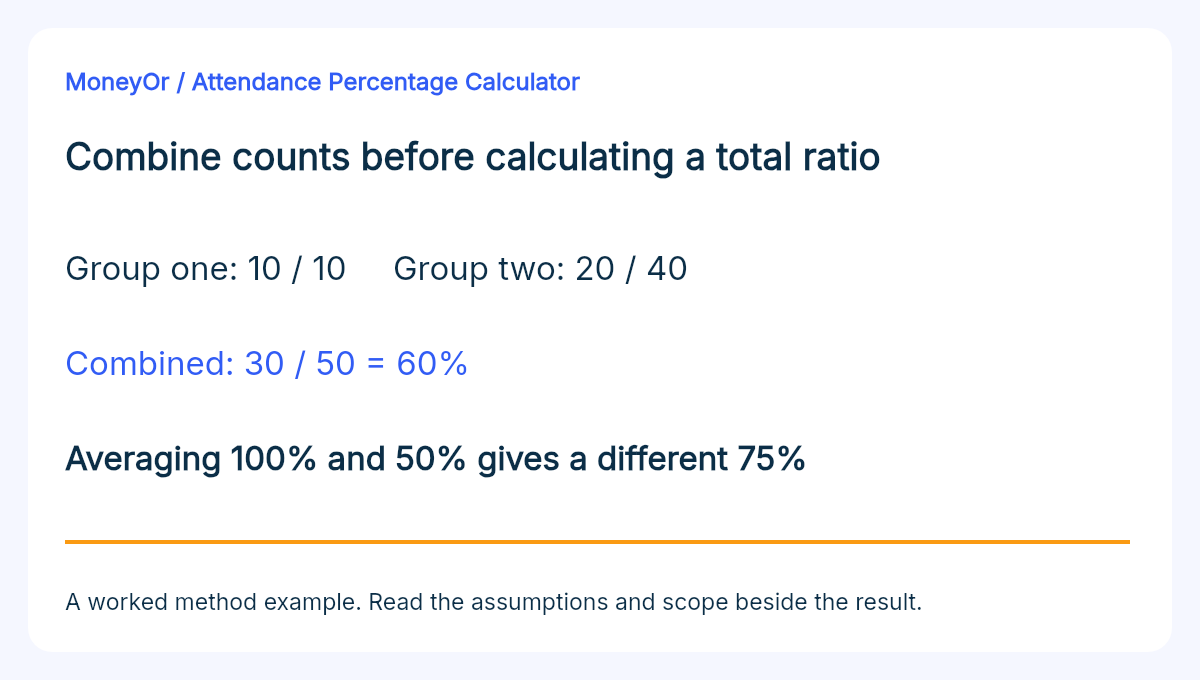
When the intended rule is a combined class-count percentage, add attended counts and held counts separately, then divide the combined attended total by the combined held total. Do not simply average displayed percentages when the groups contain different numbers of classes. Their contributions to the combined total are unequal.
For example, one group has 10 attended out of 10 held, and another has 20 attended out of 40 held. Combined attendance is 30 out of 50, which is 60%. The simple average of 100% and 50% is 75%, so it does not give the combined class-count percentage in this example.
That example explains arithmetic, not an institutional aggregation policy. Some requirements are assessed separately by subject or session category. A combined result can conceal a lower subject-specific percentage. Use the actual policy to decide whether combining is permitted before using the combined counts.
Check the coverage of a combined record as well. If one subject's totals include this week's sessions and another's stop earlier, the combined percentage describes that mixed collection. It does not automatically represent a common date for every subject. Align the source records before presenting the combined figure as a current overall result.
If aligned figures are unavailable, describe the actual coverage clearly instead of silently treating differently dated records as equivalent.
The average calculator has a different purpose. A numerical average can be mathematically correct while answering the wrong attendance question. Record whether you need a combined ratio, separate subject results or a policy-defined weighted measure, and keep those calculations distinct.
How do future attended or missed classes change a scenario?
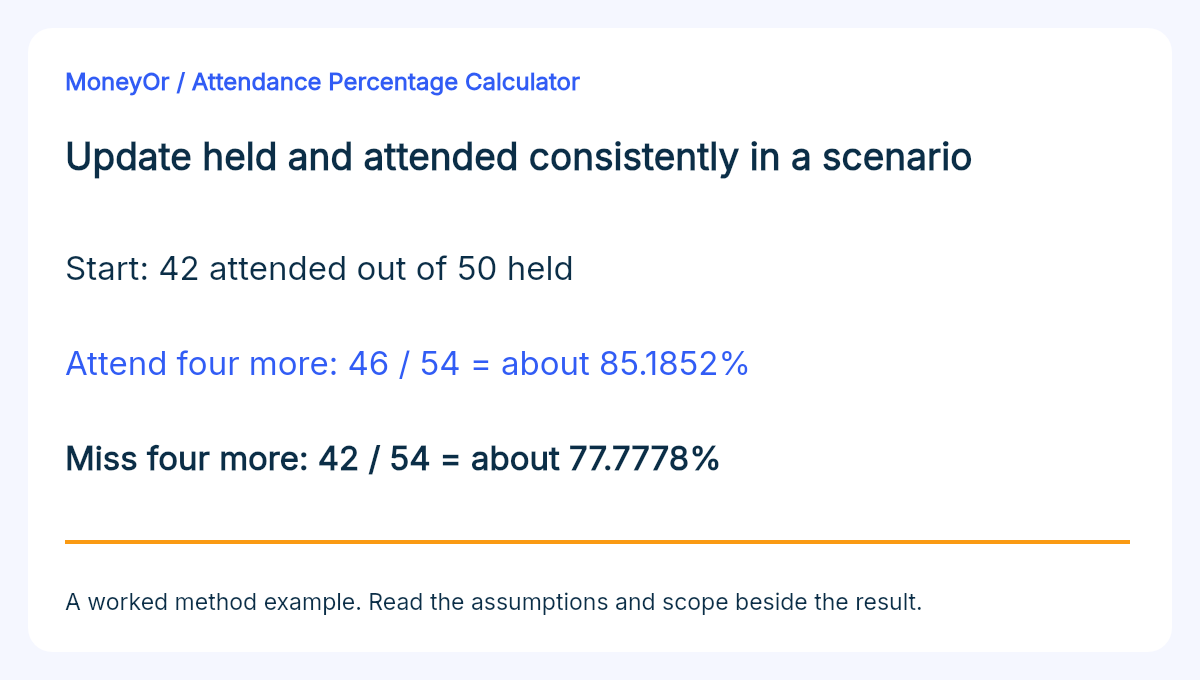
For a deliberate future scenario, update both the attended and held counts consistently. If you attend another class, each increases by one. If another class is held and you miss it, only the held count increases. Keeping the denominator fixed while adding future attendance produces the wrong scenario.
Starting from 42 attended out of 50, attending four additional held classes gives 46 out of 54, or 85.18518519% as displayed. Missing four additional held classes gives 42 out of 54, or 77.77777778%. The changed totals and resulting percentages were checked in code.
You can enter those updated counts as separate scenarios, but the Attendance Percentage Calculator does not automatically solve for how many future sessions reach a target. It also does not know whether those sessions will occur. Treat an assumed timetable as an assumption and keep its result separate from the current recorded rate.
For calendar planning, the date difference calculator measures a date interval according to its own rules. Calendar days are not automatically held classes. A gap containing weekends, holidays or multiple daily periods cannot be converted into a class count without the actual timetable.
What should I check before comparing with a minimum requirement?
Read the institution's official rule for the relevant course and period. Check whether it applies by subject or in aggregate, which sessions count, how authorised absences are recorded and how rounding is handled. This tool deliberately does not insert a universal minimum or claim that one percentage guarantees eligibility.
A displayed number close to a threshold needs particular care. Rounding a percentage to a convenient whole number can change how it appears relative to a rule. Compare using the method specified by the institution rather than assuming a rounded display is sufficient proof.
Confirm that both counts are current through the same cut-off. An attended count updated after today's sessions paired with a held count from yesterday is inconsistent. The calculation may still return a plausible percentage, so source-date alignment is an important part of checking the result.
If a record is disputed, keep your calculation and the source counts as supporting arithmetic, then use the institution's correction process. A calculator cannot amend a register, approve an exemption or decide how an exceptional absence should be counted. Those decisions belong to the responsible institution.
Which inputs are invalid, and what do the checks mean?
Attended must be zero or greater, held must be positive and both must be whole numbers. Attended cannot exceed held. Checked invalid cases include a zero total, a negative attended count, a fractional attended count and an attended count larger than the total. Empty required input is also rejected.
Zero attended with a positive total is valid and produces zero percent. Zero held is different: there is no positive denominator, so the rate is not defined by this formula. Do not enter one as a placeholder total merely to obtain a result before any class has been held.
Validation catches those basic contradictions but cannot verify your source. Two incorrect whole-number counts can still pass. Check that each class has been counted once and that cancelled sessions have been treated according to the actual record policy. The tool cannot identify a typo that happens to remain within a plausible range.
Use a basic calculator for a separate arithmetic check when reconciling a short register. Avoid entering personal names or student identifiers: this form needs only two totals. The counts are enough to demonstrate the formula and investigate a numerical discrepancy.
How do result controls and browser processing work?
The Attendance Percentage Calculator is available without a tool account or fee. Copy result includes the percentage and the attended/missed details. Keep those counts with the saved percentage so a later reader can see its denominator. A bare percentage without scope or source totals can be difficult to interpret correctly.
Save as baseline keeps a temporary comparison on the current page. Download CSV creates a report of the result, rather than an attendance register or institution-certified document. Reset restores the starting fields and clears the current output. Keep any records you rely on in your own system.
The calculation runs in your browser. Website delivery, analytics and contact practices are separate from the ratio calculation and are described in the MoneyOr privacy policy. Use totals without unnecessary personal details. The calculator does not connect to a school portal or submit an attendance claim.
Frequently asked questions
Can I enter half a class for a partial session?
This form requires whole-number classes and rejects fractional counts. If a policy uses partial attendance or duration, obtain a suitable policy-specific calculation. Rounding half a class up or down just to fit this form can change the measure and should not be treated as an official interpretation.
Does it know my school's minimum attendance percentage?
No minimum requirement is stored or selected here. The Attendance Percentage Calculator reports the entered ratio. Obtain the applicable rule from your institution and check its counting and rounding method before comparing. A common example seen elsewhere is not proof that the same rule applies to your course.
Can I use days instead of classes?
The arithmetic can represent whole attended days out of whole counted days when that is the intended measure. Keep the units consistent and confirm that the official rule is day-based. Do not combine attended days with total class periods; they describe different units.
Will it tell me how many classes I can miss?
There is no target or maximum-future-absence solver in this interface. You can calculate a clearly labelled scenario by entering consistent updated counts. That scenario remains conditional on the assumed future sessions and does not authorise an absence or account for course-specific rules.
Does a missed-class detail distinguish excused absences?
No. Missed is the total held minus attended, with no category breakdown. If excused sessions change an official calculation, use the institution's correctly classified totals. The calculator cannot decide which absence should be exempt or update its status in a register.
Can I submit the exported report as official proof?
The CSV is a report of your entered values and computed result, not a verified institutional record. Follow the institution's evidence requirements. Keep the source counts, period and subject with your arithmetic if you use it to explain a discrepancy or request a record check.
Sources
Examples and input checks were reviewed on 26 November 2026 against MoneyOr's implementation and independent arithmetic. Technical sources: MDN Web Docs, Number.isInteger() and Intl.NumberFormat, for whole-number checks and numeric display. No institution's attendance policy is assumed; consult its official rule for eligibility.