Morse Code Converter
Try Morse Code Converter
Loading calculator. If this message stays visible, enable JavaScript and reload.
Your result
The Morse code converter changes letters and digits into dots and dashes. Enter a short message in Your text and run the tool. The result uses a space between letter or digit groups and a slash between words. For example, SOS becomes ... --- ... in the tool's letter-by-letter format.
Use the output to make a written practice card, check a puzzle clue or compare the code for a letters-and-digits label. Start with A to Z, 0 to 9 and spaces. Punctuation can stop the conversion, so prepare a plain-text practice copy before pasting a sentence with commas, accents or symbols.
On this page
- Morse Code Converter written character groups
- Morse Code Converter phrase preparation
- Morse Code Converter whitespace, case and validation
- Morse Code Converter checked letter-and-digit example
- Why do separators matter when reading Morse code?
- Which tool direction do I need for a code puzzle?
- How can I design a short Morse practice sheet?
- How do I troubleshoot a result that looks wrong?
- Morse code converter FAQs
- Sources and method notes
Morse Code Converter guide and examples
Morse Code Converter written character groups
The Morse code converter produces a plain-text transcription. Each supported character maps to a fixed group. A becomes .-, B becomes -... and T becomes -. The characters inside each group stay together. You can count the space-separated groups in a word to check that each letter or digit has survived the conversion.
There are three kinds of mark to watch. A dot or dash belongs to a group. A space divides groups. A slash marks a word boundary. The slash goes into the output as a separator and would cause a validation error in the input. For example, if A/B is meant to be two separate items on a worksheet, prepare the input as A B and keep a key showing that you changed the separator.

The letters retain their order within each word. The words also retain their order. If you are preparing answer cards for a classroom activity, keep the plain and encoded versions aligned as separate rows or columns in a document. A good review checks the first and last group of each row, then the word boundaries. That catches an omitted word even when individual groups look familiar.
Morse Code Converter phrase preparation
- Choose a practice phrase or copy a short label into Your text. Keep an unchanged reference if the source has meaningful punctuation.
- Use letters, digits and whitespace in the working copy. Spell out a symbol if a reader needs its meaning. For example, write the word
PLUSwhen a plus sign represents an instruction. - Select Calculate / Run. Review the plain-text result before you move it into a worksheet or another application.
- Use a plain-text field or a code block when copying the pattern into an editor that can substitute punctuation. Check the saved text and the preview separately.
For a puzzle with numbered clues, convert each clue on its own if line structure matters. Tabs and newlines act as word boundaries within a single run. A group of blank lines will not survive as visible spacing. Keeping the clue number outside the converted sample also prevents a solver from having to decide whether a leading digit belongs to the message.
On a narrow display, long output can wrap into several visual rows. Treat the explicit separators as part of the transcription and a visual wrap as presentation. When preparing a printout, put one complete clue in each row where possible and provide a short legend explaining the slash before you ask anyone to decode it.
Morse Code Converter whitespace, case and validation
The engine uppercases the input first. It then checks whether every character is a letter A through Z, a digit or whitespace. After validation, it removes whitespace at the ends and splits the remainder at runs of whitespace. One space, several spaces, a tab and a line break can therefore mark the same boundary. Those differences cannot be recovered by reading the result.
| Input | Result or behavior | What to check |
|---|---|---|
sos | ... --- ... | Letter case disappears. |
| A, B and C with spaces and a line break | .- / -... / -.-. | Both gaps become word separators. |
09 | ----- ----. | The leading zero still has a group. |
Hi! | Input error | The exclamation mark needs editing. |
é | Input error | The accented letter remains outside A–Z after uppercasing. |
Unicode uppercasing has an edge case worth knowing. The German sharp s ß becomes SS before validation in the Morse Code Converter, so the result contains two groups, ... .... Ordinary accents do not disappear. A reversible transcription of exact spelling requires a scheme that explicitly supports the characters in the source.
Morse Code Converter checked letter-and-digit example
Enter SOS HELP 123 in the text field. The Morse Code Converter returns this line.
... --- ... / .... . .-.. .--. / .---- ..--- ...--Start by finding the two slashes. They separate three pieces, corresponding to the three written words or number strings. The first piece has three groups for S, O and S. Notice that the first and third groups match. The middle piece begins with four dots for H and then one dot for E. The third group has a mixture of marks for L and the fourth group has the pattern for P. The final piece has three five-mark groups for 1, 2 and 3.
A useful check reads the example in the opposite direction using a reference table. Keep each group intact as you look it up. In .... ., the four dots and the single dot give H and E as two separate letters. Joining them gives ....., which stands for 5. That simple change explains why a transcription must retain spaces even inside an encoded word. The final answer depends as much on the group boundaries as on the dot and dash shapes.
The first group of digits starts with one dot and the next starts with two. You can use that small sequence to build practice material for someone recording numeric labels. Keep leading zeros in the ordinary source as text, particularly when a spreadsheet is involved. If another system turns 09 into 9 before you paste it, the Morse Code Converter only receives the shortened label.

Why do separators matter when reading Morse code?
A sequence of dots and dashes can have more than one reading without group boundaries. The transcription uses spaces to distinguish one multi-mark letter from several single-mark letters. For example, the code for A consists of a dot followed by a dash in one group. With a space between the marks, the sequence represents E followed by T. One slash between them tells the reader to treat those letters as two separate words in the prepared input.
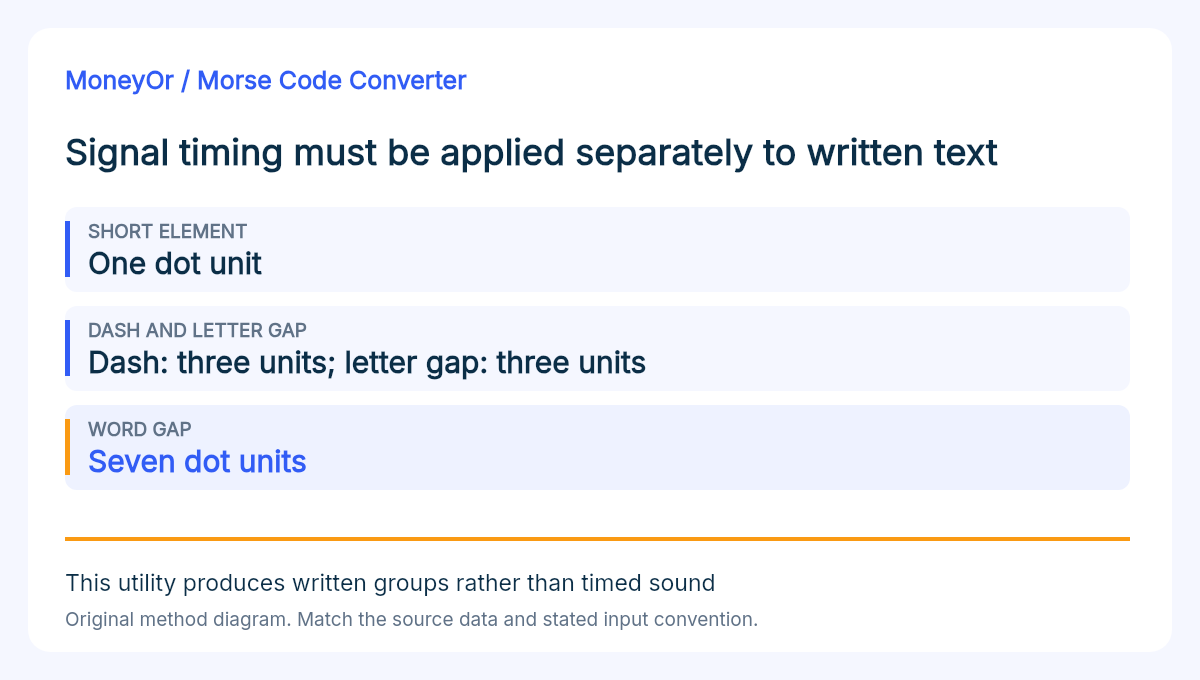
Written separators do a job that pauses do in a timed signal. The International Telecommunication Union specifies a dash lasting three dot units, a one-unit gap between the parts of a character, a three-unit gap between letters and a seven-unit gap between words. In the output here, a written slash represents a word boundary. If you transfer a practice pattern into sound or light, apply the timing convention separately. An ordinary word separator has no audible slash. The authoritative timing reference is the ITU recommendation on International Morse code.
When checking a copied clue, look for formatting changes that create false gaps. A proportional font can make strings harder to scan. Rich-text applications may replace a row of dashes with a longer mark. A monospaced code block makes each individual mark easier to spot. Save the original result until you have inspected the version a reader will receive.
Which tool direction do I need for a code puzzle?
Start with the format you already have. A written phrase belongs in the Morse Code Converter when you want to create the clue or an answer key. A sequence that already consists of dots, dashes and spaces needs a decoding reference or a decoder. Pasting the sequence into this field produces an error because the letters-and-digits check sees the dots and dashes as unsupported characters.
If a puzzle uses long dashes, underscores or a line break between words, write down the source convention before interpreting it. Those conventions are choices made by the puzzle author. Keeping the original visible on your worksheet lets someone else verify the reading if an apparent word does not make sense. A message that uses inconsistent separators may need clarification from the author before it has a single defensible interpretation.
The NATO phonetic alphabet converter serves a different communication task. It helps you read letter names aloud using spelling words such as Alfa and Bravo. That format is handy for saying a short identifier. Dots and dashes are useful when the task specifically calls for a Morse representation. For a classroom exercise, choose a medium first, then provide a reference key that matches it.
How can I design a short Morse practice sheet?
Give each row one skill. A first row might have isolated letters with one, two or three marks. A second can introduce repeated letters. Later rows can add a two-word phrase and then a label containing digits. The progression helps learners notice whether they struggle with individual symbols, separators or the transitions between words.
Leave enough space on the page for readers to mark character groups and write the decoded letters underneath. Put the answers on a separate page if the task is to solve the clue. Keep the uppercased phrase in your answer key, with an annotation if you replaced meaningful punctuation in the practice copy. If a learner reads the symbols correctly but cannot restore punctuation, check the Morse Code Converter you encoded before treating it as a mistake.
For a shared online document, offer the transcription as selectable text so a reader can magnify it or move it into their usual editor. If you add an image to a worksheet, include an equivalent text version. Test the document in the same sharing or printing format as your readers will receive. A clean working copy can acquire new wraps or typography when printed or exported.
How do I troubleshoot a result that looks wrong?
Reduce the input to one suspect character and run it. A curly apostrophe copied from a document, an accented character in a name, and a dash in an identifier are all examples that can halt conversion. If a name needs to keep its original spelling, preserve that spelling beside the practice transcription and explain any deliberate change to the practice version.
Look at the separators if the Morse Code Converter runs successfully but the output seems shorter than expected. A line break followed by indentation becomes a single word boundary. Leading and trailing spaces disappear. When a project requires exact rows, columns or spacing, keep those elements in the surrounding document and convert only the text that belongs inside each cell.
The text splitter can help prepare individual text entries when a source uses a consistent separator. The line counter is handy for checking how many source rows are present before working through them. For exam or practice materials, retain the approved original so that each converted row can be traced back to its source.
Use a mark count as a final cross-check when a clue contains both isolated letters and digits. Longer groups are easy to miscopy, and a missing dash may make a digit look like a valid letter. Write the intended source beside each pattern before distributing it. The letter counter measures letters in a practice phrase without counting its digits. The number counter reports the digits separately, which can help you plan a worksheet with a deliberate mix of letters and numerical labels.
Once the exercise is ready, ask another reader to recover the words with the reference table alone. If they keep guessing at a boundary, check the printed spacing and legend before changing the clue's content.
Morse code converter FAQs
Can I convert a lowercase phrase?
Yes. Ordinary lowercase letters convert to the same groups as uppercase letters. For example, sos returns ... --- .... If the distinction between uppercase and lowercase is part of a puzzle, record it separately.
Does the converter play a sound?
The result is written text. A listening exercise needs an audio practice tool that can apply consistent timing and play the signal. Keep the text as an answer key if you want learners to compare what they heard with a visible transcription.
Is the SOS output an operational distress signal?
The example spells S, O and S as three groups in written text. The conventional SOS distress signal is sent as a continuous group. Use the output here for written practice and follow the appropriate communications procedures in an emergency.
Can an encoded answer be kept secret?
Anyone with the mapping and the separators can read the pattern. Use a fictional sample in a puzzle and keep credentials or private messages outside the practice material. The pattern is useful for an exercise because the reader can recover the letters and digits from a reference.
What if I need to keep a line break in the encoded copy?
Run each source line separately, then put the outputs on separate lines in your document. A single run treats a line break between words as a word boundary and returns a slash there.
Does every input character use the same number of marks?
The supported letters vary in length. E and T have single marks, and other letters use longer groups. The digits use five marks each. Count the groups to compare the output with the characters in a word.
Should I type the words dot and dash into the field?
Typing those words encodes their letters. To study a single dot or dash group, enter E or T and look at the corresponding output. To decode a written symbol sequence, use a reference that accepts dots and dashes as its input.
Sources and method notes
References checked 26 November 2026: ITU International Morse code. These references explain the underlying method. The Morse Code Converter uses the implementation and limitations described above; a reference does not certify an entered record or its destination.