Letter counter
Try Letter Counter
Loading calculator. If this message stays visible, enable JavaScript and reload.
Your result
On this page
- Letter Counter Unicode letter scope
- Letter Counter selected passage preparation
- Letter Counter accents and non-English scripts
- Letter Counter checked letter-count examples
- How is a letter count different from characters, words and digits?
- Why might the result be zero or different from another counter?
- What size limits and editing effects should I know?
- How do I keep a result and use it responsibly?
- Letter counter FAQs
- Sources and method notes
Worked example
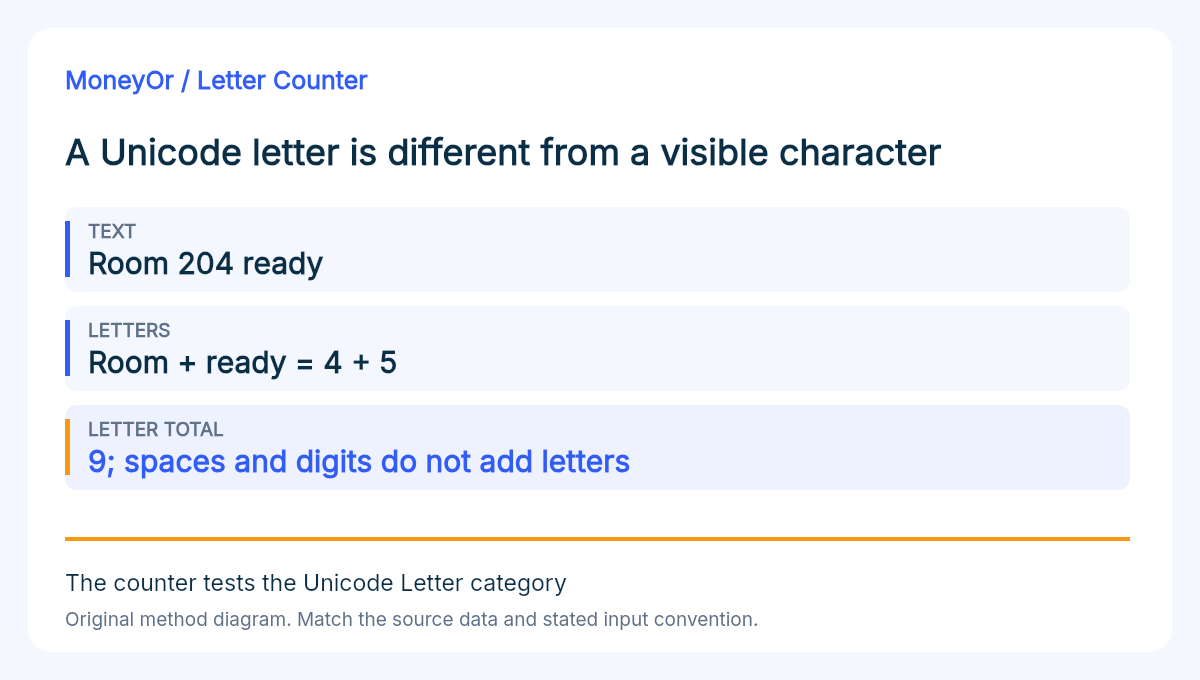
Paste “Room 204: ready!” into the counter. Room contributes 4 letters and ready contributes 5, for a total of 9 letters. The 3 digits (2, 0, 4), the colon, the exclamation mark, and the 2 spaces add nothing. The default sample, “Hello world.” on one line and “Second line.” on the next, gives 20 letters: Hello and world contribute 10, Second contributes 6, and line contributes 4.
How to use the Letter Counter
Paste or type your text into the “Your text” box and click “Calculate / Run” to read the letters total. Only characters in a Unicode letter category are counted, so digits, spaces, punctuation, emoji, and combining marks are left out: use the result when you need a letters-only count, not a character or word count.
Related tools
- Character Counter: count every character, including spaces and punctuation.
- Word Counter: count words in the same passage.
- Number Counter: count the digit characters in text.
- Line Counter: count the lines in pasted text.
The letter counter counts the letters in pasted text and leaves out digits, spaces and punctuation. Enter a sentence, a name list or a mixed-language passage, then choose Calculate / Run. For example, Hello world. contains 10 letters even though its space and full stop make the complete text longer.
MoneyOr uses Unicode letter categories rather than an English-only A to Z test. That makes the distinction between a letter and a visible character important. A vowel mark, an emoji or a numeral can appear beside letters without contributing to this particular total. Use the examples below to decide whether a letters-only measurement answers your question or whether you need a character, word or digit count instead.
Letter Counter guide and examples
Letter Counter Unicode letter scope
It counts each input character whose Unicode general category is a letter. Uppercase and lowercase letters both qualify. Ordinary English text such as Room ready contributes nine letters: four in Room and five in ready. The separating space does not add another letter.
Digits and punctuation are excluded automatically. In Room 204: ready!, the result is still 9 letters. The three digits, colon, exclamation mark and spaces remain in your input, but none contributes to that result. This is a measurement operation; it does not remove unwanted characters or rewrite the passage.
The operation follows the code's Unicode-aware letter test. It does not ask whether a sequence is a dictionary word, whether the spelling is correct or which language you intended. A made-up string of alphabetic letters counts just as a familiar word does. There is no language selector or grammar score.
The MDN reference on Unicode character class escapes, checked in 2026, explains the letter-category notation used by the Letter Counter. The practical consequence here is a narrowly defined total: letters rather than every printable symbol or every mark you can see.
Letter Counter selected passage preparation
Select the passage you want to measure before copying it. Replace the example in Your text with that selection, then choose Calculate / Run. The result belongs to everything currently inside that field. A heading, signature or copied navigation label will contribute letters if it was included in the selection.
Check the first and last line after pasting. This is useful when copying from a web page, PDF or formatted document, where a selection can collect a repeated header or a caption. The counter cannot recognise which lines belong to your intended passage. It faithfully counts the text you supplied. For a name list, retain the original accents and script so the measured passage still represents the names you meant to check.
- Decide which part of the document the measurement should cover.
- Paste that text into the input field.
- Check that the sample text has been replaced completely.
- Choose Calculate / Run and read the letters total.
- Keep the original passage with the result if someone else needs to reproduce the check.
Line breaks do not add letters. Combining two paragraphs with a new line therefore keeps the sum of their letter totals, provided their wording stays the same. To measure the number of entered lines separately, use the line counter. Wrapped lines on a narrow screen are a layout effect and do not change this letters-only result.
Letter Counter accents and non-English scripts
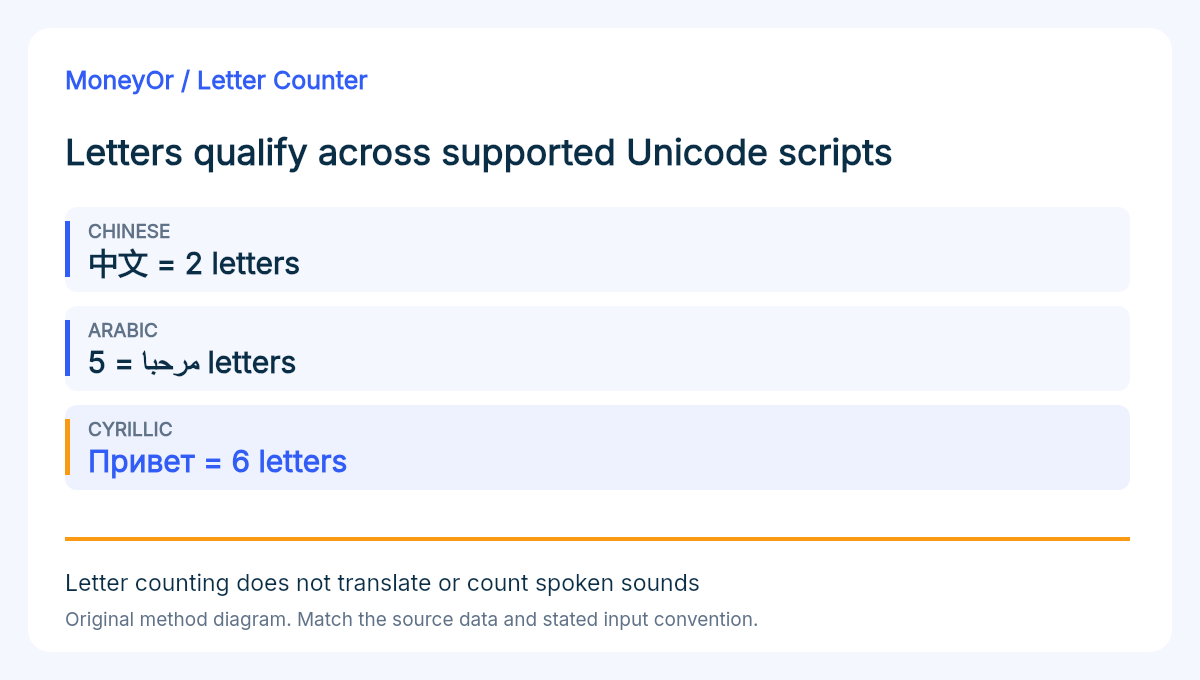
Letters from many writing systems qualify, including Latin, Greek, Cyrillic, Arabic and Chinese characters that Unicode classifies as letters. The Letter Counter does not translate them into English first. In independently checked examples, 中文 gives two letters, مرحبا gives five and Привет gives six.
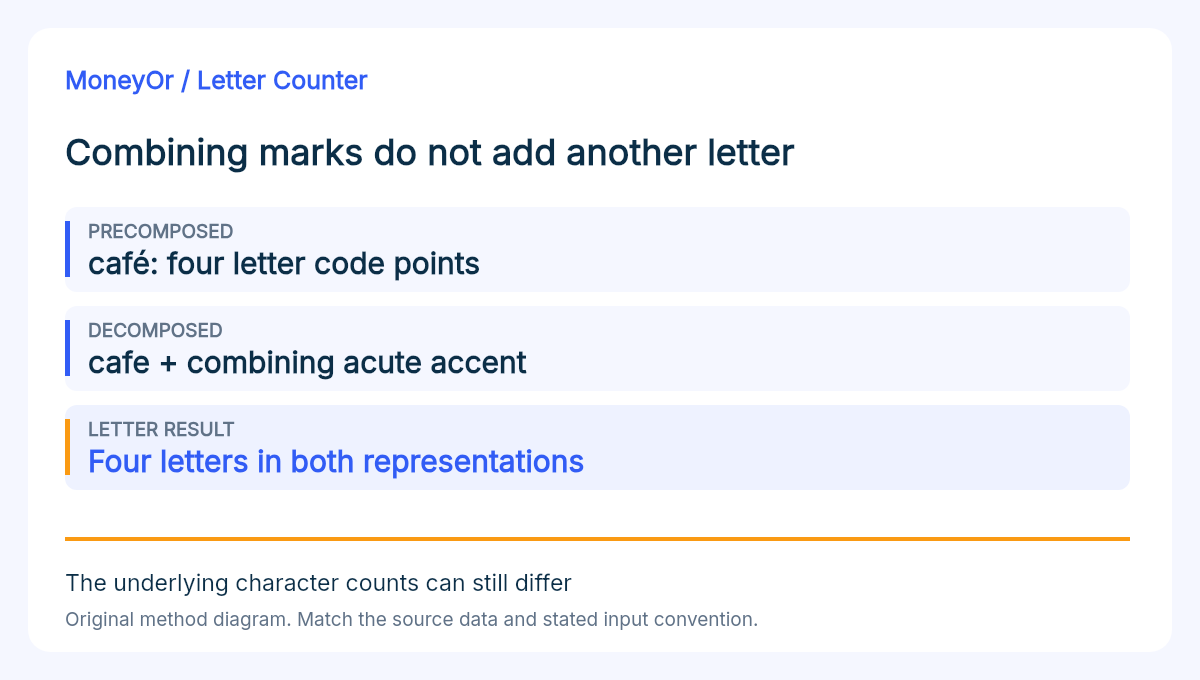
Marks need separate attention. The displayed word café can use one precomposed accented letter or an ordinary e followed by a combining accent. In either form, this counter finds four letters. In the second form, the accent is a separate mark and does not add a fifth letter. A character counter can distinguish those underlying representations even when they look alike.
Some scripts regularly combine letters with marks. The Devanagari example किताब returns three letters because the vowel signs are marks rather than additional letters under this rule. That result should not be described as a count of syllables, sounds or all visible writing units.
A typographic ligature can also affect a count. The single character fi contributes one letter, while the two-character sequence fi contributes two. Neither total is a judgement about pronunciation. If an assessment defines a different unit, follow its definition and use the appropriate method rather than assuming every displayed glyph equals one letter.
Letter Counter checked letter-count examples
Start with a short example that you can inspect manually. In A0B9, A and B are the two letters. The digit characters are ignored. Add punctuation or a line break and the letters total stays two, unless you also add or remove alphabetic text.
| Input | Letters | Reason |
|---|---|---|
Hello world. | 10 | Space and full stop excluded |
Room 204: ready! | 9 | Only Room and ready contribute |
中文 | 2 | Two Unicode letters |
Ⅳ 4 | 0 | These are numeral characters |
fi fi | 3 | One ligature plus two separate letters |
The default sample, Hello world. followed by a new line and Second line., gives 20 letters. Hello and world contribute ten, Second contributes six and line contributes four. The line break, spaces and two full stops add nothing to the letters total.
Use small test passages to investigate an unexpected result in a longer document. Compare a plain word, then the same word with its surrounding symbols. This isolates the character that changed the count without requiring you to inspect an entire page at once. Keep the test text unchanged while comparing tools that claim to measure the same unit.
How is a letter count different from characters, words and digits?
A letter count answers only how many letter-category characters occur. A character counter includes more of the text, such as spaces, punctuation, digits and combining marks. Neither measurement should be substituted for the other when a form or assignment states a particular requirement.
The word counter measures groups of text under its own counting rules. A long word and a short word each contribute one group there, but their letter totals differ. For example, changing ready to prepared increases the Letter Counter's total even though the number of words in the sentence can stay unchanged.
The number counter has another purpose: counting ASCII digit characters inside text. It does not add the numerical values together. If you need both an alphabetic inventory and a digit inventory, run the same exact passage through each relevant tool and label the results clearly.
A text's number of letters also says nothing definite about its storage size, reading time or printed width. Encoding determines bytes; font and layout affect width; reading involves the content and the reader. Reporting several separate measurements can be useful. Combining them into one vaguely named length figure makes the result harder to interpret.
Why might the result be zero or different from another counter?
A zero result is reasonable when the field contains only digits, punctuation, whitespace or emoji. Those inputs have content but no letter-category characters. The counter is not reporting that the field is completely empty. Check which unit the output label describes before treating zero as an error.
Two websites can use the name letter counter for different operations. One may count all characters, while another excludes spaces but includes numbers and punctuation. Compare their definitions with MoneyOr's letters-only rule. Agreement on ordinary English words does not prove that they will handle mixed text or combining marks identically.
Text copied from a document may also contain unusual representations. A ligature, a decorative alphabetic symbol or a letter from another script can look familiar while being encoded differently. The Letter Counter reports a total, not an inventory naming every matched character. Isolating a short selection is often the quickest way to examine the difference.
Do not change a name or remove meaningful marks simply to force a preferred total. A measurement should describe the original wording. If another system rejects the text, consult that system's actual rule. Use the text case converter only when a case change is part of your editing task, then recount the changed text.
What size limits and editing effects should I know?
The inspected engine permits input up to 500,000 JavaScript string units and rejects longer input. That size check is separate from the number of letters found. A supplementary character such as many emoji uses two string units even though it contributes no letters to this count.
For ordinary English letters, 500,000 entered letters reach that limit and produce 500000 letters. A longer passage is rejected rather than partially counted. This is an implementation ceiling, not a promise that every phone can handle every allowed input with the same responsiveness.
For a very large document, split it at complete text boundaries and keep a record of each part. Add the letter totals only if each character appears in exactly one part. Repeated headers, overlapping selections or missing lines can invalidate that sum even though every individual count was performed correctly.
Editing can change the total in ways that are easy to miss. Expanding a contraction, replacing a ligature or spelling out a number adds different characters. Keep a version of the original if you need to explain a revision. A result alone cannot reveal which words were added, removed or substituted.
How do I keep a result and use it responsibly?
After a successful run, Copy result copies the displayed output. Save as baseline keeps a temporary result for comparison with a later run on the current page. This can help when checking how a revision changed the number of letters. It is not a persistent document history or a named-project storage feature.
Download CSV exports the result and any saved baseline. Keep the measured passage separately because the report is not a complete copy of your document. Give your saved file or notes enough context to identify which passage and version the total belongs to.
Reset fields clears the current result and baseline. Editing the text also clears the displayed result. Run the Letter Counter again to measure the changed passage before copying or exporting it.
The counting implementation runs in the browser and does not send the entered text to a counting server. Website delivery, analytics and contact practices are separate; consult the privacy policy for the wider site. Use an invented sample instead of confidential material whenever the purpose is merely to demonstrate a counting rule.
Letter counter FAQs
Does changing uppercase letters to lowercase keep the same count?
For ordinary English text, yes: A and a each contribute one letter. Do not assume every transformation in every script preserves the number of characters. Some case conversions can expand a single character into several letters. Count the actual transformed output when that distinction matters.
Can I use the total as a social-media character limit?
Use the receiving platform's definition instead. A letters-only count excludes characters that many publishing fields still measure. Spaces, punctuation, emoji and links can be handled differently there. This page does not implement individual platform limits or confirm that a post will be accepted.
Does the counter detect spelling mistakes or duplicated words?
No. It counts qualifying characters wherever they occur. A misspelling or a repeated sentence still contributes letters. Proofread the wording separately, and use an appropriate comparison or editing method when you need to find duplicated content rather than measure its letters.
Will HTML tags be removed before counting?
No. The input is treated as plain text. If you paste markup such as a paragraph tag, its alphabetic tag name contributes letters too. Paste the rendered passage when you want to measure the reader-facing words, rather than the source markup surrounding them.
Are emoji names or meanings counted as letters?
No. An emoji is not replaced with an English description before counting. The visible symbol contributes only if its underlying characters include something classified as a letter. The Letter Counter does not perform image recognition, name lookup or translation of symbols.
Does an empty field mean the tool is broken?
The browser asks for text before a normal form submission. Paste a sample and run it again. A nonempty selection made entirely of spaces or symbols can validly produce zero letters. Distinguish required-input validation from a successful count with no qualifying letters.
Can I count letters from a photo or scanned PDF?
Not directly. This page accepts pasted text and has no file picker or optical character recognition. Obtain selectable text first, check that recognition preserved the wording, then paste it. A counting result cannot confirm that transcription from the image was accurate.
Do I need an account to use the letter counter on a phone?
No MoneyOr account is needed. Paste or type in the field using your device's normal text controls. The same letter rule applies on mobile and desktop. If copying a result is unavailable, select the displayed output manually or use the CSV export.
Sources and method notes
MDN Web Docs, Unicode character class escape. Reference checked 26 November 2026. MoneyOr's implementation and independently checked example inputs determine the Letter Counter-specific counting behaviour described above.