Character counter
Try Character Counter
Loading calculator. If this message stays visible, enable JavaScript and reload.
Your result
A character counter helps when a form asks for a short answer, a title has a length brief, or a message needs to fit a defined space. Paste the exact wording above and choose Calculate / Run. MoneyOr reports a total that includes whitespace and a second total with whitespace removed.
The unit here is a Unicode code point. For ordinary English letters and punctuation, that usually matches what you see on screen. Emoji, combining marks and some other writing systems need more care. A symbol that looks like one character can contain several code points. The explanation and examples below show how the Character Counter handles those cases and how to check a result against the system that will receive your text.
On this page
- Character Counter totals and whitespace
- How to measure a selected passage with the Character Counter
- What happens to spaces, tabs and line breaks?
- Character Counter: emoji and combining marks
- What results should I get from a short test?
- Using Character Counter results for titles and captions
- How do I investigate characters I cannot see?
- Character Counter results and related text counts
- Frequently asked questions
- Sources
How to use the Character Counter
Character Counter totals and whitespace
The main total includes every Unicode code point in the input: letters, digits, punctuation, symbols and whitespace. Enter Hello world and the result is 11 characters. Ten are letters and one is the separating space. Nothing in the phrase needs to be a complete sentence or even a word for the Character Counter to measure it.

The detail labelled Without whitespace applies a different rule to the same input. It removes characters recognised as whitespace by the browser's JavaScript expression, then counts the remaining code points. For that same example, the detail is 10. Punctuation still counts in this second total. It is a non-whitespace count, not a letters-only count.
These totals answer different questions from word count or file size. sample@example.com is one whitespace-separated group but many characters. A stored text file also has an encoding, so its number of bytes can differ from its number of code points. The Character Counter does not report bytes, pixels or printed page length. Match the requested unit before deciding that your text meets a limit.
How to measure a selected passage with the Character Counter
Replace the sample text in the input box with your own passage. Include everything that belongs to the requested field, such as a greeting, punctuation or a signature, when those are part of the answer. Leave out material that belongs in another field. Choose Calculate / Run and compare the relevant result with your stated limit.
After an edit, calculate again. Changing the input clears the current result. Run the counter again before you record the revised total. If you want to measure only a phrase from a longer draft, copy that phrase into the box on its own. The form measures its whole input; it does not provide an independent count of a highlighted selection inside a larger document.
Keep the source document open while revising. A useful workflow is to draft freely in your editor, paste the finished passage here for a length check, revise the original, and then check its final version again. The last step belongs in the destination form too. A receiving platform may use a different character definition or apply its own special treatment to links and emoji.
What happens to spaces, tabs and line breaks?
Spaces contribute to the main total even at the beginning or end of the input. With two spaces before and after A, the main result is five characters and Without whitespace is one. This can explain why a copied title is longer than it looks: an invisible trailing space still occupies a position in the string.
Tabs and newline characters also affect the main total. For text containing A, a tab and B, the totals are three and two. For A B followed by a newline and C, they are five and three. A visual wrap caused by a narrow input box does not insert a newline. Pressing Enter does, so compare the actual text rather than the number of rows visible on screen.
The whitespace-removal rule includes more than the ordinary space key. A non-breaking space is removed from the second total. A zero-width space is a different code point and is not removed by this rule. Those names sound similar, but their behaviour differs. If you are counting pasted material from a PDF, website or formatted email, an unexpected invisible character is a plausible cause of a small mismatch.
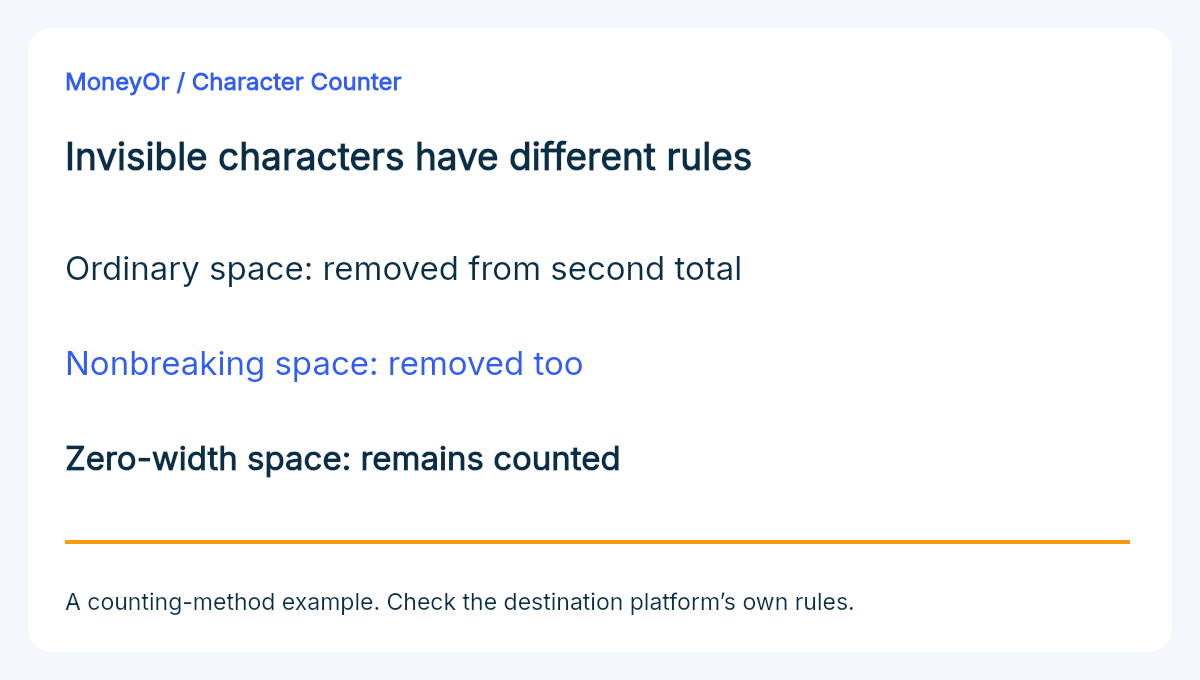
Do not delete spacing without checking meaning. A non-breaking space may keep a number with its unit, while a newline may separate address lines. The count is there to help you inspect the text, not to decide which formatting is dispensable.
Character Counter: emoji and combining marks
Unicode can describe a visible symbol with one code point or a sequence of code points. The simple grinning-face emoji in the example table contains one. The woman-technologist emoji contains a woman, a zero-width joiner and a laptop, so it contributes three in this counter. The joiner is part of the sequence even though it does not appear as a separate visible mark.
An accented letter offers another useful example. A precomposed é contributes one code point. The visually similar sequence e followed by a combining acute accent contributes two. MoneyOr counts the supplied representation without normalising the passage first. Two strings that appear identical to a reader can therefore have different totals here.
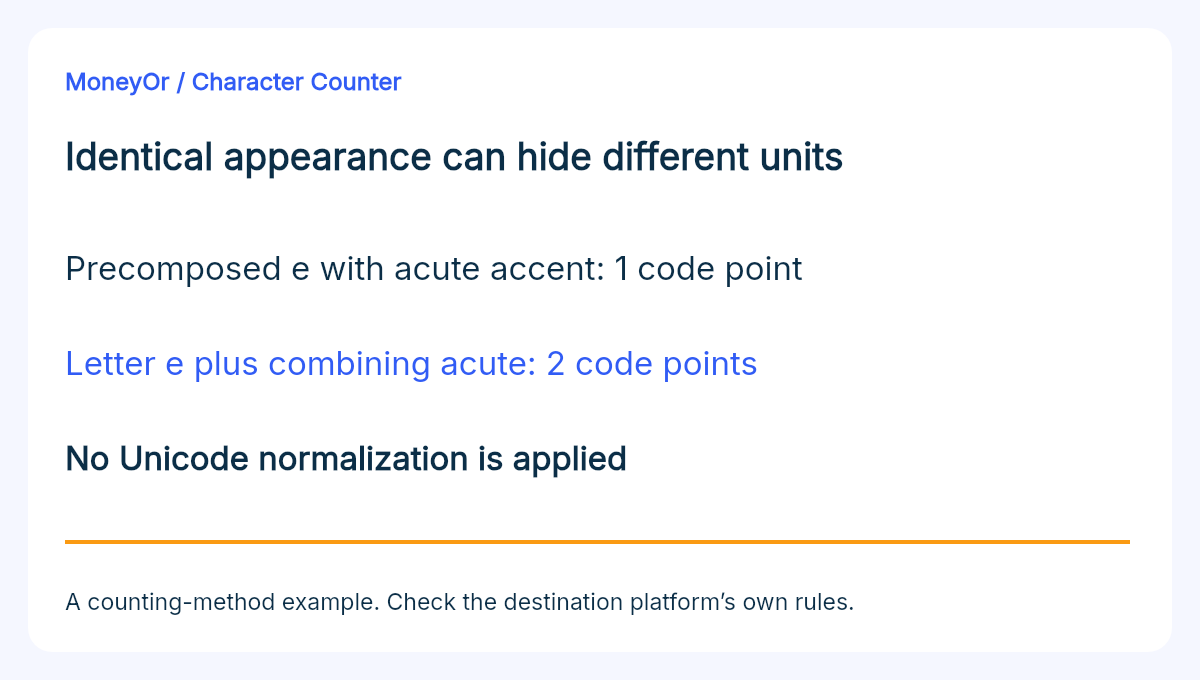
The distinction is described in the Unicode Consortium's guidance on text segmentation: user-perceived character groups are not the same thing as individual code points. That matters when comparing counters. One tool may count visible groups, another may count code points, and a programming interface may count UTF-16 code units instead.
This is also why the tool should not be described as an exact replica of every social platform's counter. For a formal character-limited answer containing emoji or accented text, test the final passage in the actual field. If the two totals disagree, check the platform's documented unit before removing information that the reader needs.
What results should I get from a short test?
The following examples were checked against the counting implementation. The first number includes whitespace. The second removes recognised whitespace but leaves punctuation and other code points. In the newline and tab examples, insert the actual control character rather than typing the letters that describe it.
| Text or sequence | All characters | Without whitespace |
|---|---|---|
| Hello world | 11 | 10 |
| A, a space, B, a newline, C | 5 | 3 |
| A, a tab, B | 3 | 2 |
| One grinning-face emoji | 1 | 1 |
| Woman-technologist emoji | 3 | 3 |
| Precomposed e with acute accent | 1 | 1 |
| e followed by a combining acute accent | 2 | 2 |
You can use small tests to isolate a disagreement in your own draft. Copy a suspected emoji or accented word into an otherwise empty input. Calculate it, then compare with a plain-letter alternative. This does not tell you to replace the original; it shows which part accounts for the different total.
For ordinary editing, a simple arithmetic check is enough. If a field allows 200 code points under the same counting rule and your passage contains 187, the difference is 13. Pasting another sentence may use more than those 13 because spaces and punctuation count too. Recalculate the complete revision instead of estimating its length from the number of words you added.
Using Character Counter results for titles and captions
Read the brief before trimming. A title limit may include spaces; another instruction may explicitly exclude them. An application may count a separate address field independently from the main answer. Use the corresponding total and the correct scope. A precise result for the wrong selection of text is still the wrong submission check.
When a passage is too long, remove redundant wording before changing names, measurements or required qualifications. For example, replacing a repeated explanation with one clear sentence can save space without changing the underlying facts. Deleting a negative word or a unit to save a few characters can change the meaning. Read the entire answer after each substantial cut.
Search snippets need another caution. A character total is useful while drafting a title or description, but it does not measure rendered width or guarantee how a search result will display. Different letters use different widths, and search systems can choose other wording. A character counter is a length check, not a preview of every device or search result.
Ordinary HTML form limits can also use UTF-16 code units. MDN's documentation for maxlength explains that unit. A single emoji outside the basic multilingual plane can occupy two such units while this tool reports one code point. The final form's own validation remains the acceptance check.
How do I investigate characters I cannot see?
Start with the simplest causes. Check for spaces before the first visible character and after the last one. Remove an accidental blank line only if it does not belong in the text. Copying a heading from a formatted document can bring along spacing that is difficult to notice in a plain text box.
Next, narrow the passage. Count its first half and second half separately, then inspect the half with the unexpected difference. If a short word or symbol has the surprise, test that item on its own. This is often quicker than deleting characters randomly from a full answer. Keep a copy of the original so your investigation does not damage the draft.
A difference between All characters and Without whitespace shows how many recognised whitespace code points were removed. It does not identify where they occur, and the form does not display a list of Unicode names. For a technical investigation of a persistent invisible character, use an appropriate code-point inspector or your editor's whitespace display. MoneyOr's counter gives totals rather than a character-by-character diagnostic view.
Be cautious with copied source markup. If the input contains the literal five-character entity &, those source characters are counted. A rendered ampersand is one. Count the visible wording when your brief concerns what readers see, and count the source string when that is the actual data being limited.
Character Counter results and related text counts
The separate letter counter counts alphabetic letters, and the word counter measures whitespace-separated groups. The number counter counts ASCII digits. Choose one of those when your requirement names letters, words or digits rather than all characters. Combining these totals does not turn them into a grammar or readability assessment.
After a run, Copy result copies the displayed total and detail text if clipboard access is available. Save as baseline keeps a main result for comparison with the next run during that page session. Download CSV records the output in a small report. These controls help you keep track of measurements; they do not create a saved copy of the original passage.
For an actual spacing edit, text trimmer removes whitespace at line edges, while whitespace remover removes whitespace throughout its input. Those edits change the text; check whether they suit your document before using the result. The line counter separately measures inserted line breaks.
Use Reset fields when you want to return the form to its initial values. Save the source document separately before resetting or leaving. The character-counting operation runs in the browser, while the website's other data practices are explained in the MoneyOr privacy policy. Keep credentials and confidential material in an appropriate private editing environment.
Frequently asked questions
Does the character counter remove spaces from my text?
No. It uses the supplied text to calculate two totals. The second is calculated after removing recognised whitespace from a counting copy, but the input passage is not rewritten as the tool's output. If you intend to change the text, make the edit in your own document and count the revised passage again.
Are punctuation marks included without whitespace?
Yes. Commas, full stops, brackets and quotation marks are non-whitespace characters, so they remain in both totals. A string such as A,B! has four code points under this method. If your requirement asks for letters only, the letter counter is the closer match. Excluding spaces is different from excluding every character that is not a letter.
Can I use the character counter for Hindi text?
The input accepts Hindi and other Unicode text. The total is still code points, so a displayed letter or joined form can involve several counted elements. Do not assume the number is a count of visible letters, syllables or words in the language. Check the receiving platform's convention when the precise unit affects a submission limit.
Can I paste a PDF file or upload an image?
This form counts text pasted into its text area. It does not upload or recognise documents or images. Extract selectable text from a PDF first if needed, then inspect the result for broken words and extra line breaks. A scan needs text recognition before its wording can be supplied to a plain-text character counter.
Why is the number different from a programming string length?
A programming environment may count bytes, UTF-16 code units or another unit. MoneyOr counts Unicode code points. Simple Latin text often produces the same number under several methods, which can hide the distinction until an emoji or combining sequence appears. Compare the unit definitions and a small sample before deciding that either calculation is faulty.
Does the Character Counter remember an earlier passage?
It has no document account or automatic archive for your input. A baseline is a temporary result comparison, and a downloaded CSV contains the measurement rather than the whole source passage. Keep your draft in your editor or document storage. If you return later, paste the version you want to measure and run a new count.
Sources
- Unicode Consortium, Unicode Text Segmentation, reference checked 26 November 2026.
- MDN Web Docs, maxlength HTML attribute, reference checked 26 November 2026.
- MDN Web Docs, String.prototype[Symbol.iterator](), reference checked 26 November 2026.
Examples were checked against MoneyOr's code-point counter; they do not establish the unit used by every external form.