Text case converter
Try Text Case Converter
Loading calculator. If this message stays visible, enable JavaScript and reload.
Your result
The text case converter changes pasted text into uppercase, lowercase, simple title case or simple sentence case. Choose the case you need, run the tool and review the converted output before using it. It is useful for a heading typed with Caps Lock, a set of labels or a draft whose capitalisation needs a consistent starting point.
The word “simple” matters for the two mixed-case options. MoneyOr applies fixed character rules rather than a publishing style guide or a dictionary of names. It will not preserve NASA, iPhone or a person's preferred name automatically. The examples below show both ordinary conversions and the cases that need manual correction.
On this page
- Text Case Converter: four supported modes
- How do I convert a passage step by step?
- Text Case Converter examples for each mode
- Why does title case need extra checking around apostrophes and accents?
- Text Case Converter: the sentence-case rule
- Can case conversion change character length or lose information?
- Which workflows are suitable, and where should I avoid broad conversion?
- Text Case Converter result controls
- Text case converter FAQs
- Sources for character rules
How to use the Text Case Converter
Text Case Converter: four supported modes
UPPERCASE applies JavaScript's uppercase mapping to the input, and lowercase applies its lowercase mapping. These are useful when the desired output truly requires a uniform case. Numbers, ordinary punctuation and line breaks remain in their positions. Characters without an uppercase or lowercase counterpart generally remain as they are.
Title Case first lowercases the input and then capitalises characters at the implementation's basic word boundaries. It does not maintain a list of short words such as “and” or “to.” Sentence case also begins by lowercasing the text, then capitalises at the start and after supported ending punctuation followed by whitespace. Neither mode recognises names, acronyms or the intended grammar of a passage.
Choose the mode from the actual destination requirement. A warehouse label may need all capitals, while an article heading may need a specific editorial convention. Starting with a mechanical conversion can save retyping, but it leaves the final style decisions to you. If a publisher specifies AP, Chicago or another named standard, this form does not offer a switch for that standard.
A font choice is separate from a case choice. Changing letters to capitals does not make them bold, change their typeface or replace them with decorative Unicode symbols. The converted value remains text. If your goal is a visual style in a document, apply that style in the destination editor after checking the words and capitals.
How do I convert a passage step by step?
- Keep an unchanged copy of the original text.
- Paste the passage into Text, replacing the example.
- Select the required option in Choose case.
- Choose Calculate / Run and read the complete output.
- Correct proper names, acronyms, abbreviations and any unusual word boundaries before publishing.
Rerun the operation after changing either the text or mode. The output from an earlier run does not automatically become the source for the next one. If you want to convert a converted result again, deliberately paste that text into the input. This distinction prevents you from assuming that a chain of operations happened when only one mode was applied to the original field.
Try a short sample first if the passage contains multilingual names or technical labels. Check one representative name, one acronym and one punctuated sentence. If those require many corrections, applying the converter to only the uniformly formatted part may be faster and safer than converting the entire document.
Text Case Converter examples for each mode
These individual examples were run through MoneyOr's engine. The table includes awkward results intentionally: they describe the current implementation and show where an editor needs to intervene.
| Input | Mode | Output |
|---|---|---|
| hello world | UPPERCASE | HELLO WORLD |
| HELLO WORLD | lowercase | hello world |
| a guide to the coast | Title Case | A Guide To The Coast |
| don't stop NASA | Title Case | Don'T Stop Nasa |
| hELLO WORLD. nEXT STEP! | Sentence case | Hello world. Next step! |
| API and iPhone | Sentence case | Api and iphone |
For a routine label, “monthly report 2026” becomes “MONTHLY REPORT 2026” in uppercase. The digits need no case conversion. For a heading, “A Guide To The Coast” may be a suitable capitalised starting point, but a house style could require lowercase “to” and “the.” Make that choice from the style requirements rather than assuming that every tool using the label title case follows the same convention.

Why does title case need extra checking around apostrophes and accents?
The Title Case mode uses a basic word-character boundary rule rather than a language-aware word list. Its word characters are based on the familiar ASCII letters, digits and underscore. Apostrophes and accented letters can interrupt those boundaries in ways that do not match a reader's idea of a word. That is why “don't” becomes “Don'T” in the tested example.
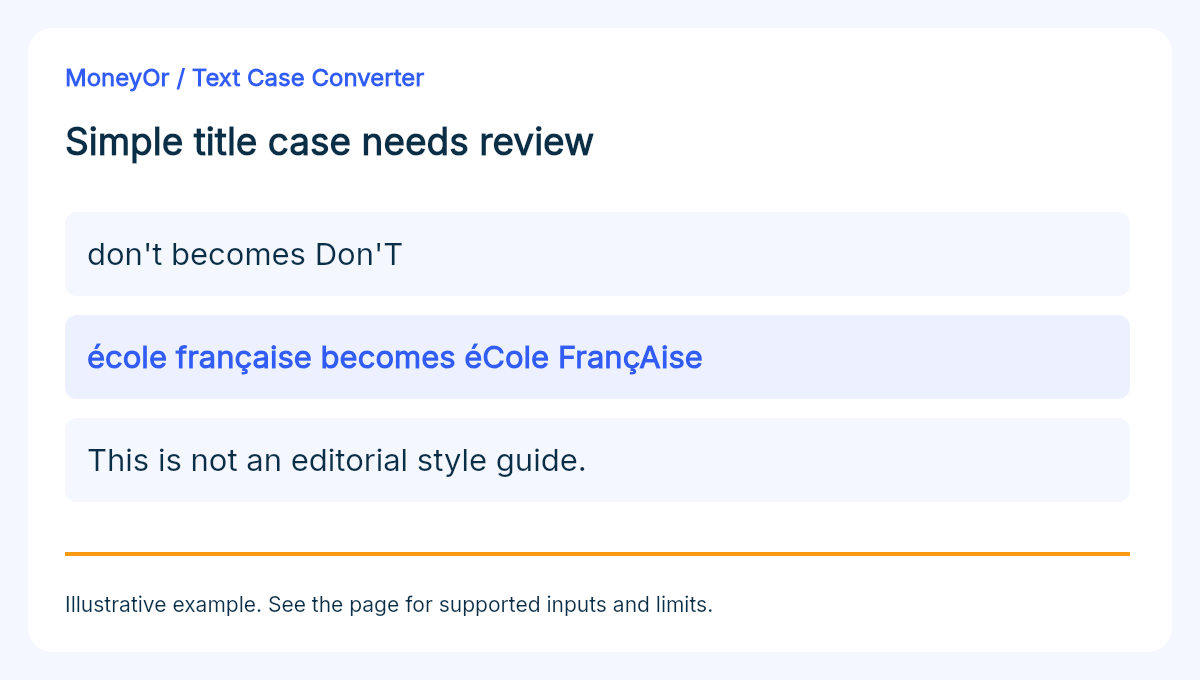
Accented text can produce a more surprising result. The exact input “école française” becomes “éCole FrançAise” in this mode. The accented characters do not participate in the same boundary test as the ASCII letters beside them. This makes the option a poor unattended choice for such text. Use the output only after checking each affected word, or edit the heading directly when that is simpler.
Names also carry conventions that a short rule cannot infer. A surname with an internal capital, a brand with an initial lowercase letter and an acronym made entirely of capitals may all be changed. Keep a list of the specific terms in your document that must retain their spelling. Recheck them after conversion rather than relying on the appearance of ordinary words nearby.
Hyphens, digits and underscores introduce further details worth testing. A hyphen separates basic word runs, while an underscore belongs to the basic word-character group. A product code can therefore behave differently from a phrase separated by spaces. Do not convert inventory identifiers just because they resemble ordinary words. Check the exact identifier specification and preserve an unchanged list for comparison if case is part of its meaning.
Text Case Converter: the sentence-case rule
Sentence case lowercases the text, then looks for a basic word character at the start or after a period, exclamation mark or question mark followed by whitespace. In “hELLO WORLD. nEXT STEP! yes? ok,” the output is “Hello world. Next step! Yes? Ok.” This works as a rough initial cleanup for that straightforward punctuation pattern.
A missing space changes the pattern. “hello.world” becomes “Hello.world” because the period is not followed by whitespace. A plain newline without preceding ending punctuation does not independently begin a new capitalised sentence: “first line” followed by a newline and “second line” becomes “First line” followed by lowercase “second line.” A heading list may therefore need individual edits.
The start rule has limits too. If the input starts with digits, as in “123 hello,” the word “hello” does not receive a capital from that initial match. A leading quotation mark can also prevent the intended first letter from matching. The converter does not insert missing punctuation, capitalise every English “I” or preserve proper nouns. Read the result as edited text, not as a grammar correction.
Can case conversion change character length or lose information?
Yes. Uppercase and lowercase mapping are not always one character in and one character out. A tested example is German “straße,” which becomes “STRASSE” in uppercase. Lowercasing “İSTANBUL” produces an initial Latin i followed by a combining dot, then “stanbul.” The visible appearance and the number of underlying characters do not always change together.
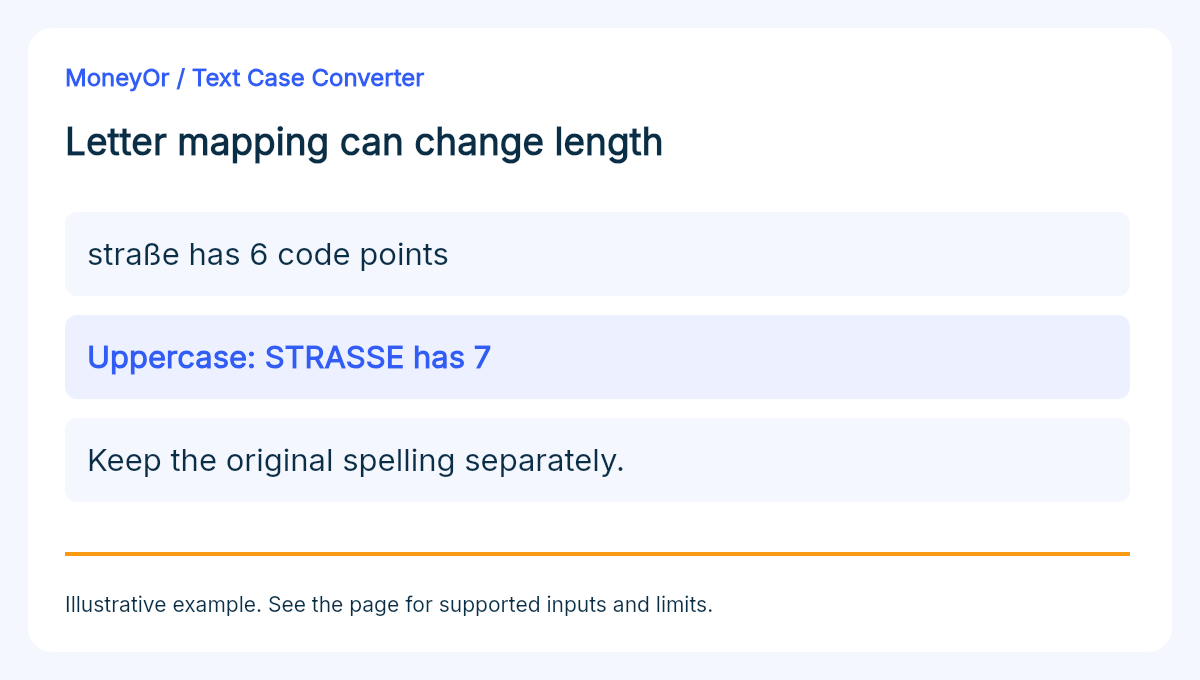
The Text Case Converter uses the default JavaScript mappings, with no locale selector for language-specific alternatives. A language's preferred casing may need a different mapping or manual review. Scripts without case do not acquire Latin-style capitals merely because you choose uppercase. Conversion is also not transliteration: it does not replace a non-Latin word with an English spelling.
Keep the original because lowercasing discards distinctions you may need later. From “nasa” alone, a later operation cannot know whether the original was NASA, Nasa or nasa. Applying uppercase and then lowercase will not reliably recover the original spelling. For a field with a strict length limit, inspect the converted output using the character counter rather than assuming that the original total remains valid.
Also check abbreviations in quoted material: changing their capitals can make an otherwise exact quotation differ from its source.
Which workflows are suitable, and where should I avoid broad conversion?
Good candidates include plain display labels, a heading that needs a first pass and non-sensitive notes where uniform case is explicitly wanted. Review a small sample, perform the conversion and then check the destination preview. The words are the same in a simple Latin example, but the visual emphasis can change substantially when an entire paragraph becomes capitals.
Do not apply broad conversion to source code, case-sensitive identifiers, authentication tokens or file paths unless their specification explicitly permits it. Changing userId to userid can change an identifier. Changing a password does not merely change its display. This tool does not parse a document to protect those sensitive spans while changing the prose around them.
For a focused operation, use the dedicated uppercase converter or lowercase converter. For heading work, compare the title case converter with the sentence case converter and read their own rules. The SEO slug generator is a separate transformation that removes or replaces characters; lowercase mode alone does not create a URL slug.
For a publishing check, read the first word, every proper noun, every contraction and the final sentence. Then inspect the destination preview, where a content editor may apply its own visual text transform. A heading can look uppercase because of CSS even when its stored letters are mixed case. If the stored text matters for copying, exporting or reuse elsewhere, verify that value separately from its visual appearance. This prevents a display style from being mistaken for a completed conversion.
Text Case Converter result controls
The Text Case Converter works in a modern browser without a tool account or fee. On mobile, choose the mode carefully after pasting, then close the keyboard if it covers the run action. Inspect the complete output, not only the first visible line. Long passages can contain a changed name far below the part that initially looks correct.
The Text Case Converter result controls operate on the displayed result. Copy result can include any associated details, so check what was pasted before replacing text in another application. Download CSV produces a result report rather than a styled document file. Save as baseline is a temporary comparison on the current page. Reset clears the current result and restores the starting inputs; it is not an undo operation for edits made in your original document.
The Text Case Converter processes the supplied text in your browser. Website delivery, analytics and contact practices are separate and are described in the privacy policy. A short anonymised sample is enough to test case handling. There is no reason to include a private account token when the question can be answered with a harmless label.
Text case converter FAQs
Does Title Case follow APA, AP or Chicago rules?
No named style-guide mode is offered in this form. Its basic Title Case rule capitalises at simple word boundaries, including short words that some editorial styles keep lowercase. Use it as a starting transformation, then follow the specific style guide required by your publisher. Do not describe the unreviewed output as certified compliance with a named guide.
Will sentence case keep names and acronyms correct?
It first lowercases the supplied text, so existing name and acronym capitals can be lost. “API and iPhone” becomes “Api and iphone” in the tested example. Restore the required spellings manually and check other proper nouns. The Text Case Converter has no custom dictionary of protected terms or automatic recognition of the people and products in your passage.
Can I undo a conversion and recover the original case?
Keep the original separately. A conversion can collapse several different spellings into the same result, so reversing the mode cannot reconstruct that lost distinction. If you have not replaced the original document, use that original as your reference. Resetting this form restores its initial sample values; it does not retrieve a previous pasted draft.
Does case conversion remove spaces, punctuation or formatting?
The Text Case Converter modes do not act as whitespace cleaners. Ordinary spaces, punctuation and newlines stay in the input's structure, though letter mappings can change length. Rich document styling is not part of the pasted plain-text operation. If you need spacing cleanup as well, perform and review it as a separate task so you can identify which operation changed the text.
Why does converted text differ between two websites?
Title and sentence case labels can hide different rules. One site may protect names, recognise more languages or apply a particular editorial style. MoneyOr uses the fixed rules described here. Compare a short example containing the disagreement, such as an apostrophe or acronym, rather than assuming that all case converters promise identical output.
Will capitalising a title improve its search ranking?
A case choice can affect readability and consistency, but it does not guarantee a ranking improvement. Make the title accurately describe the page and follow a sensible house style. Do not force capitals or change a brand's spelling to pursue a score. The text case converter changes letters; it does not evaluate the page's relevance, usefulness or competitive search position.
Sources for character rules
MDN Web Docs: String.prototype.toUpperCase(), exact URL https://developer.mozilla.org/en-US/docs/Web/JavaScript/Reference/Global_Objects/String/toUpperCase; String.prototype.toLowerCase(), exact URL https://developer.mozilla.org/en-US/docs/Web/JavaScript/Reference/Global_Objects/String/toLowerCase; and Word boundary assertion, exact URL https://developer.mozilla.org/en-US/docs/Web/JavaScript/Reference/Regular_expressions/Word_boundary_assertion. Retrieved 14 November 2026. Worked outputs were checked against MoneyOr's current implementation.