Random color generator for six-digit HEX values
Try Random Color Generator
Loading calculator. If this message stays visible, enable JavaScript and reload.
Your result
The random color generator produces one six-digit HEX color code each time you run it. It has no color settings to fill in: choose Calculate / Run, read the result and copy the code if you want to try it in a design. A result such as #4A91C2 represents one opaque RGB color.
Use it to break a blank-page decision, make a test color or explore an unexpected starting point. A random result is not a finished palette or an accessibility recommendation. Check it in the actual design, especially when it will sit behind text or represent information.
On this page
- Random Color Generator output and scope
- Random Color Generator steps and saved candidates
- Random Color Generator HEX and RGB example
- Random Color Generator selection and repeat limits
- How can I try a generated value in a webpage?
- How do I check whether the color works with text?
- How can I build useful design experiments from random draws?
- What are the generator's limits and processing requirements?
- Frequently asked questions
- Sources
How to use the Random Color Generator
Random Color Generator output and scope
The random color generator returns a text value beginning with # followed by six hexadecimal digits. The digits use 0 through 9 and A through F, and the output letters are uppercase. There is no alpha or transparency component in the generated value.
The first pair describes red, the second green and the third blue. Each component can take an integer value from 0 to 255. In total, those three byte-sized components describe 16,777,216 possible combinations. That is the size of the RGB code space used here, not a count of colors that every person or display can distinguish equally well.
The Random Color Generator creates a single result. It has no requested-color-count field, hue slider, brightness filter, named-color lookup or palette-harmony setting. It also does not extract colors from a photo. If a particular brand value or an image-derived palette is required, start with that requirement instead of expecting an unconstrained random draw to reproduce it.
The output is a code to test elsewhere, rather than a downloadable swatch image. The generic result controls can copy or record the displayed value, but they do not create a complete design file. Keep the exact code when transferring a color between applications; a screenshot of a displayed color can be affected by additional display and image-processing steps.
Random Color Generator steps and saved candidates
Open this page in a current browser and choose Calculate / Run. There are no numeric inputs or color choices in this generator. A successful run places one HEX code in the result area. Choose the button again when you want another draw.
- Generate a code and read all six digits after the # sign.
- Use Copy result to transfer the displayed value if clipboard access is available.
- Paste it into the color field of your editor, stylesheet or design application.
- Inspect it with its surrounding colors and content.
- Save the chosen code in your own project notes before generating more candidates.
Save as baseline keeps a result for an on-page comparison. It is not a persistent palette library or a recoverable history of every color generated. Download CSV records the current result; it does not export a set of swatch images, a theme or an image file.
If the receiving color field rejects the value, check whether it wants the # sign, separate RGB numbers or another notation. Different applications present different interfaces even when they can describe the same color. Do not delete digits to make an input fit. Use a supported conversion method and preserve the original code in your notes.
Random Color Generator HEX and RGB example
Split a six-digit code into pairs. For #4A91C2, those pairs are 4A, 91 and C2. A hexadecimal digit represents a value from 0 to 15. The first digit in each pair is multiplied by 16, then the second is added. This gives the decimal RGB component.

For 4A, calculate 4 × 16 + 10 = 74. For 91, calculate 9 × 16 + 1 = 145. For C2, calculate 12 × 16 + 2 = 194. The corresponding RGB value is therefore rgb(74, 145, 194).
| HEX example | Red | Green | Blue |
|---|---|---|---|
| #000000 | 0 | 0 | 0 |
| #FFFFFF | 255 | 255 | 255 |
| #4A91C2 | 74 | 145 | 194 |
| #AABBCC | 170 | 187 | 204 |
| #123ABC | 18 | 58 | 188 |
A code containing only numeric digits is still hexadecimal when it uses this notation. Keep its leading zeros and the order of the pairs. Moving a pair changes which channel receives that value; it does not merely rename the same color. When copying a code into a spreadsheet, treat it as text so that a cell format does not remove characters.
The HEX to RGB Converter can do that conversion for a chosen code. The RGB to HEX Converter works in the opposite direction. These examples are fixed illustrations of notation. The random generator is not expected to return one of them on a particular run.
Random Color Generator selection and repeat limits
The Random Color Generator obtains three random bytes through the browser's cryptographic random-value API. One byte is used for red, one for green and one for blue. It converts each to two hexadecimal digits, keeping a leading zero where needed, then joins them after the # sign.
A byte value of 1 must therefore appear as 01 in its component position. Without that padding, joining components could create a short or ambiguous color string. The generator's formatting keeps the result at six digits, including when one or more components are very small.

There is no stored list of previously generated colors, so repeated values are possible. Seeing the same value twice does not by itself establish that a generator is faulty. Random selection also permits neighboring values or several results that look broadly similar. A tool that rejects every earlier result would be following a different selection procedure.
Random RGB components do not produce a curated range of attractive or equally distinct colors. The code does not model perceived spacing between colors, color harmony or your current brand scheme. It may produce a muted gray-like value, a bright candidate or something difficult to pair with existing elements. Evaluate the draw for the intended job rather than treating randomness as a design judgment.
How can I try a generated value in a webpage?
Use the value in an appropriate CSS color property. For example, background-color: #4A91C2; assigns the illustrated color to an element's background. color: #4A91C2; assigns it to foreground text. Those declarations affect different parts of the design, even though the color value is identical.
MDN's 2026 reference for the CSS hex-color value type describes hexadecimal notation for sRGB components. CSS treats the letter case in the code as equivalent, so #4A91C2 and #4a91c2 describe the same value. MoneyOr uses uppercase for consistent output formatting.
Keep a candidate separate from the production design until you have tested it. A neutral preview box can help assess how it sits beside the current text and background. Check hover, focus, selected and disabled states where they use related colors. A value that looks acceptable on one button can be unsuitable for a paragraph or a thin icon.
The Random Color Generator does not edit a stylesheet or connect to a website builder for you. Apply a chosen value through your normal project workflow, and retain a way to restore the previous styling. If your project uses tokens or CSS custom properties, record the approved color under its intended role rather than replacing unrelated values simply because they share the same old code.
How do I check whether the color works with text?
Test the foreground and background together. A color cannot pass or fail a text-contrast requirement in isolation. The Color Contrast Checker accepts a text color and a background color and reports their calculated ratio.
Using the illustration #4A91C2 with white produces about 3.43118353:1 in MoneyOr's checker. That is below the displayed 4.5:1 AA threshold for normal text, although it exceeds the 3:1 threshold for large text. Pairing the same color with black produces about 6.12033714:1. Changing the surrounding color changes the result.
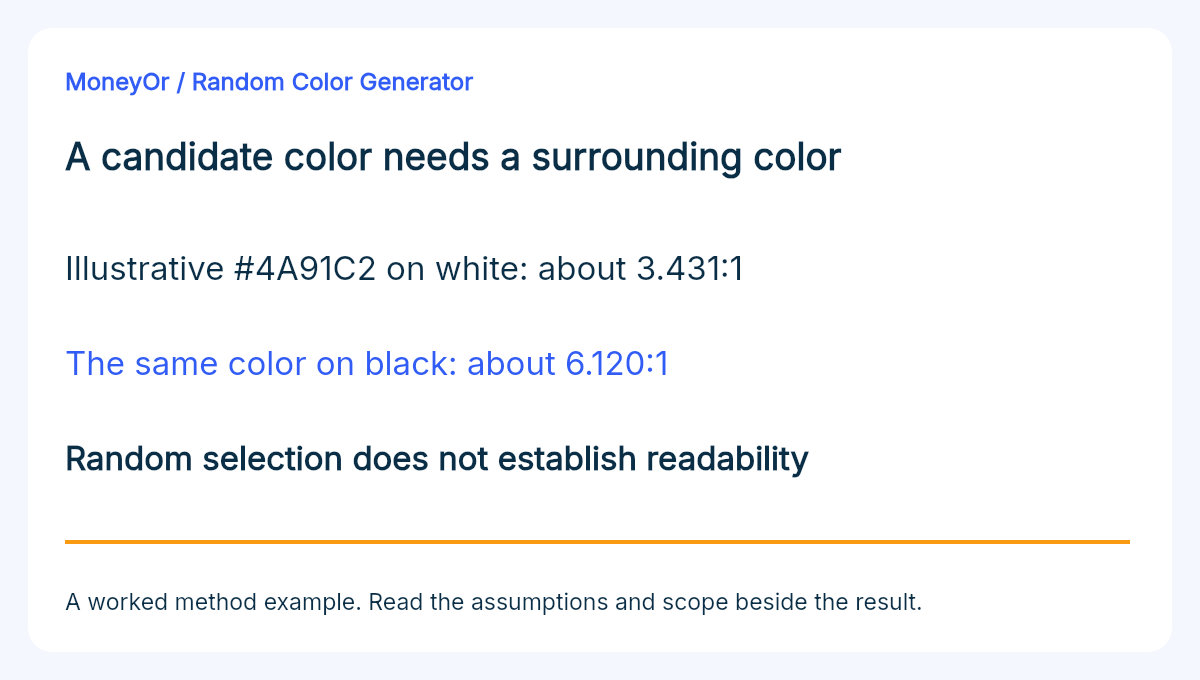
These figures are examples of the implemented calculation, not a certification of a webpage. Font size, actual styling, images, overlays and other requirements still need review. W3C's Understanding Contrast (Minimum) explains the text thresholds and their scope.
If the candidate fails for its intended text use, change the pair or choose another candidate. Do not decide solely from how bright the color looks on your own screen. The WCAG Contrast Checker offers the same kind of pair-based check in a separate tool page. Neither generator nor ratio checker replaces a broader accessibility evaluation of the completed interface.
How can I build useful design experiments from random draws?
Give each experiment a narrow job. For a placeholder chart, draw a candidate and check whether it can be distinguished from the existing series. For a decorative card, test it against the page background. For a text label, test the actual foreground/background pair before keeping it.
Write down the role beside the code, such as draft-card-background or candidate-chart-series-three. A list of unlabeled codes becomes hard to interpret later. The generator does not know those roles and does not enforce a palette size or relationship among separate draws.
Use other visual cues when color carries meaning. Distinct labels, marker shapes or patterns can make an example easier to interpret than several random fills alone. That is a design decision outside the Random Color Generator's one-code output, so review the final content rather than judging only a collection of color values.
For image work, the Image Resizer changes supported image dimensions, and the Image Compressor can create a compressed output. Those tools solve file-related tasks, not color selection. Keep the original artwork and approved color specification together when preparing an asset; using a random code here does not establish a print color, a color profile or a match to a physical product.
What are the generator's limits and processing requirements?
The Random Color Generator needs the browser's cryptographic random-value service. If that service is unavailable, it reports an error rather than silently substituting a predictable color sequence. Use a current browser and the correct HTTPS page when checking a failed run.
Generation itself needs no uploaded file, account details or description of your project. The function selects three bytes locally and returns the code. Broader website delivery and analytics practices are separate and described in the MoneyOr privacy policy.
The output contains no transparency setting, color name or RGB/HSL breakdown. It does not create coordinated palettes, enforce contrast or remember past results after you leave. If a task needs a constrained hue range, a specific number of swatches or an export format, use a tool that explicitly provides those controls.
Recheck a saved candidate when its context changes. A light-mode background, dark-mode panel and printed sample are different environments. Keep the six-digit code as the starting specification, then evaluate the actual rendered result and the requirements of the destination. The useful final choice is the candidate that works for the design's role, not simply the most recent random output.
Frequently asked questions
Can I generate a whole color palette in one run?
No. The Random Color Generator returns one HEX code each time. There is no color-count field, palette preview or harmony mode. You can record several independent draws in your own notes, but the tool does not judge whether those colors form a useful or accessible palette.
Why do some random colors look very similar?
The output is selected from RGB component values without a perceptual-spacing rule. Nearby or similar-looking colors can occur. The generator does not remove earlier choices or enforce visual separation. Evaluate distinctness in the actual design instead of assuming different codes will always be easy to distinguish.
Can I choose only blue, pastel or dark colors?
There are no hue, saturation or brightness controls on this page. Each run uses unconstrained component values. If a project needs a particular range, choose a generator or editor with those settings rather than relying on repeated draws to satisfy a fixed design requirement.
Does the code include transparency?
No. MoneyOr returns #RRGGBB, which has six color digits. Some CSS formats can include an additional alpha component, but this generator does not produce it. Set transparency separately in an application that supports the required notation and test its composited appearance.
Can I paste a HEX code here to inspect it?
The Random Color Generator has no input for an existing code. Use the HEX to RGB Converter for component values or a contrast checker for a foreground/background pair. Generating a new value here does not analyze a color already chosen in another application.
Does a cryptographic random source make a color more accessible?
No. It describes how the component values are selected, not how readable their use will be. Accessibility depends on context and other requirements. A randomly generated color may work for decoration and fail when paired with text, so test the intended pair and design state.
Will the same HEX value always look identical on every screen?
The code specifies a color value, while displays and viewing conditions can affect its appearance. Keep the code consistent when transferring it between applications, then inspect the rendered result in the intended environment. A screenshot alone is not a complete physical color-matching specification.
Can I recover all the colors from an earlier session?
The tool provides no saved palette history. Record a candidate in your own project notes before moving on. A current baseline or exported result is a limited record of what is displayed, not a recovery system for every previous draw.
Sources
- Mozilla MDN, <hex-color> CSS type. Reference checked 26 November 2026.
- W3C WAI, Understanding SC 1.4.3: Contrast (Minimum). Reference checked 26 November 2026.