Reading time calculator
Try Reading Time Calculator
Loading calculator. If this message stays visible, enable JavaScript and reload.
Your result
The reading time calculator estimates how long a passage would take at the words-per-minute pace you enter. Paste the text, set Words per minute and choose Calculate / Run. MoneyOr reports minutes and seconds, along with the word count used in the calculation.
This is a planning estimate, not a test of your reading ability or a measurement of comprehension. A passage of 600 counted words at 200 words per minute produces three minutes. Changing the pace changes the estimate without changing the passage. The useful part is choosing an assumption that fits your task, checking what was counted and leaving room for activities that the formula cannot measure, such as studying a diagram or following a link.
On this page
- Reading Time Calculator inputs and assumptions
- Reading Time Calculator passage and pace preparation
- Reading Time Calculator whole-second formula
- Reading Time Calculator token-counting rule
- What do different pace assumptions do to the same passage?
- How can I use the estimate for an article or study session?
- What limits and error cases should I check?
- How do I keep a useful record of the result?
- Frequently asked questions
- Sources
How to use the Reading Time Calculator
Reading Time Calculator inputs and assumptions
The reading time calculator uses two inputs: the pasted text and your chosen pace in words per minute. The text determines a word count under the tool's matching rule. The pace expresses how many of those counted words you expect to cover in one minute. The output assumes that rate remains constant throughout the passage.
The starting pace of 200 is a configured example in the Reading Time Calculator. It is not a measurement of the person using the page or a claim that every reader processes every subject at that speed. Replace it when you have a more appropriate assumption for your own purpose.
The Reading Time Calculator has no separate language, age, difficulty or comprehension input. Images, tables, equations, interactive exercises and time spent checking references do not receive additional allowances automatically. If the passage requires those activities, account for them outside the text-only estimate.
Reading a draft silently and delivering it aloud are different tasks, even when both can be approximated with a words-per-minute rate. Use the speaking time calculator for script planning and rehearse the delivery. This page does not play audio, record your voice or monitor how far you have read.
Reading Time Calculator passage and pace preparation
Copy the material that belongs in the reading task, then replace the sample in Your text. Include headings or captions if your reader is expected to read them. Exclude navigation labels, unrelated comments or repeated page headers when those are outside the task. The estimate cannot distinguish relevant content from accidental additions.
Enter a positive pace between 40 and 1000 words per minute. Those endpoints are supported input limits, not recommended targets. A larger rate shortens the calculated duration mathematically; it does not demonstrate that you will understand the same material at that pace.
- Define which text the planned reading session covers.
- Paste that selection and inspect its beginning and end.
- Enter the pace you want to model.
- Choose Calculate / Run and check the reported word count.
- Record the assumed pace beside the result.
If you have a timed sample of your own work, use the same kind of reading task when choosing a rate. Skimming for one fact is different from studying a technical explanation. Do not treat a rate measured during one activity as a personal constant that applies to every document and purpose.
Reading Time Calculator whole-second formula
The Reading Time Calculator unrounded duration in minutes is the counted words divided by the entered words per minute. To display whole seconds, MoneyOr multiplies that ratio by 60 and rounds upward. It then separates the total seconds into a minute component and a remaining-second component.
In symbols, seconds = ceil(words × 60 / pace). For 600 words at 200 words per minute, the result is exactly 180 seconds, displayed as 3 min 0 sec. For 601 words at the same pace, the unrounded duration is 180.3 seconds, so the display becomes 3 min 1 sec.

The upward rounding avoids displaying a whole-second estimate that is below the calculated value. It does not add an allowance for rereading or interruptions. The MDN reference for Math.ceil(), checked in 2026, describes this rounding operation.
For a short passage, rounding is more noticeable. One counted word at 40 words per minute represents 1.5 seconds and displays as two seconds. The same word at 1000 words per minute displays as one second after rounding. Neither display should be interpreted as a stopwatch observation of an actual reader.

Reading Time Calculator token-counting rule
The Reading Time Calculator finds runs of Unicode letters and number characters, with a supported apostrophe pattern inside a run. It is a text-matching rule rather than a dictionary or language-specific segmenter. The Word count detail is the number actually used to estimate the duration.
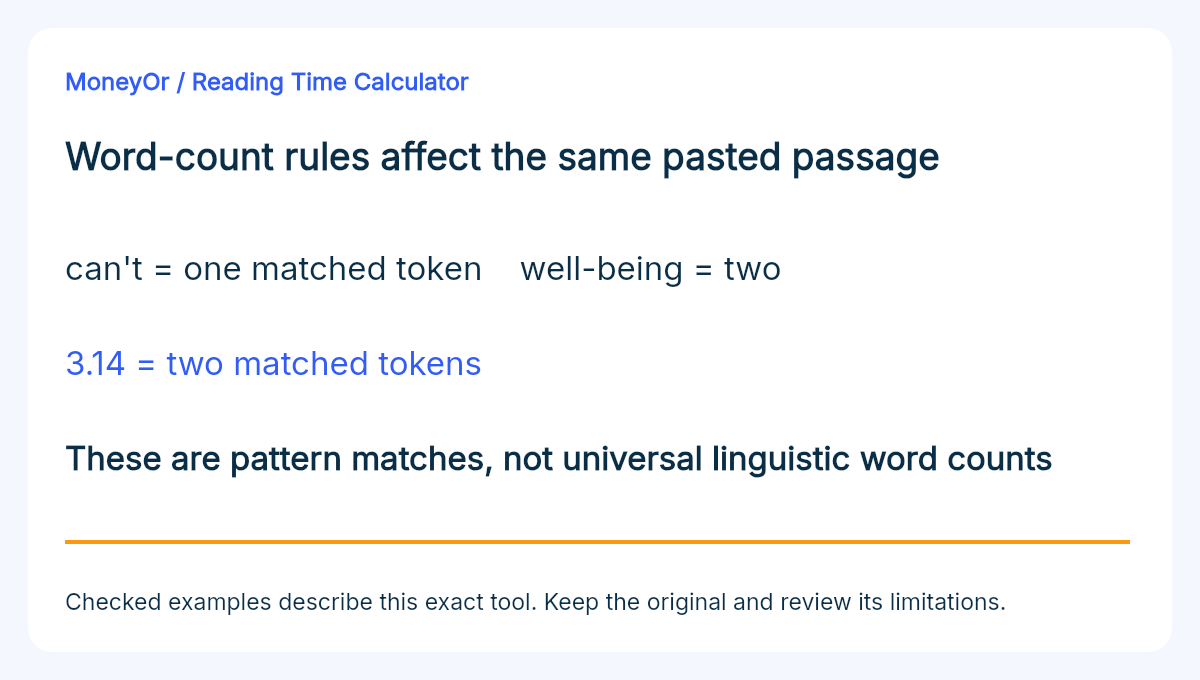
A contraction such as can't counts as one token. A hyphen separates the parts of well-being, producing two. A decimal written as 3.14 also produces two matched groups. These conventions can differ from the rules used by an editor, an assignment system or a simple whitespace-based counter.
Unspaced writing systems need care. The sample 中文测试 forms one continuous matched run here. That is not an authoritative linguistic claim that the passage contains one word. The same caution applies to unusual marks or punctuation that split otherwise connected text into separate matches.
The word counter uses its own documented rule, so its total need not match this timing tool for every input. Compare definitions before substituting one count for another. If you need a language-specific word segmentation method, obtain that count independently rather than treating this general-purpose pattern as universal.
What do different pace assumptions do to the same passage?
Holding the word count fixed makes the effect of the rate easy to inspect. A faster entered rate gives a shorter estimate; a slower one gives a longer estimate. The following scenarios are arithmetic examples for a 600-word passage, not recommendations or claims about typical readers.
| Counted words | Entered pace | Displayed estimate |
|---|---|---|
| 600 | 150 words/minute | 4 min 0 sec |
| 600 | 200 words/minute | 3 min 0 sec |
| 600 | 250 words/minute | 2 min 24 sec |
| 601 | 200 words/minute | 3 min 1 sec |
This comparison can help when a task's pace is uncertain. Keep more than one scenario in your notes rather than presenting the shortest result as a guarantee. For a reading session with a hard finish time, reserve separate time for any note-taking, navigation or discussion that the session requires.
For a second example, 480 counted words at 200 words per minute produce 144 seconds, or 2 min 24 sec. That happens to match the 600-word scenario at 250 words per minute. Identical estimates do not imply identical content, difficulty or learning outcomes. They reflect the selected word-count-to-rate ratios.
How can I use the estimate for an article or study session?
Use the result as a clearly labelled text-reading estimate. If you are preparing an article, include the main passage you expect readers to cover and keep the method consistent when comparing revisions. A shorter estimate after editing can reflect fewer counted words, a different assumed rate or both.
For a study session, separate reading from the other work. Solving an example, checking an unfamiliar term and writing a summary can take time that does not follow a simple word ratio. This page has no input for those activities, so an all-in study schedule needs additional planning.
Compare a selection's estimate with your actual completion time when you have a legitimate reason to calibrate future planning. Record what the task involved, not just the final number. A timed skim with no notes cannot establish the rate for a later close reading with exercises.
For a hypothetical calibration, a sample containing 450 words under this calculator's rule takes three minutes to read. Dividing 450 by three gives an assumed rate of 150 words per minute. The 600-word scenario at that rate then gives four minutes. This example demonstrates a method, not an observation about a real reader. Use the same counting rule for both passages, keep the timer boundary consistent and state whether the measured interval included breaks. Otherwise, a precise-looking rate can combine quantities that do not describe the same activity.
The paragraph counter and character counter can provide other descriptions of a draft. They do not measure comprehension either. Choose an editing goal based on the audience and purpose, rather than cutting useful explanations merely to obtain a smaller estimated duration.
What limits and error cases should I check?
The Reading Time Calculator accepts a pace from 40 through 1000 words per minute and rejects missing, nonnumeric, zero, negative or out-of-range values. Decimal rates are supported by the calculation. For example, 251 counted words at 125.5 words per minute produce exactly two minutes.
The Reading Time Calculator text input is limited to 500,000 JavaScript string units. A longer input is rejected rather than partly counted. Some characters use two units, so this size ceiling does not promise 500,000 visible characters or words. Large allowed input can still place demands on a device's memory and responsiveness.
A normal empty-field submission is stopped by the browser's required-input check. A nonempty passage containing only punctuation can produce zero matched words and a zero-duration estimate. That output describes the matching rule, not a claim that punctuation or a diagram takes no human attention to understand.
The Reading Time Calculator does not open a URL, fetch an article, read a scanned page or extract text from an uploaded file. Paste selectable text into the field. Review a transcription before measuring it, because an accurate calculation cannot correct missing words or recognition errors introduced while obtaining the text.
How do I keep a useful record of the result?
Copy result copies the Reading Time Calculator duration and its result details. Download CSV exports the current result and any saved baseline. Keep the passage and the chosen pace separately when you need a reproducible record; the export is not a full backup of every input or every calculation you tried.
Save as baseline keeps a temporary result for comparison during the current page session. It can show the earlier and new duration labels together. This is not a persistent reading log, and it does not automatically compute a percentage improvement in reading performance.
Reset fields clears the current output and baseline. Editing the passage or changing the rate clears the current estimate. Run the Reading Time Calculator again to obtain a duration for those new inputs.
The Reading Time Calculator runs in the browser without submitting the pasted passage to a reading-time service. Site delivery, analytics and contact practices are separate and explained in the privacy policy. Use a short invented passage for demonstrations when there is no need to handle private material.
Frequently asked questions
Can this calculator measure my actual reading speed?
No. It asks you to supply a pace and estimates a duration from that assumption. There is no stopwatch, progress tracking or comprehension test. A measurement of your own reading speed requires timing a defined task and checking what you actually completed.
Does a faster entered rate prove I understood the text?
No. Changing an input changes the arithmetic estimate, not your understanding. The page does not ask questions about the passage or evaluate retention. Choose a rate suited to the task and use a separate method when comprehension is the outcome you need to assess.
Why does my word processor show a different word count?
Counting conventions differ, especially for hyphenated words, numbers and punctuation. This calculator uses its own matched groups to determine time. Inspect the Word count detail and compare the relevant rules before assuming either program has measured the same unit in exactly the same way.
Does the result include time spent following links?
No. A pasted link can contribute text to the count, but the calculator does not open its destination or estimate extra reading there. Include additional material deliberately in your planning rather than assuming linked pages are already covered by the main passage's estimate.
Can it estimate a whole book from a page count?
There is no page-count input or words-per-page assumption. Paste the actual text within the supported size limit. Page counts alone depend on layout, type size, illustrations and edition, so they cannot be converted by a feature this page does not provide.
Is the result a promise for every reader of an article?
No. It models one word count at one selected rate. Readers can approach the same article differently and may reread sections or stop for other tasks. If you publish the estimate, present it as approximate and avoid implying an individually measured completion time.
Does MoneyOr provide speed-reading training or text-to-speech here?
No. This page is a text-and-rate calculator. It has no paced word display, audio playback or reading-coaching programme. Its purpose is to make an assumption and its resulting duration easy to inspect, rather than promise changes in reading performance.
Can I use it free without registering on mobile?
Yes. No MoneyOr account is needed. Enter the text and pace using your device's normal controls. The same formula applies on mobile and desktop. If clipboard access is unavailable, select the displayed result manually or save the CSV report.
Sources
MDN Web Docs, Math.ceil() and Unicode character class escape. reference checked 26 November 2026. Formula, tokenisation, limits and examples were checked against MoneyOr's implementation; pace scenarios are illustrative inputs, not population statistics.