Text deduplicator
Try Text Deduplicator
Loading calculator. If this message stays visible, enable JavaScript and reload.
Your result
The text deduplicator keeps the first occurrence of each exact line and removes later identical lines. MoneyOr compares complete row strings with case sensitivity. It does not trim spaces, change capitals, sort the result or remove repeated words from inside a sentence. Surviving lines remain in the order they first appeared.
Use it for a plain-text list where exact row equality is the intended definition of a duplicate. Keep the original when repeated occurrences have meaning or entries may differ in important details. Names, addresses and records require their own identity rules; two similar-looking strings are not automatically the same thing. Review case, whitespace and empty rows before deciding whether any preprocessing is appropriate.
On this page
- Text Deduplicator exact row equality
- Text Deduplicator first-seen list preparation
- Text Deduplicator checked exact-match examples
- Text Deduplicator insertion-order method
- Should I normalize spaces or case before deduplicating?
- How are blank rows and invisible differences handled?
- When should repeated rows be preserved?
- What limits and verification steps apply?
- More exact deduplication questions
- Sources and equality rule
Text Deduplicator guide and examples
Text Deduplicator exact row equality
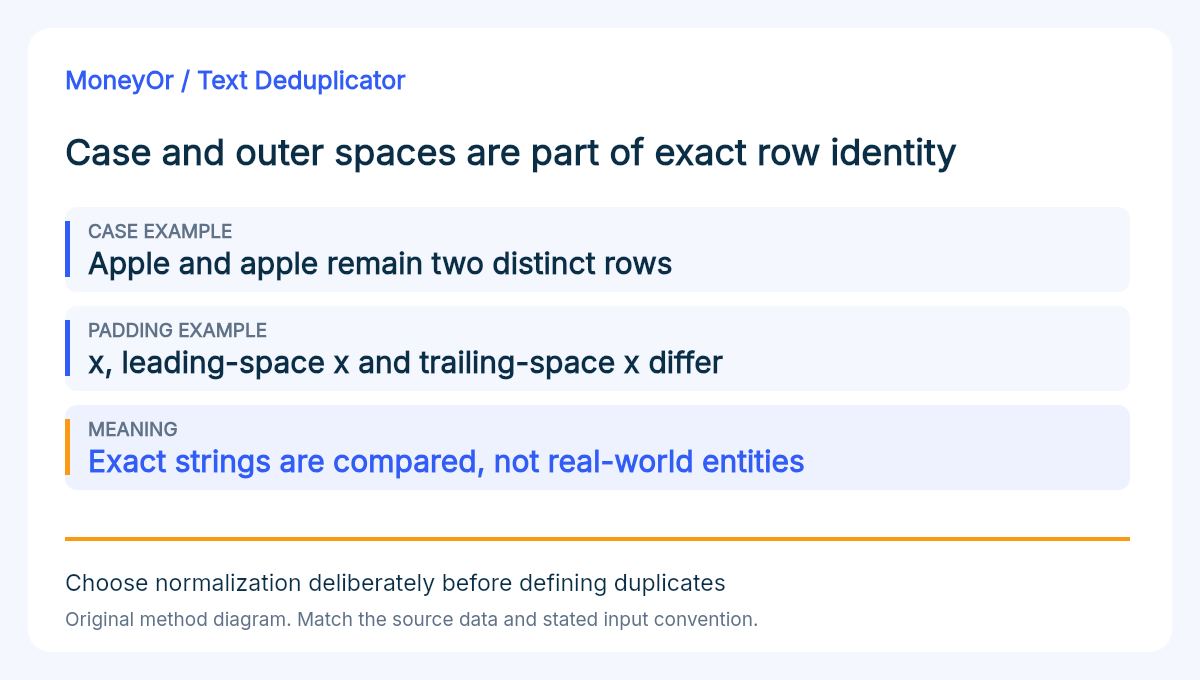
The text deduplicator treats two rows as identical when their complete strings match. Uppercase and lowercase differences matter. Leading spaces, trailing spaces, tabs and punctuation matter. A row containing Apple and one containing apple therefore both survive. A row containing x and a row containing a space followed by x also both survive.
The Text Deduplicator uses no approximate matching, dictionary or semantic comparison. It cannot decide that two spellings refer to the same person or that two addresses represent one location. It does not normalize Unicode forms. A visibly similar accented word can have different underlying character sequences and remain as more than one row.
Line endings are handled separately from the row strings. CRLF, CR and LF divide the input into rows. Surviving rows are joined with LF boundaries. The Text Deduplicator therefore preserves exact row content for comparison, while normalizing the boundary representation.
The Duplicate Line Remover is the related primary topic for repeated-row cleanup. This page explains the exact first-seen behavior and its limits. Choose an operation based on the required equality rule rather than assuming every tool called deduplication uses the same comparison.
Text Deduplicator first-seen list preparation
Save the original before removing repetitions. Read a representative sample and decide whether differences in case or spaces should be meaningful. If exact strings define distinct entries, paste the list into Your text and run the Text Deduplicator without normalization.
- Define what makes two source entries the same for this task.
- Check a short sample with a repeated row and a near match.
- Run the deduplicator and compare surviving entries.
- Confirm that first-occurrence order is appropriate.
- Inspect blank rows and retained padding.
- Save the result separately from the source list.
If the intended equality rule ignores accidental padding, trim a copy before deduplicating. That is a separate data change. If case should also be ignored, decide how to normalize it and whether the original spelling must be retained elsewhere. The Text Deduplicator has no ignore-case switch.
Do not deduplicate a list merely because repeated labels look untidy. Two identical labels may represent distinct events, counts or records. If occurrence frequency matters, keep the source and use a counting or grouping workflow that preserves how many times each value appeared.
For merged lists, first-seen order depends on how you assemble the source. Entries from the first pasted list are encountered before entries from a later list. If that sequence represents priority, preserve it deliberately. If it does not, decide on the desired order separately instead of assuming the Text Deduplicator has chosen a preferred source.
Check the join between pasted lists as well. A missing newline can combine the last entry of one list with the first entry of another, creating a new string that no longer matches either original row. Deduplication cannot repair an incorrectly assembled source, so verify boundaries before comparing repeated entries.
Text Deduplicator checked exact-match examples
The examples were checked in code against the current implementation. Newline notation represents actual row boundaries in the tests. Space differences are described explicitly so a reader can see distinctions that might otherwise be hard to notice.
| Source rows | Checked retained rows | Reason |
|---|---|---|
| red; blue; red; green; blue | red; blue; green | First appearances remain in order. |
| Apple; apple; Apple | Apple; apple | Case distinguishes rows. |
| x; leading-space x; trailing-space x; x | The first three distinct forms | Outer spaces are part of identity. |
| a; empty; empty; b; terminal empty | a; one empty row; b | Only the first empty string remains. |
| a a; a a | a a | The repeated word inside the retained row stays. |
| Precomposed é; e plus combining accent; precomposed é | The first two forms | No Unicode normalization occurs. |
| a with CRLF, b with CR, a | a and b separated by LF | Boundary spelling is normalized. |
These examples separate row deduplication from word deduplication. A sentence containing repeated words remains that sentence when it is the first exact occurrence of the row. The Text Deduplicator only removes a later row whose complete string matches it.
The output also does not label removed rows or provide their original positions. Keep the original when you need an audit trail or occurrence counts. A shorter unique list contains less information than the source and cannot reconstruct all removed repetitions.
Text Deduplicator insertion-order method
The engine splits the input into rows and places their strings into a JavaScript Set in source order. A string already present does not create another entry. Iterating the set returns the retained strings in insertion order, and those strings are joined with line feeds.
For red, blue, red, green and blue, the first red is retained, followed by the first blue. The next red adds nothing because that exact string already exists. Green is new and is retained. The final blue is another exact repetition. The result is red, blue and green in that sequence.

This differs from sorting and then removing duplicates. Sorting would change the first-seen sequence, which may represent the source's intended priority or reading order. Here the order of retained entries follows the original input, not the alphabet or the location of their final occurrence.
MDN Web Docs' Set reference, checked 26 November 2026, explains unique values and insertion-order iteration. Its String.prototype.split() reference describes ordered substring separation. Those mechanisms support the checked row behavior.
Should I normalize spaces or case before deduplicating?
Normalize only when the intended identity rule permits it. The Text Trimmer removes line-edge whitespace. Applying it first can turn differently padded rows into exact matches. That is useful for accidental padding but inappropriate when the spaces belong to a fixed-width value.
The Lowercase Converter changes case across the source. If case differences should be ignored, that can create a common representation, but it also changes names and acronyms. Keep original spelling when the final display or record requires it.
The Text Cleaner also collapses internal whitespace and removes empty rows. That broader cleanup can merge rows that differ inside the value. Decide whether those differences are accidental before using the cleaned result as the basis for equality.
Order matters. Deduplicating first leaves near matches distinct. Trimming first may make them identical. Neither sequence is universally correct; the right choice follows the source's meaning. Record the intended rule if the cleanup will be repeated, so later runs do not silently use a different definition.
For real-world entities, exact string equality may be only a preliminary check. Two people can share a name, and one person can have several spellings. Use stable identifiers and an appropriate record-management workflow when deciding which entities are actually duplicates.
How are blank rows and invisible differences handled?
An empty row is a string value, so its first occurrence can be retained. Later empty rows match it and are removed. A row of spaces is different from an empty row, and a row with a tab is different again. The Text Deduplicator does not use trimming to classify all of them as blank.

If no blank rows should remain, use the Blank Line Remover as a separate step. Its whitespace-only rule differs from this exact equality comparison. Keep empty positions when they represent missing data or relationships with another sequence.
Invisible non-whitespace characters can also make two visible rows different. A code-point-aware editor can help identify them. Do not assume that all invisible marks are unwanted; some affect script shaping or layout. Diagnose the source before applying a broad deletion.
The accented example demonstrates another invisible distinction: a visible accented letter can be represented as one precomposed code point or a base letter with a combining mark. The Text Deduplicator does not normalize those representations. If normalization is required, choose a workflow that explicitly implements the appropriate rule.
Repeatedly running the same exact comparison will not discover near duplicates. It applies the same definition again. When two entries still look alike, compare their actual strings and the intended identity rule rather than treating their survival as a random failure.
When should repeated rows be preserved?
Preserve repetitions when each row represents an occurrence. A repeated measurement, event label or survey response can carry frequency information. Replacing those rows with one unique string discards that frequency. The output is a list of distinct strings, not a summary of how often they appeared.
Structured records need similar care. If two visible labels have different associated values in another column, removing one label from a separately copied list can break alignment. Keep complete records together and use the source application's supported deduplication rules rather than editing one detached column.
Chronological logs can also contain repeated messages at different times. An exact text-only deduplicator cannot preserve the event meaning if timestamps or identifiers were omitted from the input. Decide what constitutes a complete record before comparing rows.
For a reading list or set of display labels, a first-seen unique list may be exactly what you need. Verify that the retained spelling and sequence are suitable. If you later want alphabetic display, the Text Sorter performs a separate ordering step with its own locale-related limits.
Keep a simple record of the source and changes for recurring cleanup. A unique-list output can be useful while the original remains necessary for counts, provenance or restoring a removed occurrence. Do not treat the shorter output as a complete replacement for every future purpose.
If a reviewer asks why a particular entry remains, compare it with the suspected duplicate character by character. An exact-comparison rule gives a concrete explanation. If the difference is meaningful, keep both. If it is accidental, correct the source under the agreed normalization rule and regenerate a fresh candidate.
This approach also avoids quietly changing the deduplication rule halfway through a task. Use one documented definition for the list, and separate exceptions that require human judgment. The utility can apply exact equality consistently, while contextual record decisions belong in the source workflow.
What limits and verification steps apply?
The shared text input cap is 500,000 JavaScript string units. UTF-16 string units can differ from visible-symbol counts. The Text Deduplicator has no separate word-level deduplication mode, similarity threshold, selectable comparison key or sorting setting.
After running, verify that each retained row corresponds to its earliest exact source occurrence. Check a few repeated and near-matching entries deliberately. Inspect the beginning and end of the result, then verify the complete pasted copy in its destination.
The Line Counter can help inspect layout, but its total is not an occurrence history. A trailing line ending and retained empty string can affect displayed counts. Keep the original if you need to know exactly how many source rows were removed.
The transformation runs in the browser tool engine. Broader website delivery and analytics are separate concerns covered by the MoneyOr privacy policy. Use nonsensitive sample lists to explore near matches and retain confidential records in a suitable data environment.
If the result is unexpected, compare actual row strings before changing the rule. A space, case difference or character sequence often explains why a near match survived. A data-cleanup decision should follow that evidence, not an assumption that visually similar entries must be redundant.
More exact deduplication questions
Does it remove repeated words within a sentence?
No. The comparison unit is a complete line. Repeated words inside the first retained row stay. Use an appropriate editing process if the problem concerns wording rather than repeated rows.
Can I keep the last occurrence instead of the first?
There is no last-occurrence option. The current operation keeps the first exact string appearance. Choose a record-processing workflow with an explicit retention rule when the latest occurrence matters.
Will punctuation differences be ignored?
No. Punctuation is part of each row's string. A comma, full stop or dash can make two entries distinct. Normalize only when those differences are known to be irrelevant. Verify the resulting strings before discarding either original form.
Does a unique list prove all entities are different?
No. It proves only that the retained row strings differ under exact comparison. Entity identity requires context and appropriate identifiers. A single entity can appear under several strings, and different entities can share one string.
Can removed repetitions be restored from the result?
Not reliably. The output does not preserve their counts or positions. Save the original list and any normal editor history if restoration or occurrence analysis may be needed.
Sources and equality rule
MDN Web Docs, Set and String.prototype.split(), checked 26 November 2026, are linked above. Define equality before cleanup, preserve meaningful repetitions and confirm first-seen order before replacing a working list.